What is Configuration Wizard
AlignPlus Configuration Wizard provides an interface for user to configure cameras, calibrations, feature finders, and pose computers for an application, and then automatically generates the project in few minutes. Configuration Wizard supports multiple cameras, multiple stations, stage/robot alignment, assembly, or inspection applications. It is very convenient and flexible for user to generate projects based on machine descriptions.
An automatically generated project includes the following functions:
-
Vision tasks including calibration, train time and run time feature finding tasks
-
Pose computing tasks which compute the required motions to align or assemble parts to the target poses
-
User interface for user to setup the machine, test, run, and deploy
-
Common alignment functions such as L-Check, Offset Compensation, Manual Alignment, and Motion Analysis
-
System utilities such as recipe management, user management, multi-Language, data Logging, and Image saving and play back
-
Communication interface for TCP/IP commands to interface with external controllers such as PLCs and Robot controllers
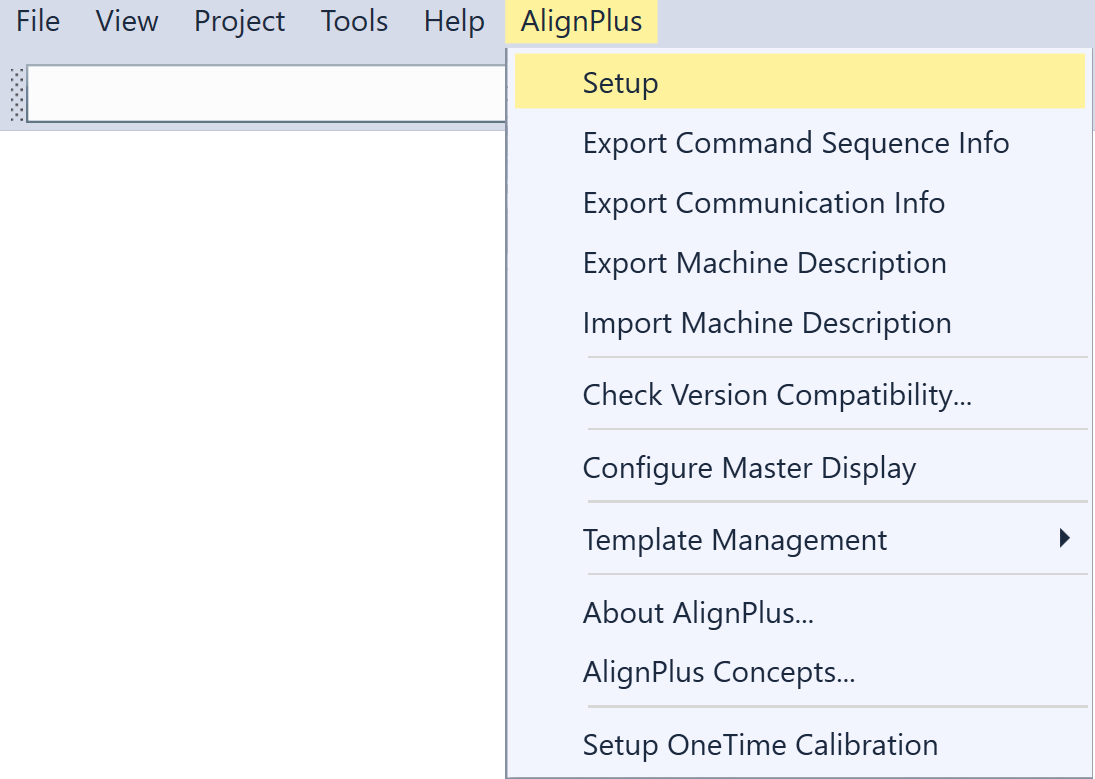
To open the Configuration Wizard, choose the "Setup" option under "AlignPlus" menu in the opened designer project.
An empty Configuration Wizard is as blew.
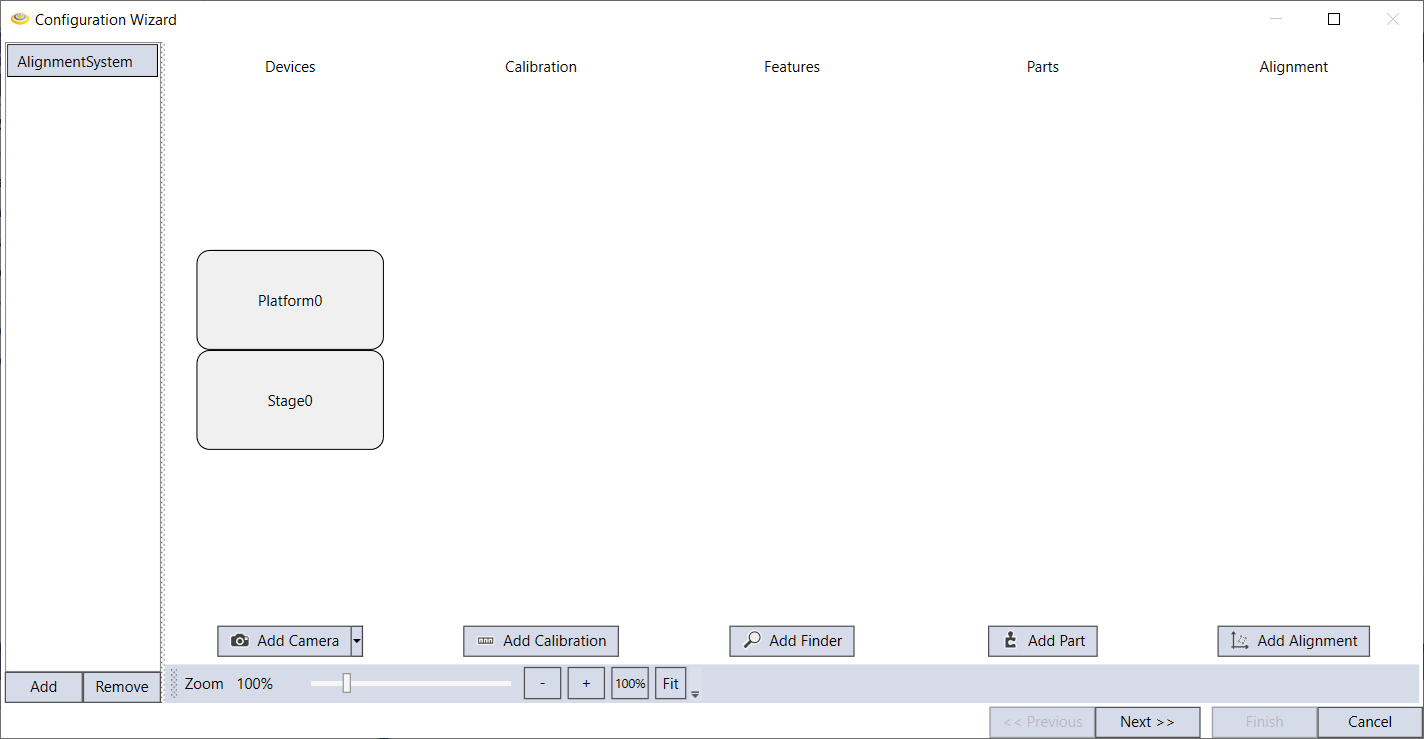
Configuration Wizard provides configurations for the following aspects of an AlignPlus program: