Finders
Finders are used to locate features (such as fiducial marks, corners, etc.) on calibrated images. One finder in the configuration wizard has one feature finding task in the corresponding generated project. This task then can be used for feature finding in both train time and run time.
Add
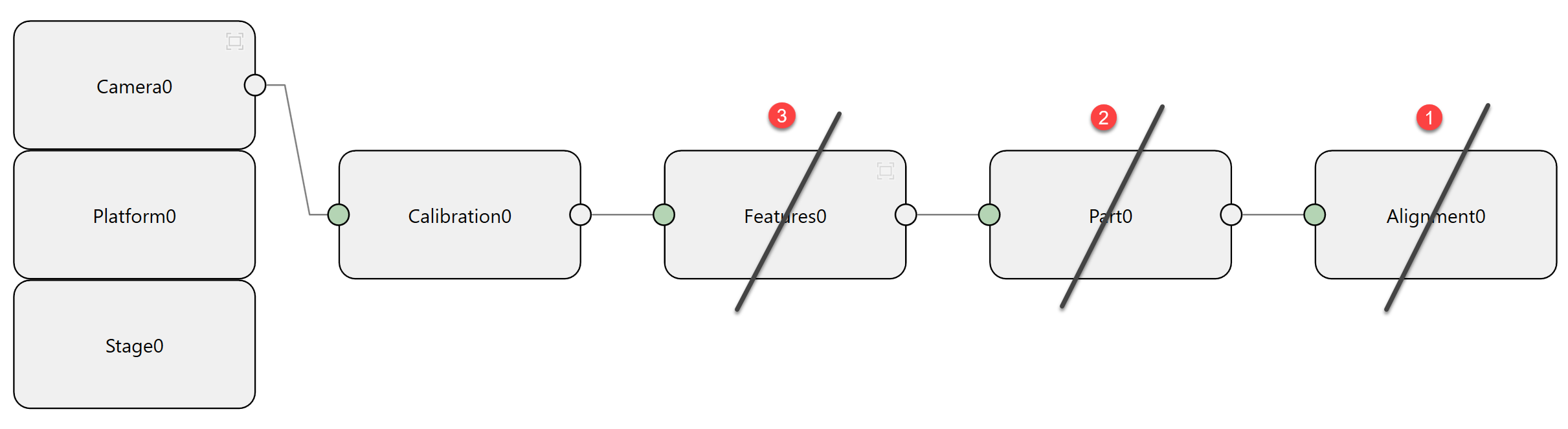
Click Add Finder to add one finder component.
Connect
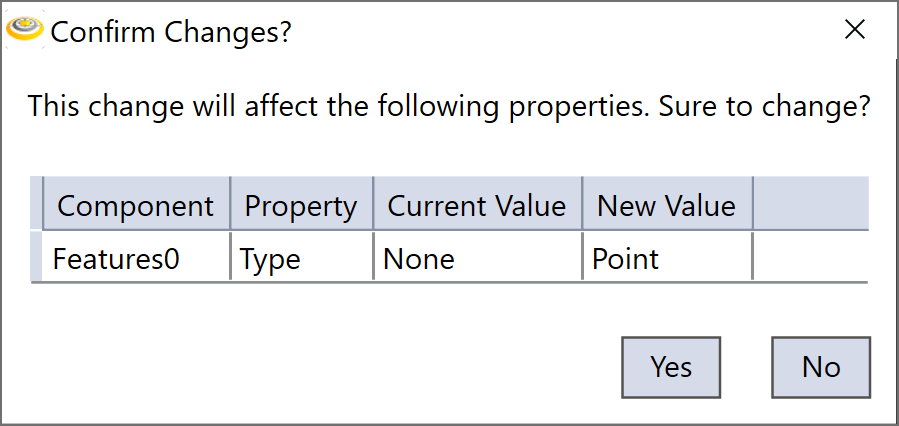
A finder component needs to be connected to a calibration component before it can be configured inside. Once the connection is made, a dialog will pop up saying the finder type will be changed to Point, click "Yes" to continue.
Set
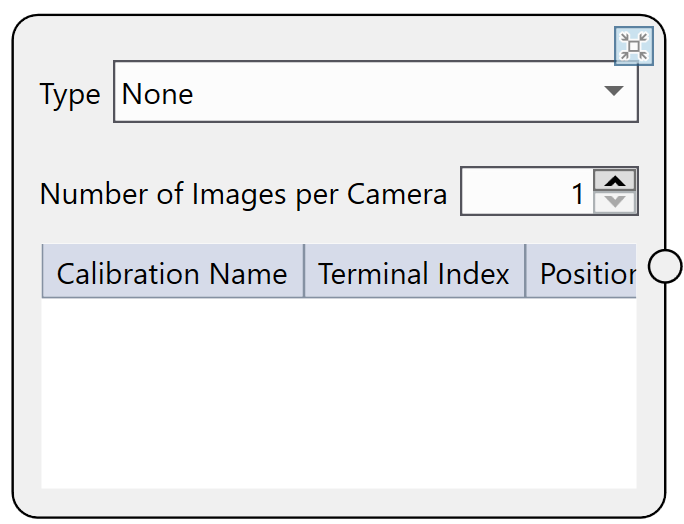
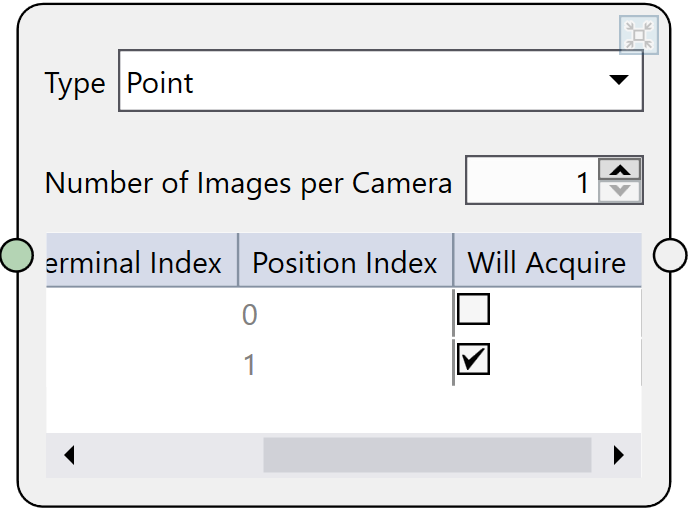
In the opened dialog box of the finder component, users can configure the feature type and number of images per camera.
Type
| Option | Description |
|---|---|
| Custom |
When custom is chosen, the FeatureExtractorSubTask inside the corresponding feature finding task generated by the Configuration Wizard will be empty, so that users can customize this sub task. One advantage of selecting 'Custom' type is that when the configuration wizard is rerun, the user customized contents in the FeatureExtractorSubTask will be maintained. For the other types, AlignPlus will overwrite the sub task contents to default settings. |
| None | Default option when finder is not connected to any calibration component. |
| Point |
Select this option to have the feature finding task and the corresponding configuration HMI to find point features. |
| Line | Select this option to have the feature finding task and the corresponding configuration HMI to find line features. |
| Generic Feature | Select this option to have the feature finding task and the corresponding configuration HMI to find generic features. |
| Multiple Parts |
Select this option to have the feature finding task and the corresponding configuration HMI to locate multiple parts using point features. Note: Current multiple parts function only supports single camera single position pickup applications. Therefore, multiple parts finder can only connect to one camera device through a calibration component.
|
| AOI Features | Select this option to have the feature finding task and the corresponding configuration HMI to locate AOI features (equal to generic features) for inspection applications. The auto-generated corresponding feature finder will be a AOI (generic) features finder. |
Number of Images per Camera
Specifies the number of images that the corresponding feature finding task will capture from each camera at each acquisition position. The default number is 1, increase it if the same camera needs to capture multiple images of the part under different exposure and lighting settings.
Related Data
| Table Column | Description |
|---|---|
| Calibration Name | Name of the calibration component whose output terminal is connected to the current finder component |
| Terminal Index | Index of the corresponding input terminal of the calibration component. |
| Position Index | Corresponding position index in the calibration component |
| Will Acquire |
A check box that indicates if the image at the corresponding Calibration Name, Position Index, and Terminal Index will be acquired during the feature finding process. If an image are not required for feature finding, you need to uncheck this option.
|
Delete
If the finder component is connected to a part, and the part links to an alignment, then you need to first delete alignment component, then the part, and by then the finder component can be deleted.