VisionPro supports the Fixture tool to create a new coordinate space based on a found feature in your run-time images. Vision tools you add to this new coordinate system will analyze the correct portions of the image regardless of how the object under inspection shifts position, rotates or changes scale. See the topic Creating a Fixtured Coordinate Space for more information.
A Fixture tool attaches the new coordinate space to an input image and provides a new output image for use by other tools that can use the new coordinate space. You must supply a nonqualified coordinate space name for the fixtured space and a Transform2D that defines the fixtured coordinate space relative to the unfixtured space. Your application generates the 2D transformation from another vision tool, such as a PatMax RedLine tool.
The Fixture tool edit control presents a user interface to the 2D transform between the unfixtured coordinate space to the fixtured coordinate space:
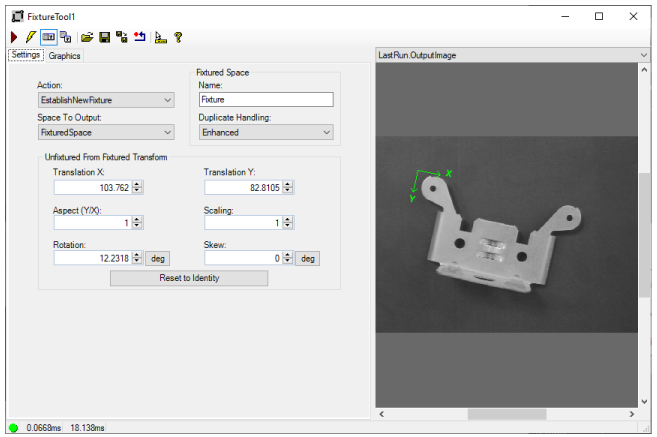
See the topic Control Reference for a description of the buttons along the top of the edit control. The Fixture tool edit control supports the following image buffers:
- The Current.InputImage buffer contains the input image to which the tool attaches the fixtured coordinate space
-
The LastRun.OutputImage buffer shares the pixels and the coordinate spaces of the input image. Its SelectedSpaceName is controlled by the SpaceToOutput property of this tool.