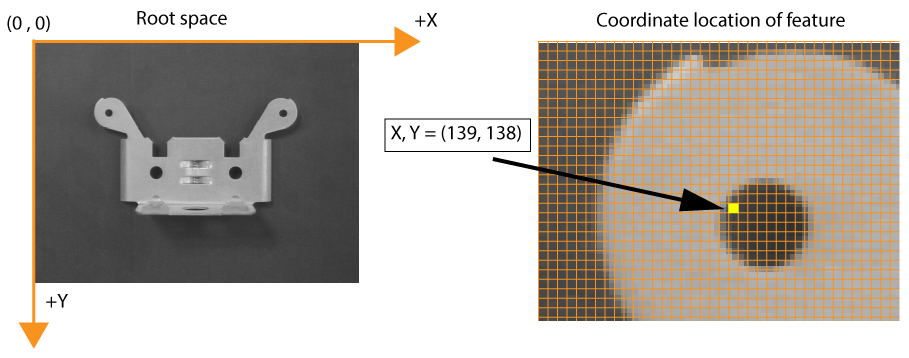
By default all VisionPro acquired images support a root space - a left-handed coordinate system aligned with the origin (0, 0) at the upper-left corner of the upper-left pixel of the image. Any vision tool can report the location of a feature with (X,Y) values from the root space coordinate system:
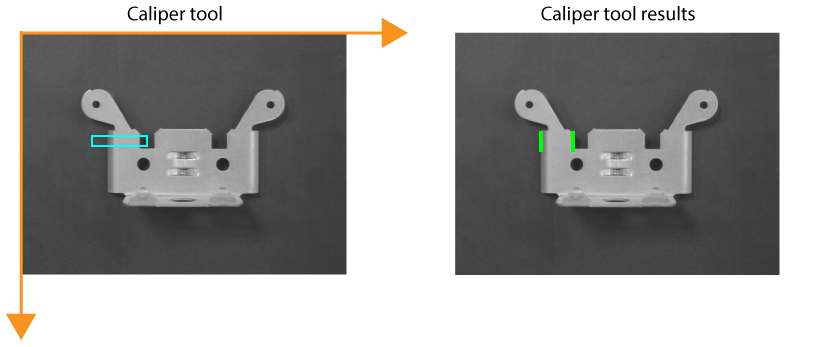
You can place a vision tool on the root space coordinate system and analyze a run-time image. For example, you can add a Caliper tool to locate an edge pair:
By using the coordinate system defined by the root space, however, your application cannot compensate if the object under inspection does not appear in exactly the same location in subsequent images:
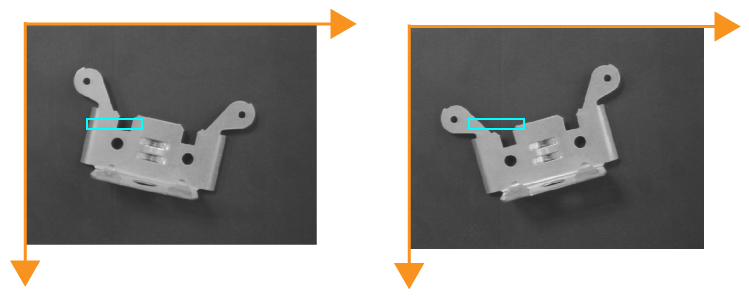
VisionPro supports the Fixture tool to create a new coordinate system based on a found feature in your run-time images. Vision tools you add to this new coordinate system will analyze the correct portions of the image regardless of how the object under inspection shifts position, rotates or changes scale.