Deep Learning Runtime Workspace
The DLRuntime tool edit control provides a graphical user interface to the DLRuntimeTool API, which you use to integrate a saved VisionPro Deep Learning runtime workspace into your QuickBuild application. See the topic Deep Learning Integration for more information and an example QuickBuild application that uses the edit control.
Once integrated, your QuickBuild application has access to all of the Deep Learning tools configured in the workspace.
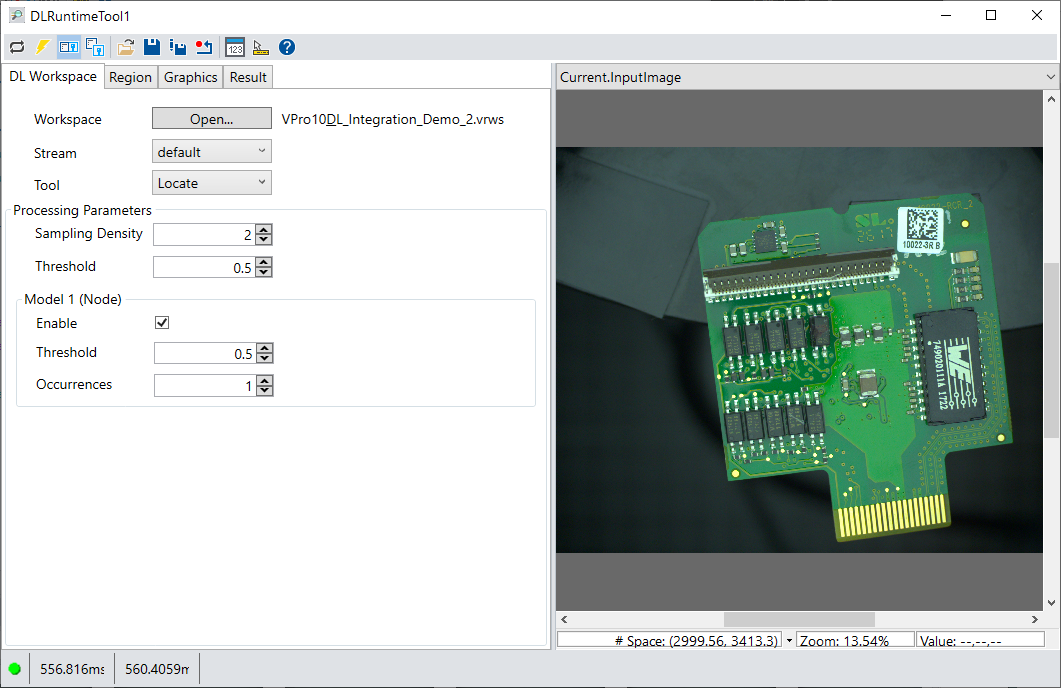
See the topic Control Reference for a description of the buttons along the top of the edit control. In addition, the DLRuntime tool edit control supports the following image buffers:
- The Current.InputImage buffer contains the next image the runtime workspace will analyze.
- The LastRun.InputImage buffer contains the last image processed by the runtime workspace along with any graphics you enable from the Graphics tab.
In addition, the edit control might support additional buffers based on the Deep Learning tools you use in your runtime workspace.
To connect the DLRuntime tool edit control to a saved runtime workspace, click Open on the DL Workspace tab. Deep Learning runtime workspaces have a .vrws extension, and must be exported from VisionPro Deep Learning software.
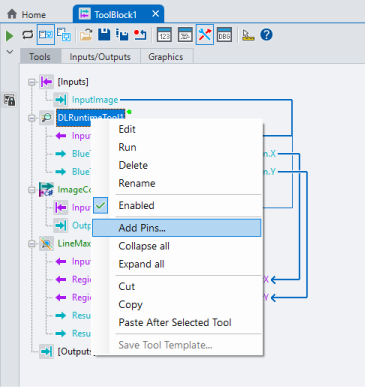
To expose Deep Learning tool parameters and results in your QuickBuild application, right-click on the edit control and select Add Pins:
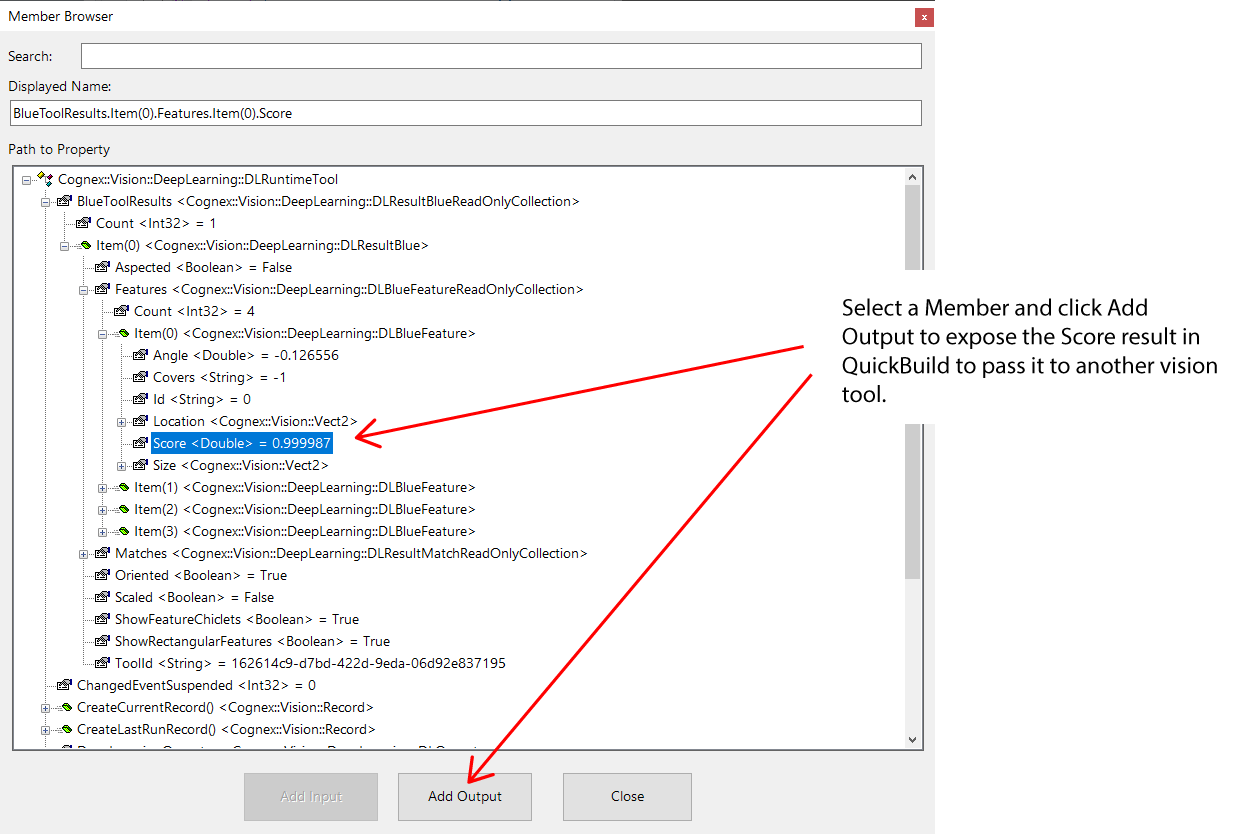
Use the Member Browser to dig down into all the supported parameters and results, select the desired member, and choose whether the member appears as an input to the runtime workspace or an output to pass the member to another vision tool:
Refer to your Deep Learning documentation for details on the parameters the edit controls offers on the various tabs.