Deep Learning Integration
The (Deep Learning) DLRuntime tool allows you to integrate a saved VisionPro Deep Learning runtime workspace in your VisionPro application. Once integrated, your vision application has access to any of the following VisionPro Deep Learning tools configured and saved in a runtime workspace:
- The Blue Locate tool: Identify features in an image or generate information about position and orientation of features relative to some coordinate system
- The Blue Read tool: Perform Optical Character Recognition (OCR)
- The Green Classify tool: Identify and classify an object, or the entire scene, in an image.
- The Red Analyze tool: Perform anomaly detection or defect detection
Your VisionPro application can change the run parameters of the Deep Learning tools and access all the results the tools can generate and pass them to other vision tools. Refer to your Cognex Deep Learning documentation for details on using VisionPro Deep Learning.
The PC running the vision application must have both of the following installed:
- Cognex VisionPro 10.0 or greater
- Cognex VisionPro Deep Learning 2.0 or greater
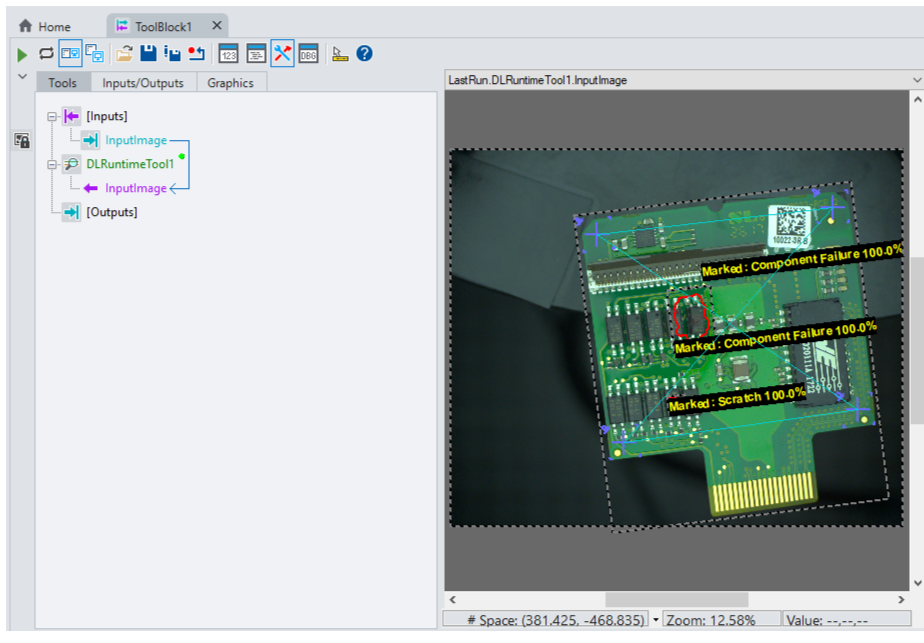
For example, a QuickBuild application acquires color images and passes them to DLRuntime tool loaded with a runtime workspace containing a combination of Blue, Green and Red tools:
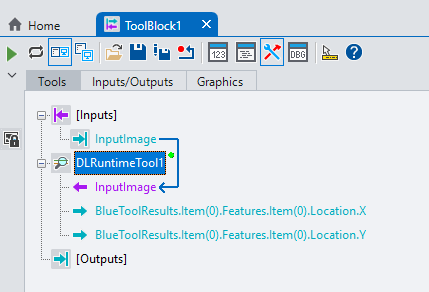
Output pins are enabled for the location of the first Blue tool result:
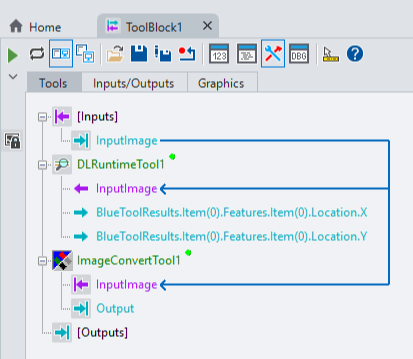
An Image Convert tool converts the color image to an 8-bit greyscale image:
The application passes the converted image to a LineMax tool with input pins for the location of the tool region:
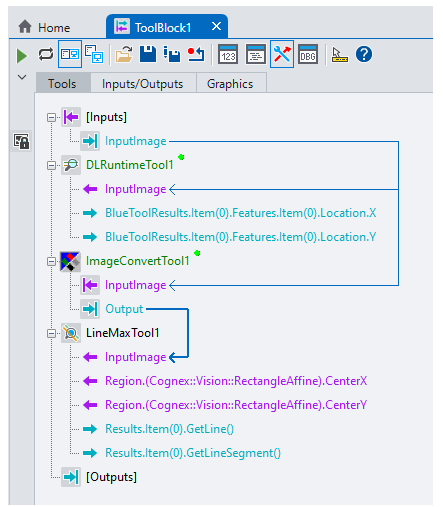
Finally the LineMax tool accepts output results from the DLRuntime tool to relocate the input region based on found results by the Blue Locate Tool:
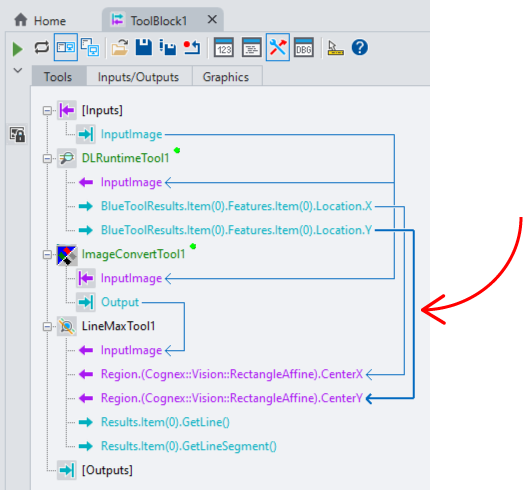
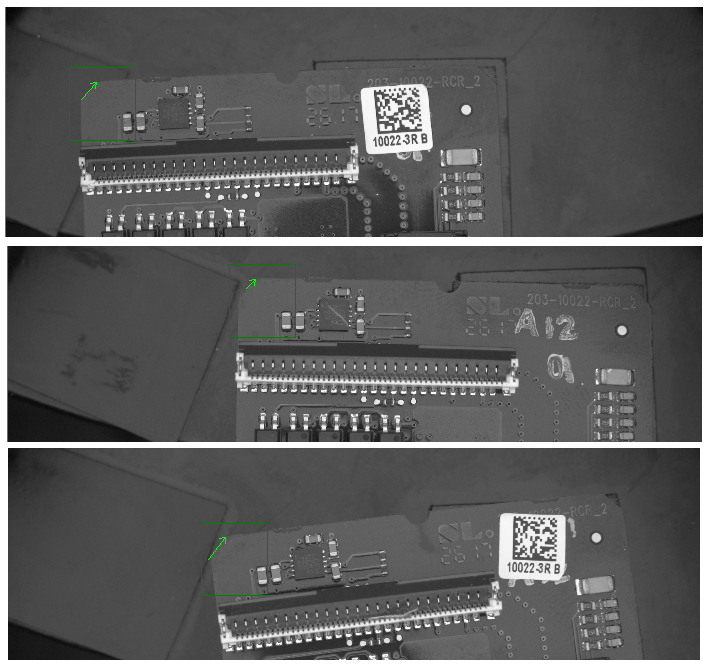
As the QuickBuild application executes, the region for the LineMax tool relocates based on the found results of the Blue Locate tool in the runtime workspace.