This topic contains the following sections.
- Path 1: Interactive development with QuickBuild plus the Application Wizard-Generated Operator Interface
- Path 2: Interactive development with QuickBuild plus a customized Application Wizard Operator Interface
- Path 3: Interactive Development plus a Custom Operator Interface
- Path 4: Custom application using native VisionPro .NET Programming Interface
VisionPro supports four discrete development pathways for you to create your deployed VisionPro machine vision application:
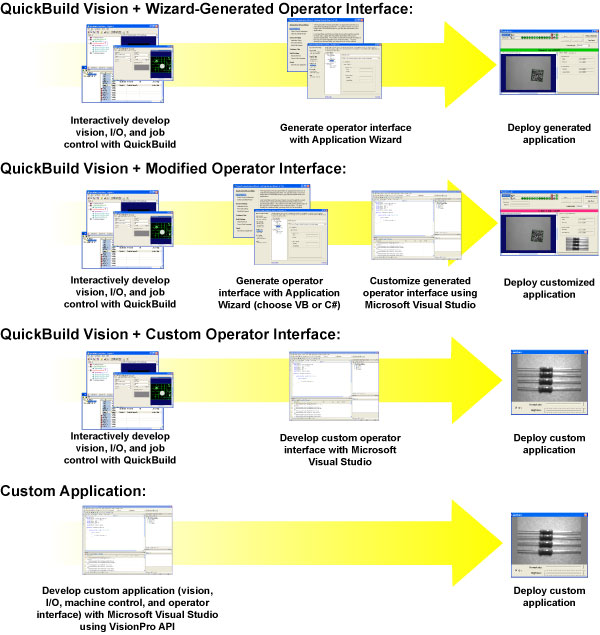
Each of these pathways is described in this document.
This section contains the following subsections.
The simplest method for developing a deployable VisionPro application is to use QuickBuild to interactively configure image acquisition, image processing and analysis, and I/O, and then use the Application Wizard to generate a deployable VB.NET or C# program that embeds the QuickBuild application and provides a configurable operator interface.
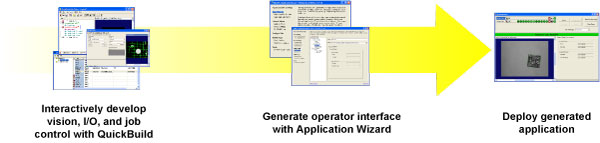
- No programming required
- Fast
- Can continue to use QuickBuild to modify vision, jobs, and I/O
- Operator interface options limited by Application Wizard
See the documentation on QuickBuild and the Application Wizard.
This section contains the following subsections.
Because the Application Wizard generates a VB.NET or C# application, including source code, you can easily use Microsoft Visual Studio to view and modify the generated application.This makes it easy for you to customize the look and feel of the application and to add controls and display values from other system components.
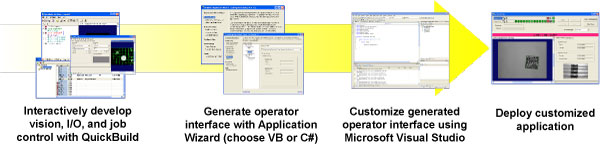
- Easy customization of generated application
- Can still use QuickBuild to modify the underlying vision application
- Requires some programming
- Must work within framework of Wizard-generated code
- Cannot re-run the Wizard to update modified Wizard-generated code without losing your modifications
Open the application created by the Application Wizard using Microsoft Visual Studio and examine the code.
This section contains the following subsections.
The VisionPro .NET programming interface includes functions that let you load and operate a saved QuickBuild application (in fact, the Wizard-generated application uses these functions). Instead of using the Wizard-generated code, you can simply write your own Visual Studio application to load and control the saved QuickBuild application
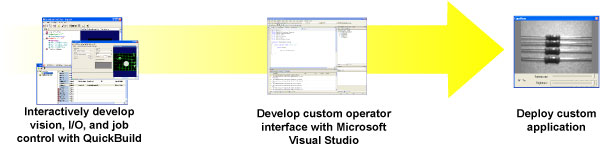
- Total control over operator interface appearance and behavior.
- Can still use QuickBuild to modify the underlying vision application
- Requires programming
See the files in the directory Samples\Programming\QuickBuild\SimpleApp\ inside the VisionPro installation directory and the CogJobManager class documentation.
This section contains the following subsections.
The VisionPro .NET programming interface lets you directly control image acquisition, processing, and analysis.
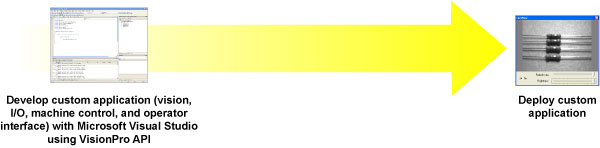
- Total application flexibility
- Requires the most programming
See the files in the directory Samples\Programming inside the VisionPro installation directory and the Programming Reference section of the documentation.