To use a Fixture tool to create a new coordinate system you must learn the position and orientation of the object in each run-time image, which can undergo a change in translation, rotation and scale, as shown:
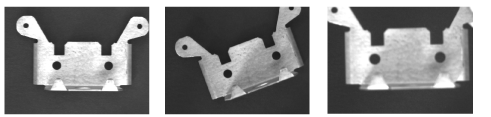
VisionPro refers to the position and orientation of the object as its pose, and you can pass all or some components of the pose to a Fixture tool as input.
Use one of several VisionPro search tools to locate a unique feature of the object that can be used to indicate its pose. For example, the following figure shows output images after locating a trained pattern with a PMRedLine tool:
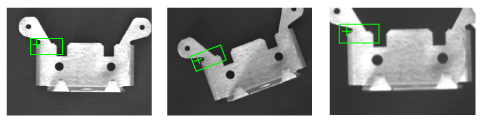
With the pose information you can create a new fixtured coordinate system based on the position and orientation of your object under inspection.