Use a PatMax RedLine tool to search for a trained pattern in your acquired images. The tool can be configured to search an image for the trained pattern regardless of angle or scale, or when the pattern appears partially obscured
The PatMax RedLine tool supports a user interface available in QuickBuild or your custom .NET vision application:
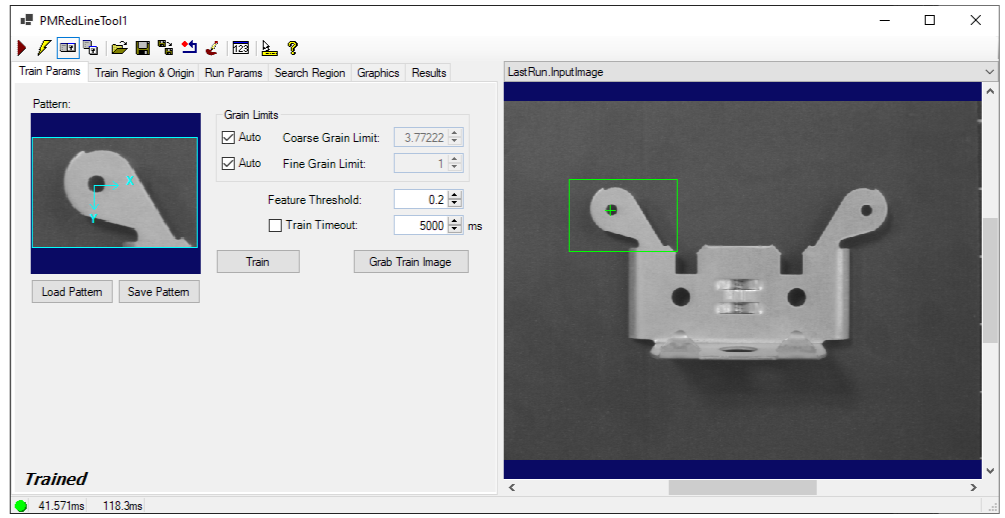
See the topic Control Reference for a description of the buttons along the top of the edit control. In addition, the PatMax RedLine edit control supports the following button:

|
Open the Image Mask Editor for creating a mask to add to the training image. |
The edit control supports the following image buffers:
- The Current.InputImage provides the input images to the PatMax RedLine tool.
- The Current.TrainImage contains the training image.
- The LastRun.InputImage buffer displays the last image on which the tool most recently ran. Use the Graphics tab to highlight the search area and the results of the search.
See the following for more information on using the PatMax RedLine user interface: