ID Tool
The ID tool edit control provides a graphical user interface to the IDTool API, which you use to locate and decode 1D and 2D symbols. The ID tool recognizes 15 different symbologies, including Code 39, Code 128, UPC/EAN, and Data Matrix.
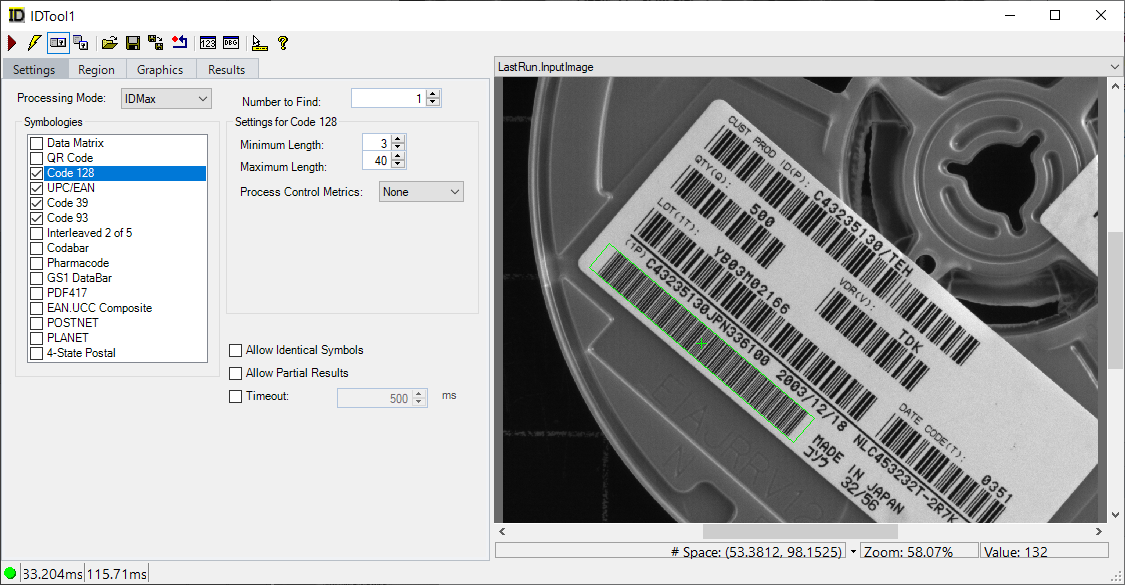
See the topic Control Reference for a description of the buttons along the top of the edit control. The ID tool edit control supports the following image buffers:
-
The Current.InputImage buffer contains the next image the tool will analyze plus any region graphics you might select on the Region tab to select a portion of the entire image available.
-
The LastRun.InputImage buffer contains the last image processed by the ID tool along with any graphics you enable from the Graphics tab.
- The tool can also generate a LastRun.TransformedRegionPixels buffer if you use an affine transform input region and select the option of generating a transformed region image..
See the following topics for more information: