Fit Circle Tool
The Fit Circle edit control provides a graphical user interface to the FitCircleTool, which takes a set of input points and returns the circle that best fits those input points while generating the smallest root mean square (RMSError) error. A Fit Circle tool requires a minimum of three input points.
The following figure shows an example Fit Circle edit control:
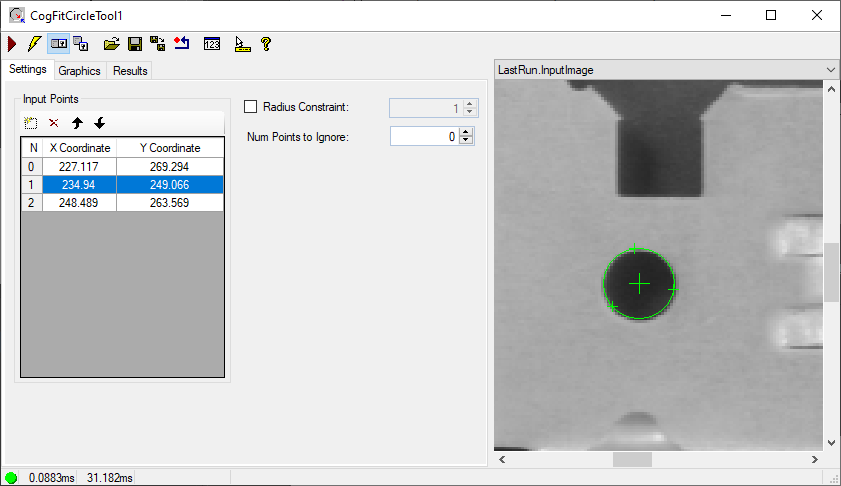
See the topic Control Reference for a description of the buttons along the top of the edit control. The Fit Circle tool edit control supports the following image buffers:
- The Current.InputImage buffer contains the current image and the set of input points supplied to the tool.
-
The LastRun.InputImage buffer contains the results of the tool after it fits a circle to the set of input points.
See the following topics for more information: