The Copy Region edit control provides a graphical user interface to the CopyRegionTool API, which you can use in your vision application to do any of the following:
-
Copy a portion of an input image to a new output image.
-
Copy a portion of an input image into an existing destination image.
-
Fill a portion of an input region with a constant grey value.
The following figure shows an example Copy Region edit control:
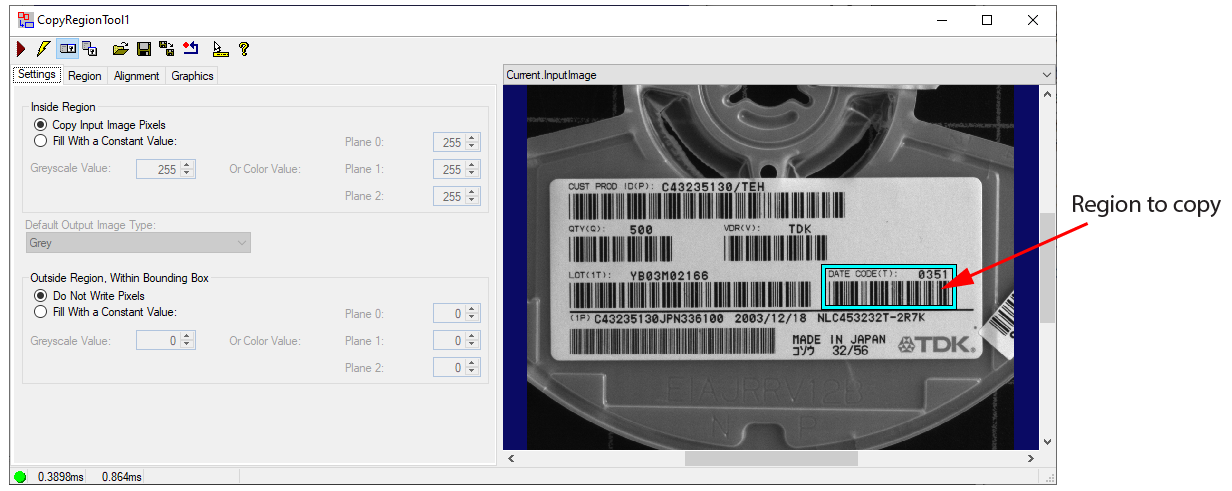
See the topic Control Reference for a description of the buttons along the top of the edit control. The Copy Region tool edit control supports the following image buffers:
-
The Current.InputImage buffer contains the next image the tool will analyze plus the graphic for the input region.
-
The Current.DestinationImage buffer contains an optional image into which the tool will copy the contents of the input region specified within the Current.InputImage buffer. If the Region Shape is anything other than the entire image then the buffer also contains a graphic representing the region of the destination image that will be overwritten by the tool.
-
The LastRun.InputImage buffer contains the last image processed by the Copy Region tool along with any graphics you enable.
- The LastRun.OutputImage buffer contains the output image the tool produces.
See the following topics for more information: