The Caliper tool edit control provides a graphical user interface to the CaliperTool, which you can use for measuring the width of objects, the location of edges or features, and the location and spacing of pairs of edges in images.
The following figure shows an example Caliper Tool edit control:
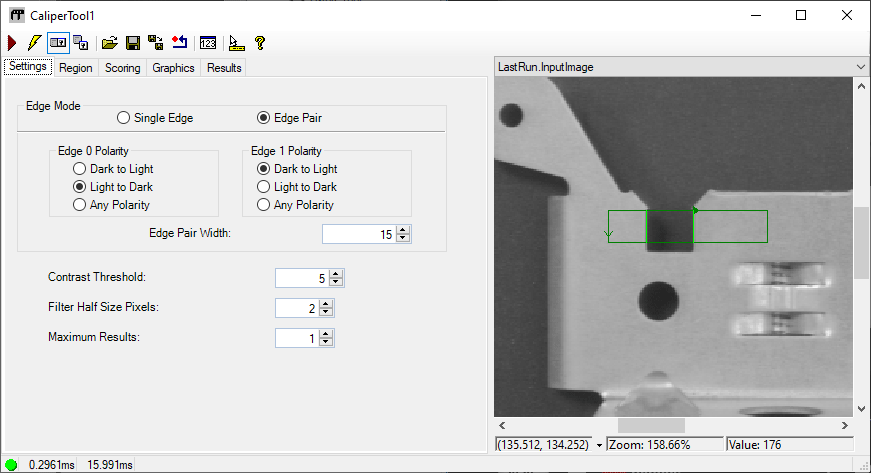
See the topic Control Reference for a description of the buttons along the top of the edit control. The Caliper Tool edit control supports the following image buffers:
- The Current.InputImage buffer contains the current input image to the Caliper tool. When you run the tool, it examines the projection region in the InputImage and determines the number of edges or edge pairs based on the criteria defined in the Settings tab. The results of this search can be viewed on the Results tab.
- The LastRun.InputImage buffer displays the last image on which the tool ran. With this buffer you can use the Graphics tab to specify the tool results to display, such as the edges found during the search.
- The LastRun.TransformedRegion buffer displays a close-up of the projection region and can overlay it with two graphs. One graph displays GetProjectionValues and the other displays GetFilteredValues.
See the following topics for more information: