Edge Intelligence
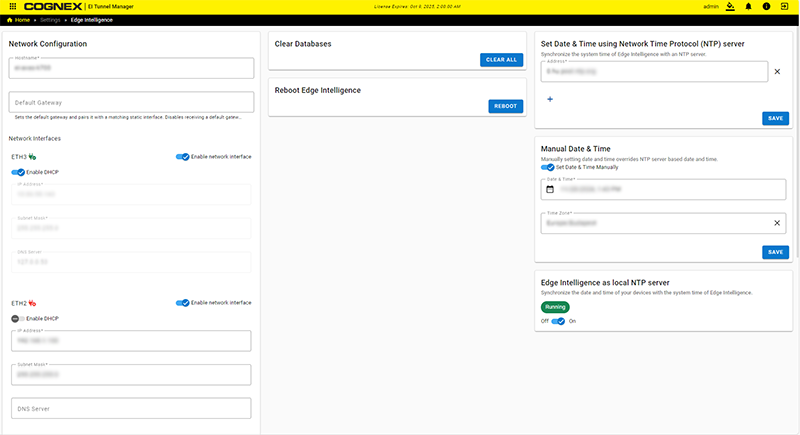
The Edge Intelligence page shows the network configuration, and allows you to edit and save the network settings of the EI Tunnel Manager device.
|
|
||
|---|---|---|
| Section | Item | Description |
| Network Configuration | Hostname | The hostname of the EI Tunnel Manager. |
| Default Gateway | The Gateway of the EI Tunnel Manager. | |
| Network Interfaces |
Configuration options for each of the Ethernet ports (1-3). For each Ethernet port:
|
|
| IP Address | The IP Address of the EI Tunnel Manager. | |
| Subnet Mask | The Subnet Mask of the EI Tunnel Manager. | |
| DNS Server | The DNS server of the EI Tunnel Manager. | |
| Network Address Translation (NAT) |
Toggle the switch to enable the NAT. See Setting up the NAT. |
|
| Clear Databases |
Clear the device lists, data, and images from the Unit, and create a new state. Note: The Clear database option is only available with Admin level clearance.
|
|
| Reboot Edge Intelligence | Reboot the EI Tunnel Manager device. | |
| Set Date & Time using Network Time Protocol (NTP) server |
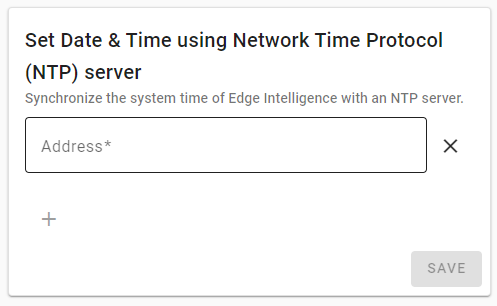
Add an NTP server to set the system time:
Note: You need to log out and log back in after saving the system time.
|
|
| Manual Date & Time | Toggle Set Date & Time Manually to specify the date, time and the time zone. Note: You need to log out and log back in after saving the system time. |
|
| Edge Intelligence as local NTP server | Toggle the switch to synchronize the date and time of your devices with the EI Tunnel Manager device. | |