Set Trigger Mode
The trigger setting determines how the vision sensor acquires images.
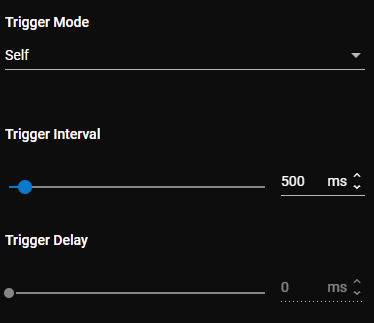
The following trigger modes are available:
-
Self: The vision sensor automatically acquires images at the selected interval. You can set a Trigger Interval anywhere between 400 ms and 2000 ms.
-
Single: Use the Trigger button in the bottom left corner or an external source, such as a PLC, to trigger image acquisition.
The Trigger Delay setting monitors the trigger signal and postpones image acquisition until the trigger delay period expires. You can set the Trigger Delay time between 0 ms (default) and 1000 ms. If set to 0, acquisition starts immediately. The Trigger Delay is included in the reported cycle time. You can only set the Trigger Delay when the vision sensor is in Single trigger mode.
The trigger sources are the following:
-
In 0 input signal
-
Industrial Protocols