Communications
In the Communications tab of Settings, you can do the following:
-
Enable communication with a PLC through device inputs and outputs.
-
Configure TCP/IP settings.
-
Configure the vision sensor to allow changing the program remotely.
-
Choose and configure an industrial protocol.
-
Click Apply to saves your changes.
Note: The Apply button becomes available after you modify the settings. Clicking Revert resets the communication settings to the last applied version.
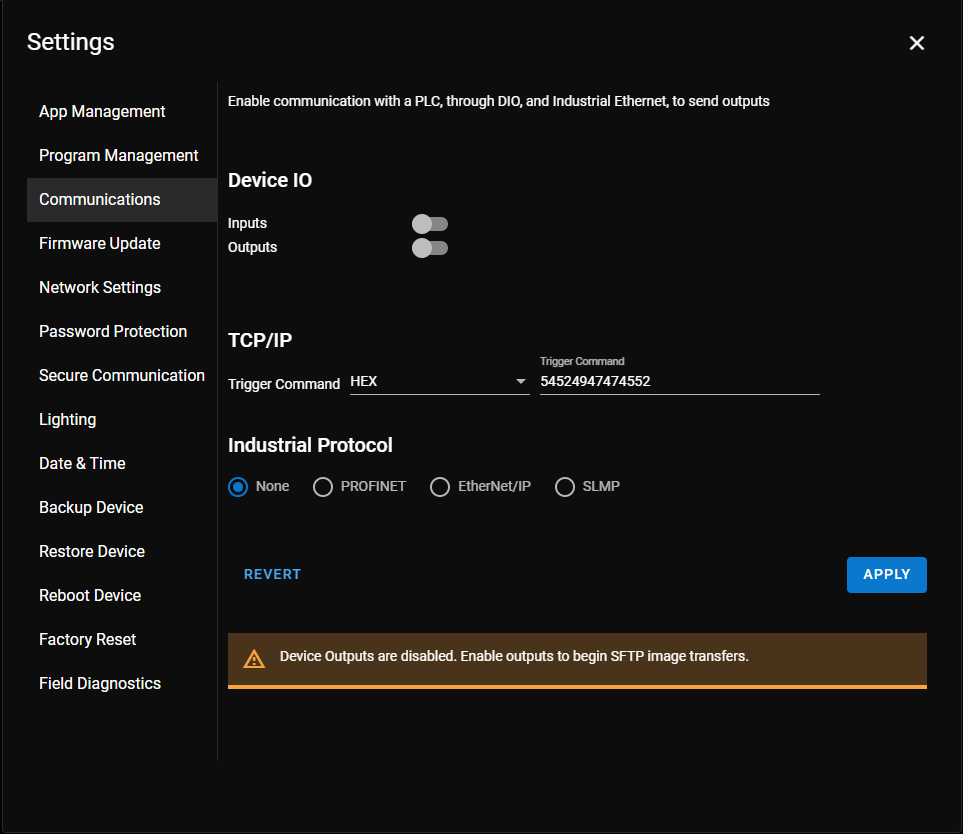
For more information about the options in the Communications settings, see the following subsections: