Emulator License Configuration
In order to run In-Sight Vision Suite without an In-Sight system on the network, you need to enter a key to unlock the emulator software.
-
Open In-Sight Vision Suite.
-
In the System Settings, select Emulator.
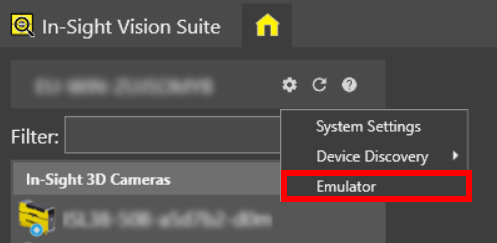
-
Select the Emulator Version and Emulator you want to use.
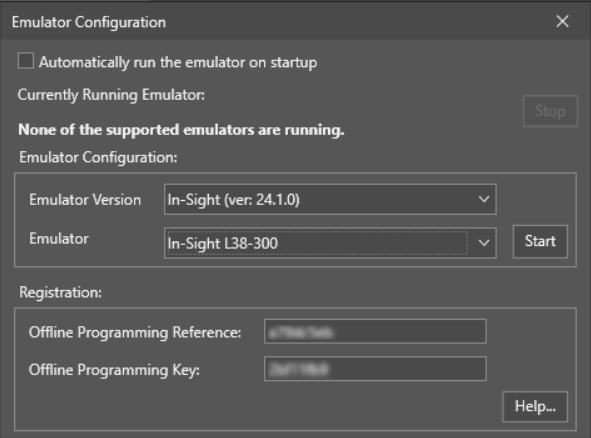
-
Copy the Offline Programming Reference.
-
Click Help... to open this Cognex support webpage: https://support.cognex.com/en/InsightEmulatorKey.
-
Enter your company name and paste the Offline Programming Reference.
-
Click Generate Key.
-
Copy the generated Offline Programming Key and paste it into the Emulator Configuration.
-
Click Start.