Emulator
The In-Sight Vision Suite Emulator allows you to simulate a physical camera or vision system in In-Sight Vision Suite by loading image files from a specified location on your PC to simulate image acquisition. This allows you to develop and test vision applications in the supported adapters even if you do not have a physical camera or In-Sight vision system available.
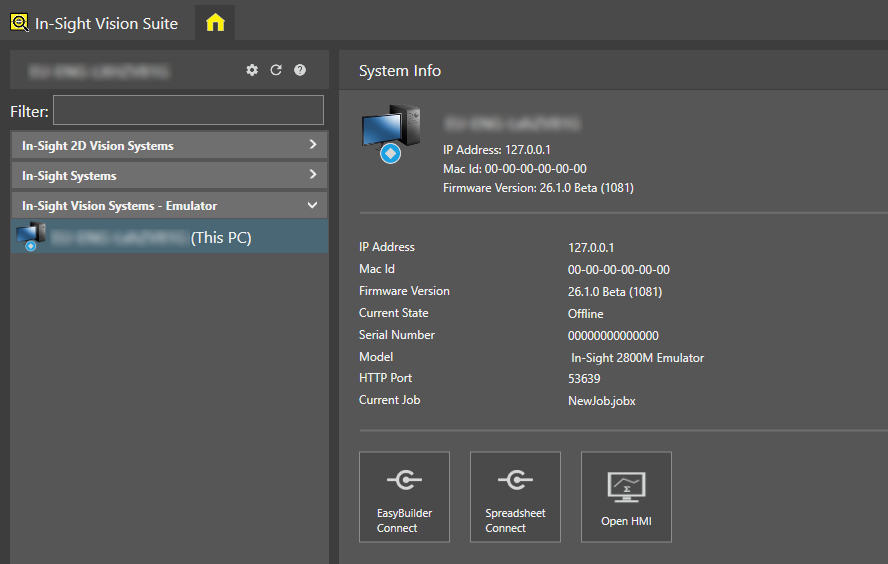
For adapter-specific instructions on how to set up an emulator, see Configure In-Sight Emulator and Configure In-Sight ViDi Emulator.
Consider the following when running the In-Sight Emulator or the In-Sight ViDi Emulator:
- In-Sight ViDi Emulators are available only if you have a Cognex Emulator license on your Cognex Security Dongle.
- In-Sight Emulators are available only if you have an Offline Programming Key.
- You can configure and run only one emulator at a time, regardless of its type.
- Configuring and starting a new emulator while another one is running stops the currently running emulator.
- If you use In-Sight ViDi PC in production mode on your PC, you must stop the In-Sight ViDi PC service before you can start an emulator (see the In-Sight ViDi PC Emulation and Production Modes topic for more information). Likewise, if you want to configure In-Sight ViDi PC on your PC for a live production environment, you must first stop the emulator running on the PC.
- If the In-Sight ViDi PC service is set to start automatically at login (with the Start when a user logs in checkbox of the In-Sight ViDi PC Manager dialog checked), and an In-Sight ViDi emulator is also set to start when launching In-Sight Vision Suite (with the Automatically run the emulator on startup checkbox of the Emulator Configuration dialog checked), then the In-Sight ViDi PC service always takes precedence over emulation.
- The emulator stops when In-Sight Vision Suite is closed.
-
The In-Sight ViDi emulator cannot start if another application on the PC is using TCP port 50006. In such cases, In-Sight Vision Suite indicates the port conflict with the ERROR: Failed to start Trace server message in the In-Sight ViDi PC log, available at the following location:
<X>:\ProgramData\Cognex\In-Sight\In-Sight ViDi PC\log\cam0.log
To resolve this issue, modify the conflicting application to use another port, or disable/close it to make the In-Sight ViDi emulator work.
- Starting from In-Sight ViDi 1.6.0, you can install multiple versions of the In-Sight ViDi adapter to the same PC. If you have both In-Sight ViDi 1.2.0 and the latest version installed, you can configure a 1.2.0 emulator with the standalone In-Sight ViDi 1.2.0 Emulator Configurator application. The Emulator Configuration dialog of In-Sight Vision Suite does not support setting up a 1.2.0 version emulator.
-
To run AutoLearn tools in the IS ViDi 1.5 emulator, the CPU on your PC needs to support AVX2.