Acquisition Panel
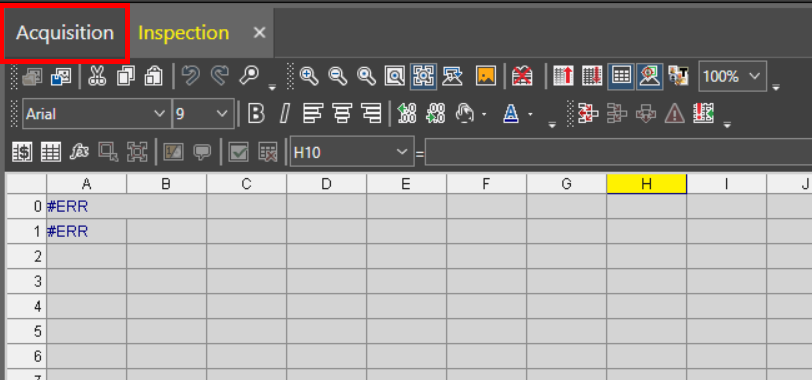
The Acquisition Acquisition is the process or result of the vision system acquiring a new image. panel allows you to adjust the settings for point cloud A point cloud is a 3D structure that consists of the data points collected by a 3D vision system during acquisition. acquisitions. To open the Acquisition panel, click on the Acquisition tab above the Spreadsheet toolbars.
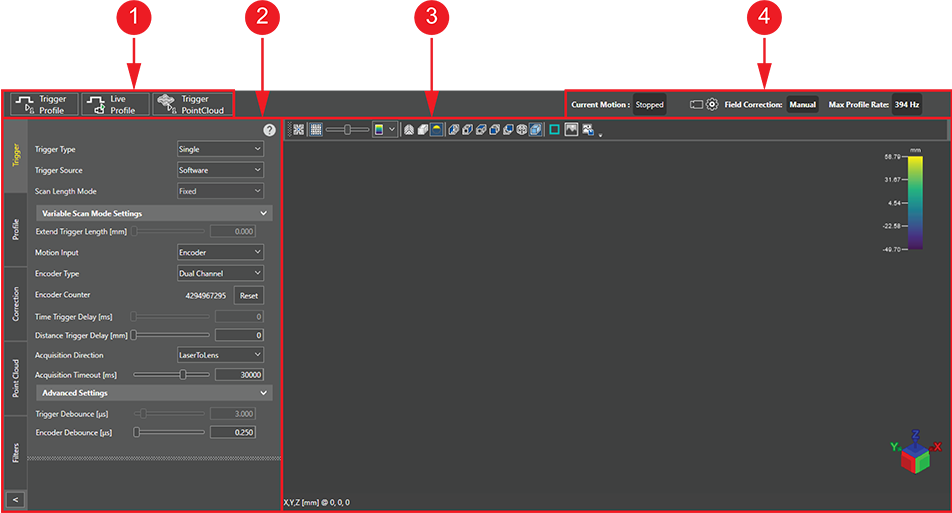
The Acquisition panel consists of the following sections:
|
|
||
|---|---|---|
| Item | Panel element | Description |
| 1 | Trigger buttons |
The trigger buttons allow you to trigger acquisition from the vision system in the following ways:
Note: If you trigger an acquisition with the laser disabled, the acquisition proceeds, but the Acquisition Panel returns a notification that the LaserEnable input line is low.
|
| 2 | Configuration settings |
The configuration settings pane allows you to modify the acquisition parameters. Configuration parameters are separated into the following tabs:
|
| 3 | Acquisition display | The acquisition display shows the latest 3D point cloud acquisition. |
| 4 | Status bar |
The status bar provides the following information:
|
 : Indicates the point cloud acquisition status with the following icons:
 : Acquisition is in progress.
 : The acquired point cloud data is being downloaded to the device.
 : Indicates the status of the device acquisition settings with the following icons:
 : The configured acquisition settings are currently synced and being applied. This typically occurs for a couple seconds after performing any changes in the acquisition settings. While the changes are being synced, and this icon is shown, recent changes in the acquisition settings are not applied to the current acquisition.