Menu Bar

The menu bar consists of the following menus:
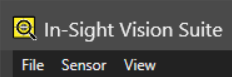
Menu Description
File

Provides access to jobs and the following job A job is a user-configured program in In-Sight Spreadsheet consisting of functions and designed for specific applications. You can create and edit jobs using the In-Sight Spreadsheet interface, and load them on a vision system for deployment in a live environment. settings:

  • Start a new job.
  • Switch to a different job.
  • Save the job.
  • Save the job with another name or to a different location.
  • Exit the adapter.
  • Convert to a Spreadsheet Job.

Sensor

Allows you to:

  • Trigger the vision system.

  • Set a repeating trigger.

  • Toggle in and out of Live Mode.

  • Switch between Online and Offline.

  • Open the Result Queue Settings window.

View

Allows you to:

  • Open the Snippets panel.

  • Open the EasyView panel.

  • Show or hide Record/Playback.

  • Open the Charts panel.