FindPatMaxRedLineColor
Finds objects in a color image based on a trained pattern. FindPatMaxRedLineColor finds patterns within a color image based on a trained pattern from TrainPatMaxRedLineColor's Patterns structure. For more information, see TrainPatMaxRedLineColor.
- The TrainPatMaxRedLineColor and FindPatMaxRedLineColor functions are only available on In-Sight 7000 Gen2 series color vision systems and In-Sight 8000 series color vision systems running In-Sight firmware 5.6.0 and later. For a complete list of models and supported firmware versions, see Firmware Versions.
- When using a greyscale image, the TrainPatMaxRedLine and FindPatMaxRedLine function must be used. When attempting to use the TrainPatMaxRedLineColor and FindPatMaxRedLineColor functions on a greyscale image (for example, ColorToGreyscaleFilter's output), #ERR is returned.
- The FindPatMaxRedLineColor function must reference the TrainPatMaxRedLineColor function. When referenced a different function (for example, a TrainPatMaxRedLine function), #ERR is returned.
FindPatMaxRedLineColor Inputs
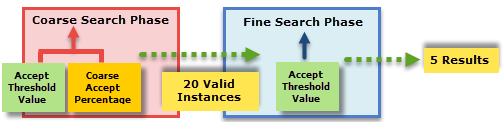
Syntax: FindPatMaxRedLineColor (Image,Fixture.Row,Fixture.Column,Fixture.Theta,Find Region.X,Find Region.Y,Find Region.High,Find Region.Wide,Find Region.Angle,Find Region.Curve,External Region,Pattern,Number to Find,Accept Threshold, Pattern,Accept Threshold, Color,Accuracy Mode,Clutter in Score,Contrast Threshold,Find Tolerances.Angle Start,Find Tolerances.Angle End,Find Tolerances.Scale Start,Find Tolerances.Scale End,XY Overlap,Advanced Settings.Use Coarse Percentage,Advanced Settings.Coarse Accept Percentage,Timeout,Show Graphics)
| Parameter | Description | ||||||||||||||||
|---|---|---|---|---|---|---|---|---|---|---|---|---|---|---|---|---|---|
|
Specifies a reference to a spreadsheet cell that contains an Image data structure; by default, this parameter references A0, the cell containing the AcquireImage Image data structure. This parameter can also reference other Image data structures, such as those returned by the Vision Tool Image functions or Coordinate Transforms Functions. Note: This parameter must reference a color image.
|
|||||||||||||||||
|
Defines the Find Region relative to a Fixture input or the output of a Vision Tool function's image coordinate system. Setting the ROI relative to a Fixture ensures that if the Fixture is rotated or translated, the ROI is rotated or translated in relation to the Fixture. For more information, see Fixture or Vision Tools. The default setting is (0,0,0), the top leftmost corner of the image.
|
|||||||||||||||||
|
Also known as the Region of Interest (ROI), specifies the region of the image that undergoes analysis and creates a rectangular image region that can be transformed and rotated. For more information, see Interactive Graphics Mode. Tip: With this parameter
selected, you can press the Maximize
Region button on the property sheet's toolbar to maximize the region and cover the entire image.
|
|||||||||||||||||
|
This parameter can reference a spreadsheet cell that contains the following functions:
When this parameter is used, the function ignores the Region and Fixture settings and inspects the image area specified by referenced region. If an EditCompositeRegion control is referenced, the inspection area can be a mix of shapes. Each shape in the composite region can be assigned as added to or subtracted from (masking) the inspection area. For more information, see Cell References - Relative/Absolute. Note: If this parameter has been set as a reference to an external region, to use the function's internal Region, this parameter must be manually set to zero by entering the value 0 in place of the cell reference. Otherwise, the function will continue to reference the external region.
|
|||||||||||||||||
|
This argument must reference a spreadsheet cell that contains a valid Patterns data structure returned by the TrainPatMaxRedLineColor function. |
|||||||||||||||||
|
Specifies the maximum number of pattern matches to return (1 to 1000; default = 1). |
|||||||||||||||||
|
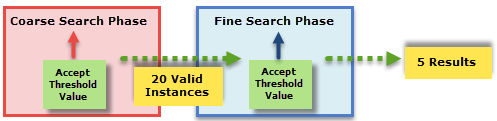
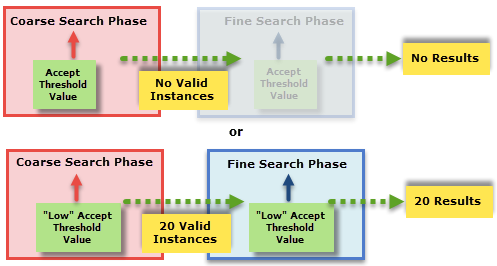
Specifies the pattern acceptance threshold, which is the lowest score of a valid instance. The score for a potential match must be greater than the value of the acceptance threshold or that match is not returned (0 to 100; default = 50). |
|||||||||||||||||
|
Specifies the color acceptance threshold, which is the lowest score of a valid instance. The score for a potential match must be greater than the value of the acceptance threshold or that match is not returned (0 to 100; default = 85). |
|||||||||||||||||
|
When enabled, variations in color caused by differences in lighting are more tolerated. Note: This parameter is disabled when the TrainPatMaxRedLineColor function's Match Colors parameter is set to No Matching.
 Lighting Tolerance Example Lighting Tolerance Example
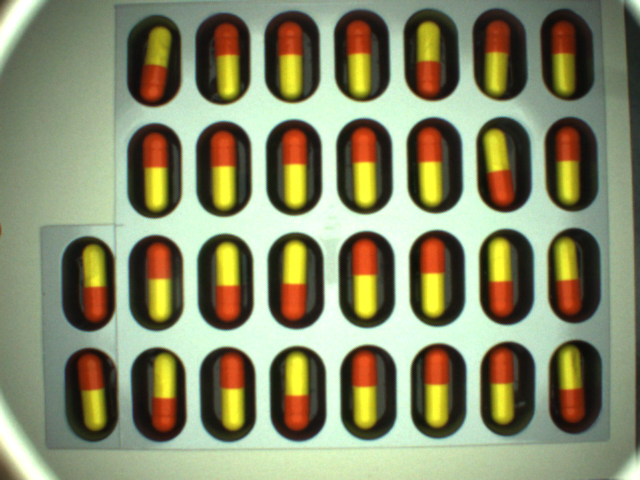
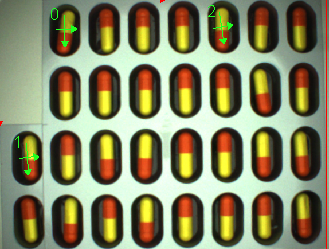
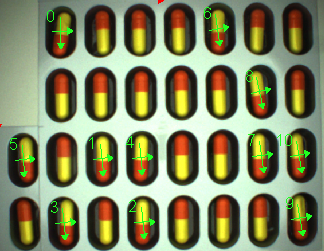
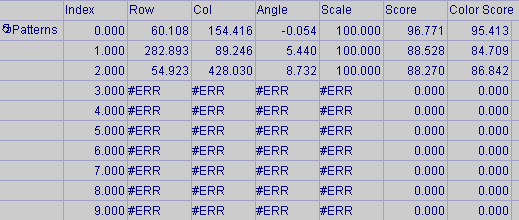
Color matching is sensitive to non-uniform lighting and uncontrollable lighting changes. When the Increased Lighting Tolerance parameter is enabled, scores colors higher if they differ from the trained color because of lighting. i.e.: the same color, just darker or lighter. For example, in the package of pills, the lighting is not uniform. The pill in the top left corner is darker than the pills in the center.
When the pill in the upper left is trained, the pills near the center score low without the "Increased lighting tolerance" option enabled. Once the parameter is enabled, the scores improve and finds more matches.
|
|||||||||||||||||
|
Specifies the tradeoff between accuracy/reliability and execution speed.
|
|||||||||||||||||
|
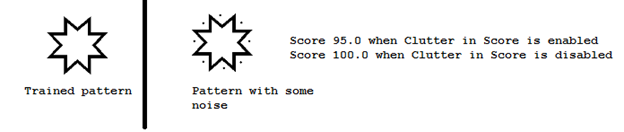
Specifies whether missing or occluded pattern features will reduce the response score(s).
|
|||||||||||||||||
|
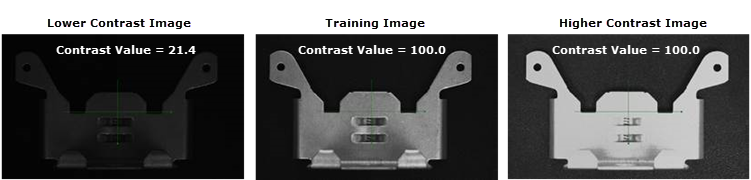
Specifies the lowest contrast of a valid instance. The contrast for a potential match must be greater than the value of the Contrast Threshold or that instance will not be considered (0 to 100; default = 0). The contrast value for FindPatMaxRedLineColor and FindPatMaxRedLine are the relative measure of contrast change between features in the trained pattern versus match features in search image, in percentage. Therefore, if feature contrast is similar or high to pattern contrast, reported Contrast will be ~100. If the pattern contrast exceeds the feature contrast, the reported Contrast will be <100. Note: The Contrast for FindPatMaxRedLineColor and FindPatMaxRedLine are different from the contrast for FindPatMaxPatterns, which is the "absolute" image contrast of the search ROI, in grey scale level.
|
|||||||||||||||||
|
Specifies the settings for finding patterns that are rotated or scaled with respect to the trained pattern. Note: The Find Tolerances are hard limits, i.e. any results that are found outside of the specified Find Tolerances will not be returned in the spreadsheet.
|
|||||||||||||||||
|
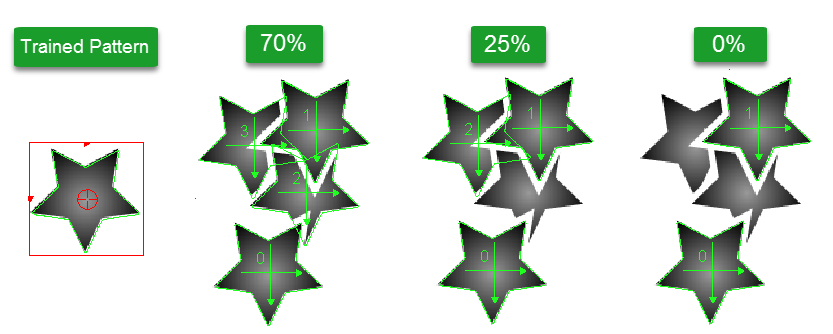
This parameter controls the ability of the tool to find pattern candidates that overlap each other. Specifies the expected position difference between multiple overlapping patterns in roughly the same X,Y location, as a percentage of the trained pattern size (0 to 100; default = 70). Note: Increasing this
value allows finding multiple overlapping matches of the same pattern.
|
|||||||||||||||||
|
|
|
||||||||||||||||
|
Specifies the amount of time, in milliseconds (0 to 30000; default = 5000, disabling the timeout), that the function will search for patterns before execution is halted and an #ERR is returned. |
|||||||||||||||||
|
Specifies the display mode for graphical overlays on top of the image.
|
|||||||||||||||||

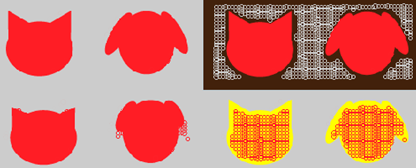
FindPatMaxRedLineColor Output
|
Returns |
A Patterns data structure containing a model and a list of pattern responses sorted by score, or #ERR if any of the input parameters are invalid or no matching patterns could be found. |
|
When FindPatMaxRedLineColor is initially inserted into a cell, a result table is created in the spreadsheet. |
FindPatMaxRedLineColor Vision Data Access Functions
The following Vision Data Access functions are automatically inserted into the spreadsheet to create the result table. For more information, see Patterns.
Pattern Score and Color Score
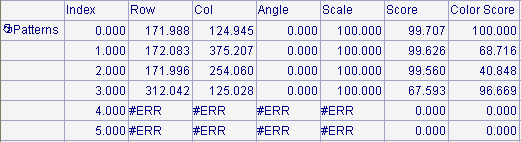
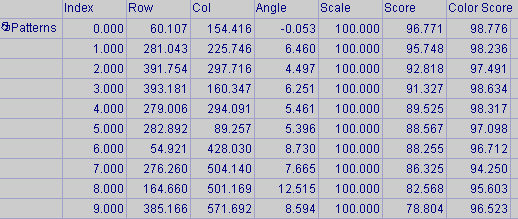
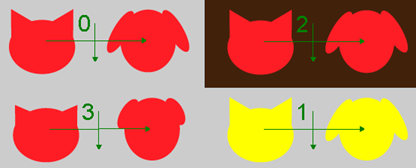
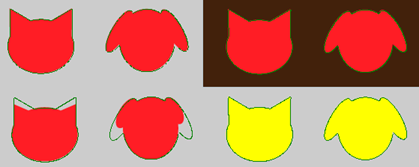
The FindPatMaxRedLineColor function automatically inserts two Score values in the spreadsheet: Score and Color Score. The Score returns the "pattern" score, showing how similar the found pattern is to a trained pattern, and it is independent of color. The Color Score shows how similar the found pattern's color is to the trained color.
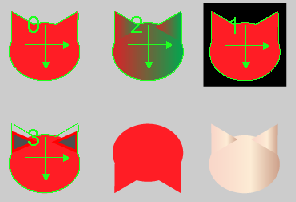
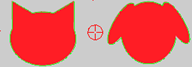
A poor Color Score value does not impact the Score value. In the following example, the Index 2 pattern shows a low Color Score value, however the Score value is still very high. When either the Score or the Color score falls under its Accept Threshold value (Accept Threshold, Pattern or Accept Threshold, Color), the pattern is not considered as a match, and not returned.
| Trained Pattern |
|
| Search Result |
|