TCPServer
You can use the TCPServer function to define a spreadsheet cell as a TCP/IP server, which listens to connections in for another TCP/IP device to connect and share data over the network.
-
TCPServer generates an event after receiving a packet. This event updates the spreadsheet.
-
TCPServer accepts only one established connection. If a new connection request comes while there is already a connection, the old connection closes and the new connection replaces it.
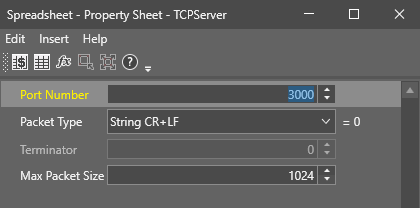
TCPServer Inputs
| Parameter | Description | ||||||||||||
|---|---|---|---|---|---|---|---|---|---|---|---|---|---|
| Port Number |
Specifies the port number at which the TCPServer receives connections from TCP/IP devices. The port number is an unsigned 16 bit port number. 0 is not a valid port. The default port number is 3000. Note: You need to assign the port number entered here on the server.
|
||||||||||||
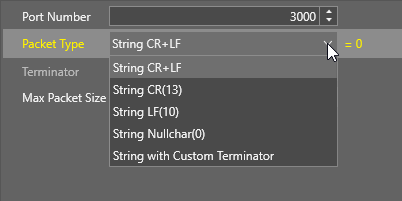
| Packet Type |
Defines the formatting of the data string communicated between TCP/IP devices.
|
||||||||||||
| Terminator | Specifies the byte value you use when you specify String with Customer Terminator, or Binary with Customer Terminator for the Packet Type. | ||||||||||||
| Max Packet Size | Specifies the maximum packet size that TCPServer can receive. If the remote sender exceeds the maximum packet size, ReadDevice shows an #ERR. |
TCPServer Outputs
| Returns |
A Device data structure. Returns #ERR if any of the input parameters are invalid. |
| Results |
When you insert the TCPServer function into a cell, a WriteDevice function is automatically inserted in the adjacent cell to the right.
|
