Scripting with VisionPro Tool Blocks and VisionPro Scripting
The VisionPro Script Editor can be used to create scripts used within a VisionPro Tool Block in Designer. However, the VisionPro Script Editor cannot access the $ Functions used in the Designer Script Editor.
In order to interact with the Designer tags from the VisionPro Script Editor, add additional [Inputs] and [Outputs] to the Vision Pro Tool Block prior to opening the VisionPro Script Editor. Reference these [Inputs] and [Outputs] in the VisionPro Script Editor, and assign the tool block's input and output pins to their appropriate tags in the Task.
The process of execution is:
- Read the value from the input tag.
- Load the VisionPro Tool Block.
- Set the VisionPro Tool Block's input pin to the value associated with the input tag.
- Execute the VisionPro Tool Block.
- Set the VisionPro Tool Block output pins to the value associated with the output tag.
In this manner of execution, the tag and variable in the VisionPro script are not "linked"; the tag and variable values are populated once the VisionPro script has finished executing. For example, if the output value "OutputTime" is set in the VisionPro script, the tag will not be updated until after the entire VisionPro Tool Block has finished executing.
- For more information about adding [Inputs] and [Outputs], please see the Adding Input and Output Pins to a Tool Block topic.
- For more information about assigning tags, please see the Adding Tags to a Tool Block topic.
- This version of the VisionPro Script Editor only supports the C# Advanced Script language.
- In a VisionPro Tool Block, if a third-party DLL is referenced in either a script or Input/Output Terminals, the DLL must be either added into the Designer installation folder or into the Global Assembly Cache (GAC). If the third-party DLL will also be run in Quick Build, then the DLL will also need to be in the VisionPro installation folder or GAC, as well.
-
With the Tool Block open, press the Edit Script button to launch the VisionPro Script Editor.

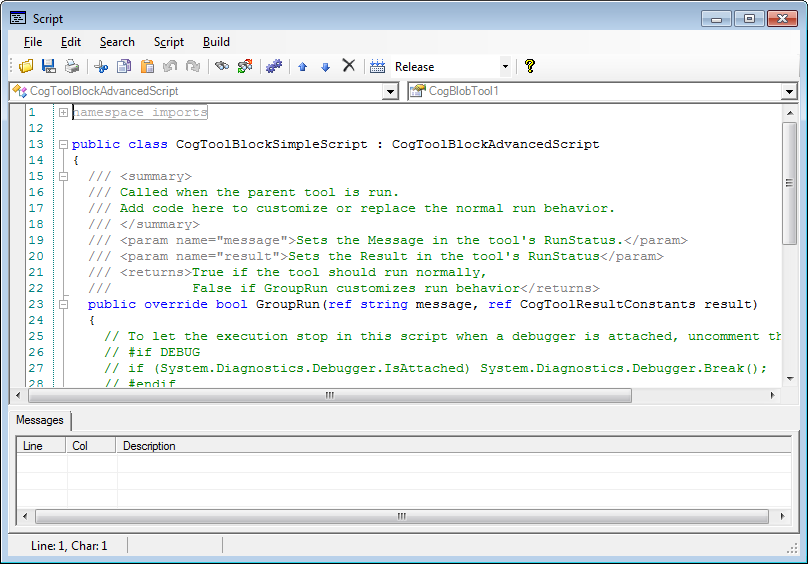
- Create the script and ensure that it compiles correctly before closing the editor.