TCP/IP Server
Starts a TCP server instance for numerous client connections.
If you have already created and connected to a TCP/IP device (Client and/or Server), and then want to deploy the project to a new environment that has another TCP/IP device with different configuration options, the TCP/IP device will have a broken link icon beside it.
-
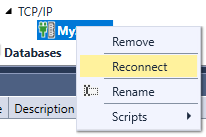
To use the new device, from the Project Explorer, right-click on the TCP/IP device and select Reconnect.
-
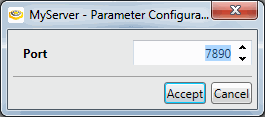
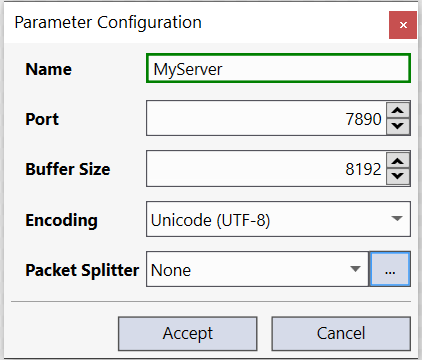
This will launch the Parameter Configuration dialog, which will allow you to reconfigure the settings accordingly (allowing you to retain any previously constructed scripts).
|
|
|---|---|
| Control | Description |
| Name | The name of the server. |
| Port Number | Specifies the port number over which to communicate; this TCP port must be open across all firewalls in order to work. |
| Buffer Size |
Specifies the size (minimum 1 byte, maximum 67108864 bytes; default = 8192) of the received data buffer for the TCP client device. The buffers are used to queue incoming messages. For example, if the Receive Data block is being used in a Task, and the block executes after the message was actually received, the message will be stored in the buffer, and processed the next time the block executes. Note: This setting can be used in conjunction with the Receive Data block.
|
| Packet Splitter | The method to use (and options) to automatically detect packet structure. See the topic TCP/IP Client for details on Packet Splitter configuration. |