Resizing Views
The resizing option is available for Standard type Green Classify and Red Analyze tools through the Resizing expert mode parameters.
Using images larger than the capacity of the GPU can result in reduced performance. If you use other software that consumes a lot of GPU VRAM, the maximum image size you can use for training Training is the process that your tool, which is a neural network, is learning about the features (pixels) based on the labels you made. For example, a tool will learn the defect/normal pixels in each image based on the defect/normal labels you drew. The goal of the tool Training is learning enough to give the correct inspection results of whether an unseen image is defective or not. The key to training is to ensure that you include all possible variations within your training set, and that your images are accurately labeled. Training times vary by the application, tool setup and the GPU in the PC being used to train the network. can be reduced. In these cases, resizing images can improve both training and processing speed.
Resizing is applied to all views while they are processed and used for training. The images of the original sizes are preserved in the View Browser and Image Display Area.
For more information, see:
-
Resizing Parameters of the Green Classify tool
-
Resizing Parameters of the Red Analyze tool
Resize Logic
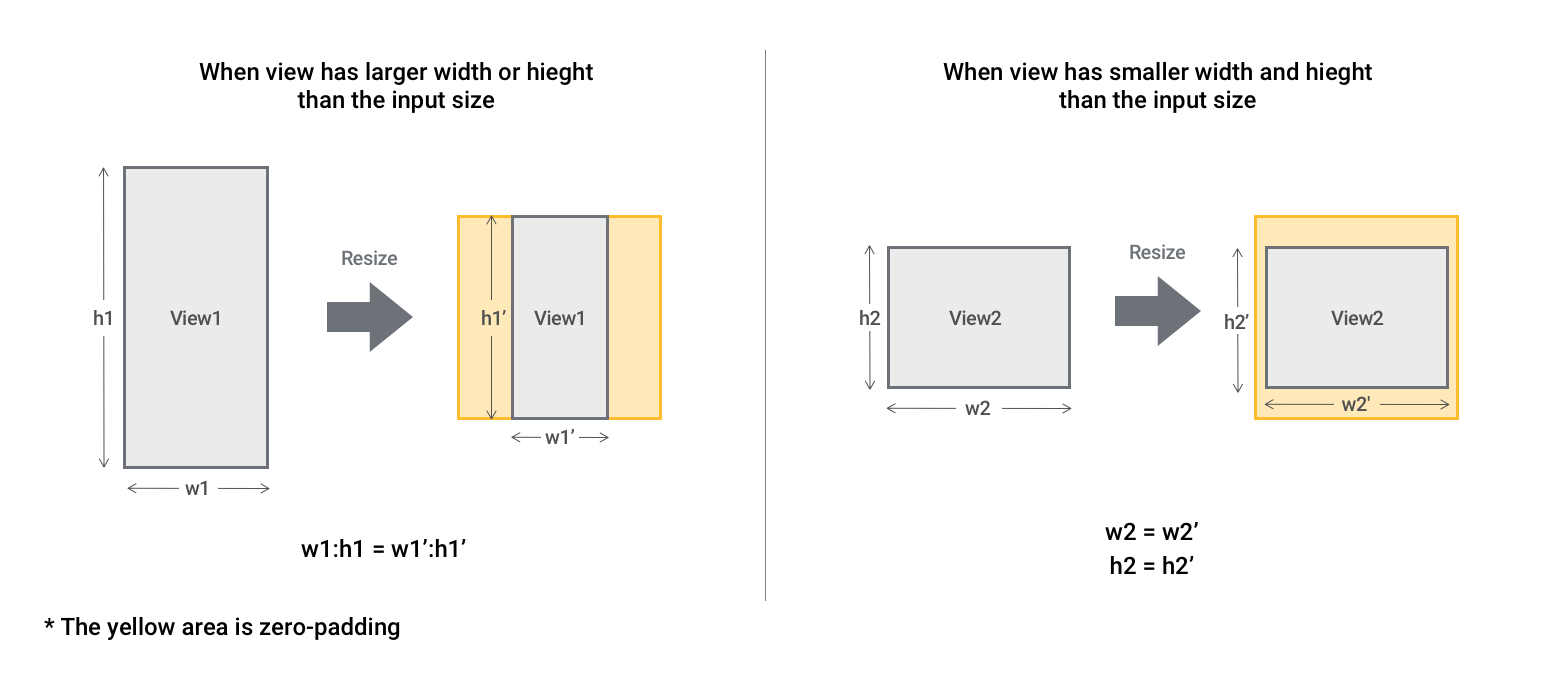
When a view A view of an image is a region of pixels in an image. Tool processing is limited to the pixels within the view. You can manually specify a view, or you can use the results of an upstream tool to generate a view. has larger width or height than the input size, the view keeps the original aspect-ratio. The resized view is placed in the center of the resize area surrounded by zero-padding.
When a view has smaller width or height than the input size, the view is placed in the center of the resize area surrounded by zero-padding.
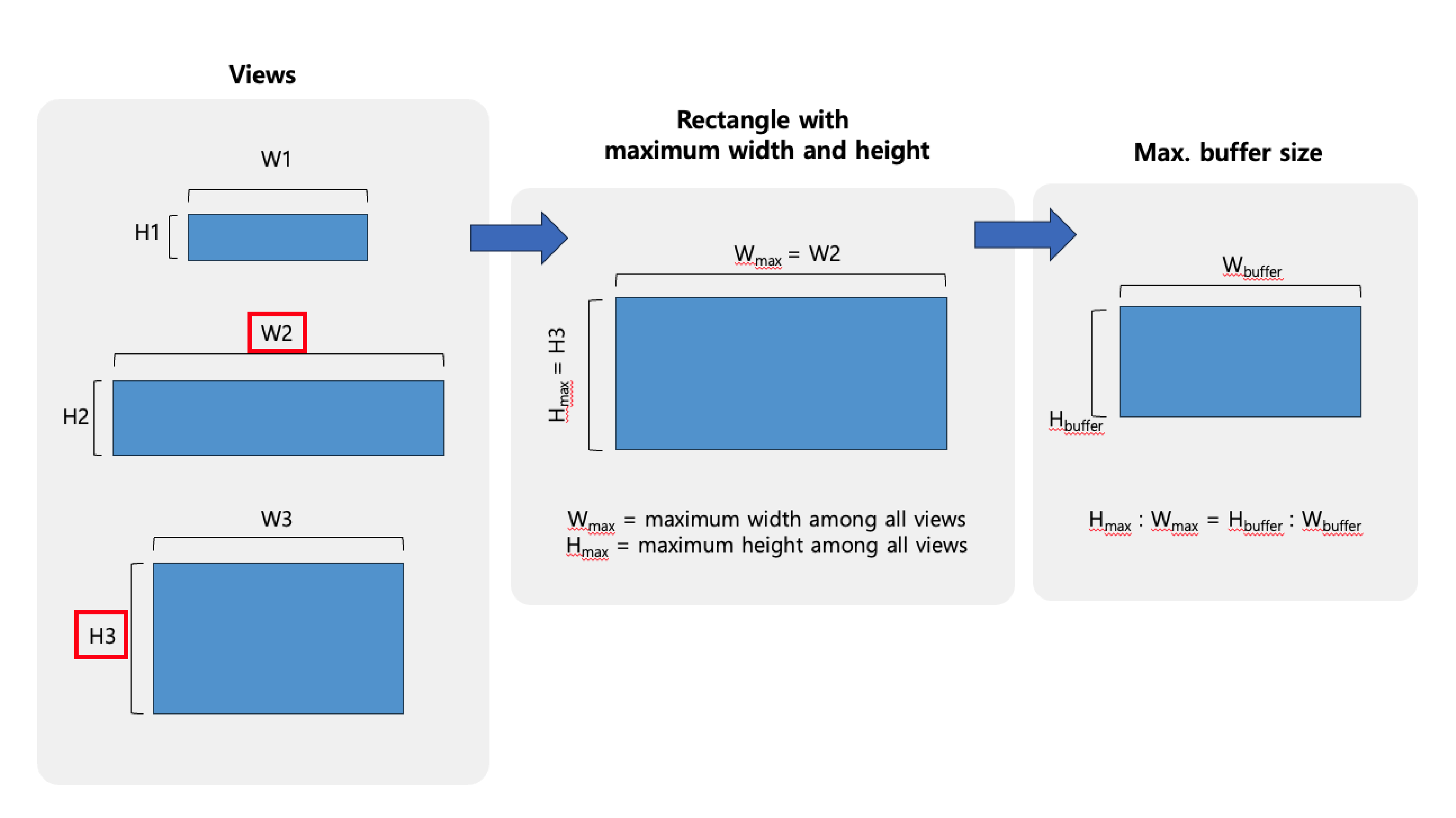
If the original aspect ratio is not identical for all views, the tool creates the new aspect ratio and calculates the maximum buffer size based on the maximum height and maximum width of the images.