Region Area Metrics
To better understand the results returned by the Red Analyze tool, you will need to know how to interpret the Recall, Precision and Threshold used by the tool. They are intertwined, and the Thresholds will affect both Recall and Precision.
- Recall is the percentage of the total labeled defect region which is covered by a marked (aka found) defect, across all of the labeled images being processed.
-
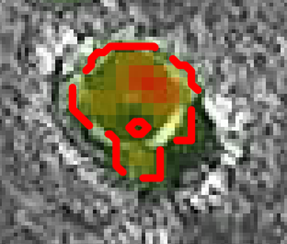
Precision is the percentage of the total marked defect region which is covered by the labeled defect region, across all of the labeled images being processed.
Labeled Defect Region
Marked Defect Region
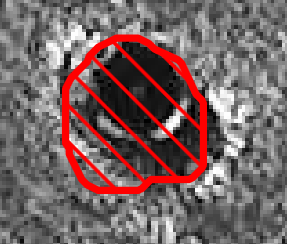
Label
Marking


- Recall in this scenario is 60% (40% of the labeled defect is missing from the marked defect), and Precision is 99%, since almost all of the marked defect is covered by the labeled defect.
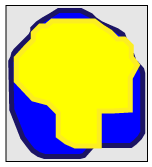
The Threshold parameter, which you can manually adjust in the Database Overview, affects the results. If the score of a pixel is above the Threshold value, the pixel is included in a defect region. The lower the threshold setting, the larger the defect region.
|
Threshold = 0.10 |
Threshold = 0.50 |
|
|
|
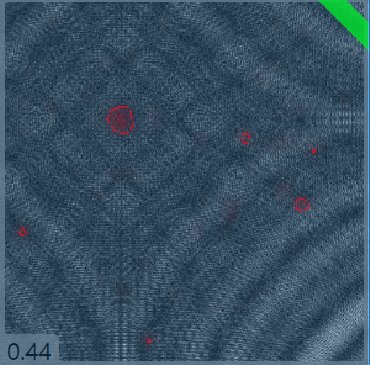
As shown above, adjusting the Threshold immediately affects both Recall and Precision. As the Threshold increases, the marked defect gets smaller. This decreases the amount of labeled defect region with corresponding defects, reducing the Recall score. At the same time, the Precision improves because the smaller marked defect regions are more likely to be completely covered by the labeled defect regions.
Intersection over Union (IOU)
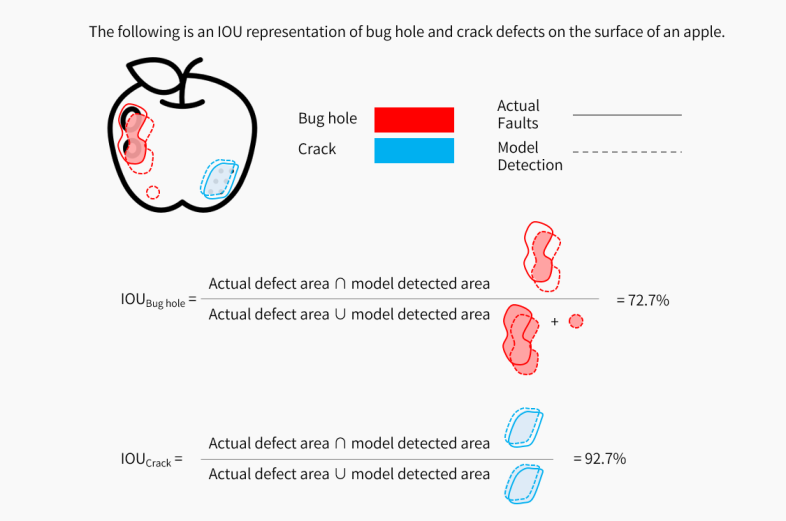
The application calculates the Loss The Loss refers to validation loss, which is a metric that shows how a tool performs on the validation set. Loss can have a value between 0 and 1. The VisionPro Deep Learning application calculates the Loss based on the errors the tool makes when processing the images in the validation set. During training, you can check the Loss in real-time using the Loss Inspector. for the Standard type Red Analyze tool based on the IOU The Intersection over Union (IOU) shows how much the predictions of the tool match your labeling. A higher IOU percentage indicates a better match..
The formula to calculate the IOU:
(Ground Truth Area ∩ Predicted Area) / (Ground Truth Area ∪ Predicted Area)
For more information about Loss, see Validation Loss.