Using the Loss Inspector
You can only use the Loss Inspector while training a High Detail mode tool or with a High Detail mode tool that has already been trained.
-
Go to Tool, then select Inspect Loss. While training, you can also click the Graph icon
 to monitor the validation loss in real-time.
 -
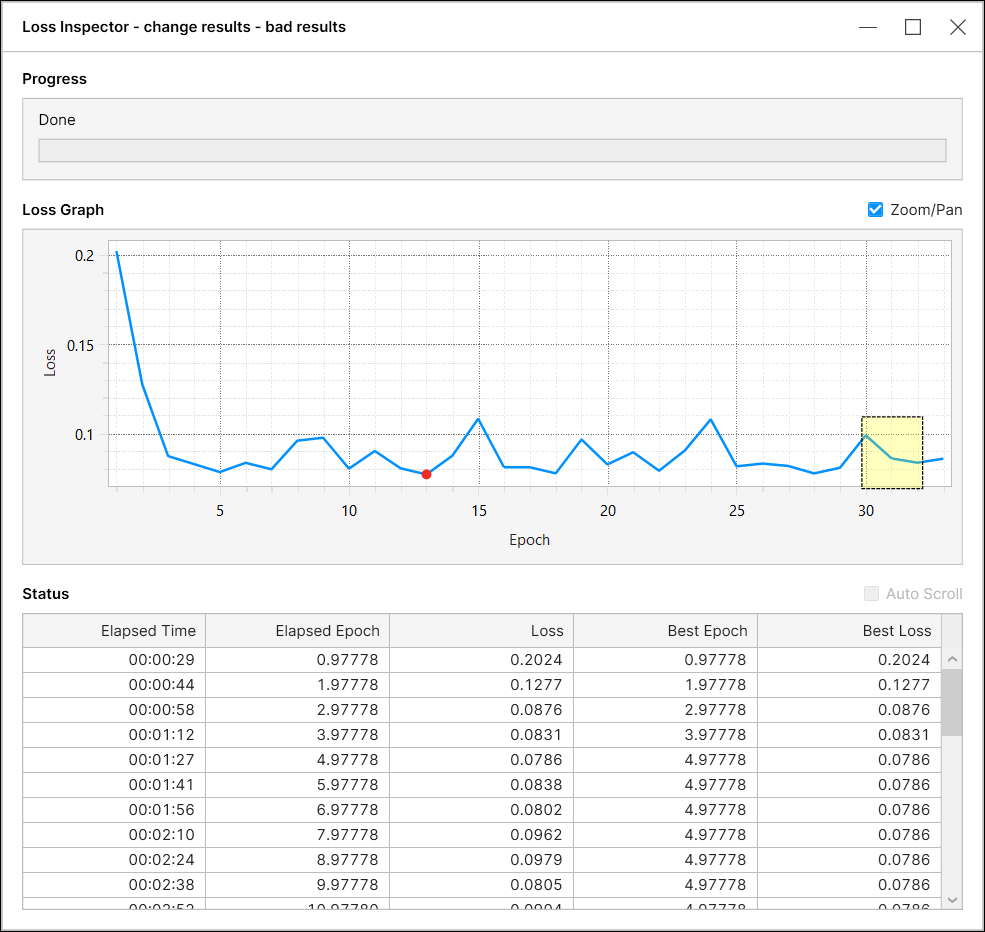
The Loss Inspector window pops up.
-
If you abort the training before it finishes, a pop-up shows up asking if you want to save the current model. Saving the model also saves the validation loss recorded over the training so far.
-
After the training finishes, a red dot appears on the graph to mark the Best Epoch and the Best Loss for this training session.
Zoom and Pan
You can zoom in and out, zoom in a specific rectangular region, or pan on the loss graph area by enabling the Zoom/Pan checkbox.
For more information about the Loss Inspector, see Loss Inspector