By default, when PatMax finds multiple pattern instances in the run-time image that largely overlap each other, PatMax assumes that these instances actually represent the same pattern in the image. For example, if you use PatMax to search for the part shown in the following figure with the angle degree of freedom enabled, PatMax will locate three instances of the part at the same location but at three different angles. By default, PatMax discards all but the strongest match and returns a single result.
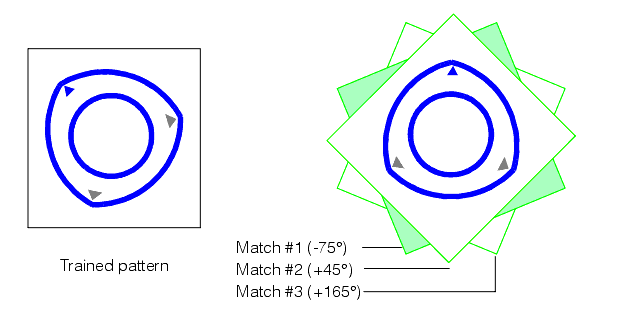
For some applications, it might be necessary or desirable to obtain a separate result for each of the matching instances shown in the preceding figure.
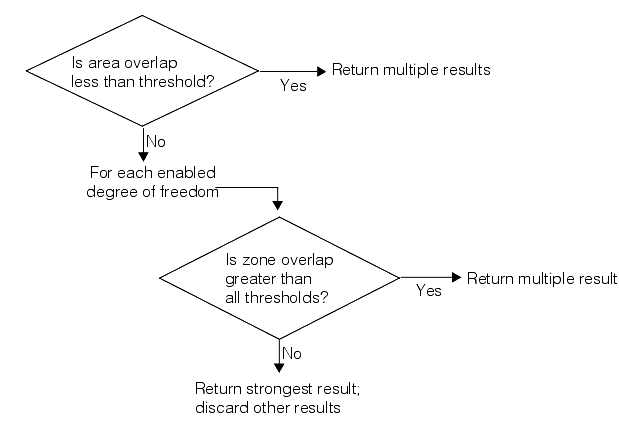
PatMax lets you control how multiple overlapping pattern instances are handled by letting you specify an overlap threshold. You can specify an area overlap threshold (expressed as the percentage of the pattern training area that overlaps) and a separate zone overlap threshold for each enabled degree of freedom.
PatMax uses the procedure shown in the following figure to determine whether or not to discard overlapped pattern instances: