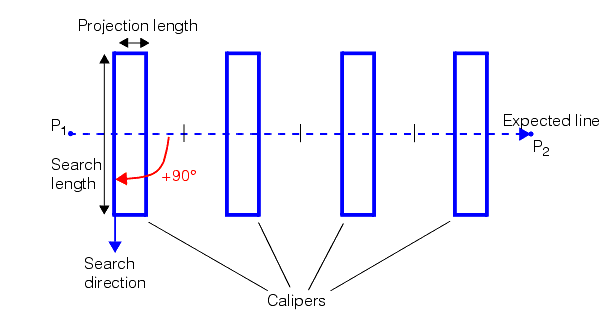
To use a Find Line tool you must know the approximate location of the line segment you wish to find in the image. You specify the number of calipers to use and the tool then distributes the calipers along the expected line segment. The expected line you specify should be close to the actual line you wish to find in the image. The Find Line tool spaces the calipers evenly along the expected line segment you supply.
If you plan to run the tool on many images and you expect some variations from one image to the next, make your expected line sufficiently shorter than the actual line so that the calipers will always find a line edge.
The Find Line tool divides the expected line into equal segments, one per caliper, according to the number of calipers you specify. It then centers a caliper on each line segment. An example showing four calipers is shown in the following figure: