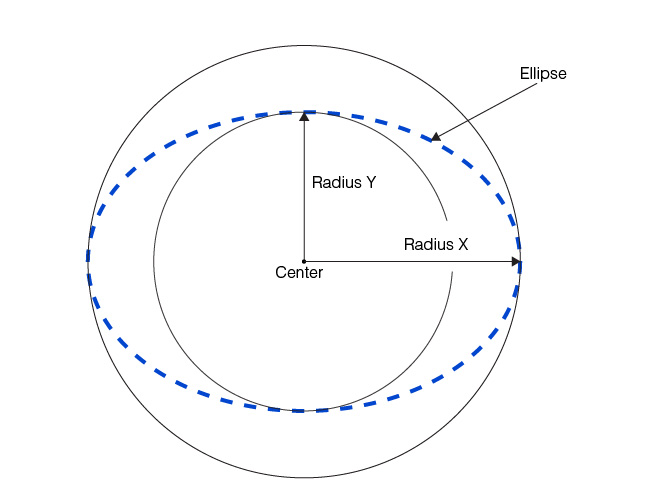
To use a Find Ellipse tool you must know the approximate location of the ellipse you wish to find in the image. You specify the center, radii, and rotation of the expected elliptical arc. In addition, you specify the number of calipers to use to generate edge points, the geometry used for all of the calipers, and the angle range across which the calipers are to be placed. The tool evenly spaces the calipers along the angle range of the ellipse.
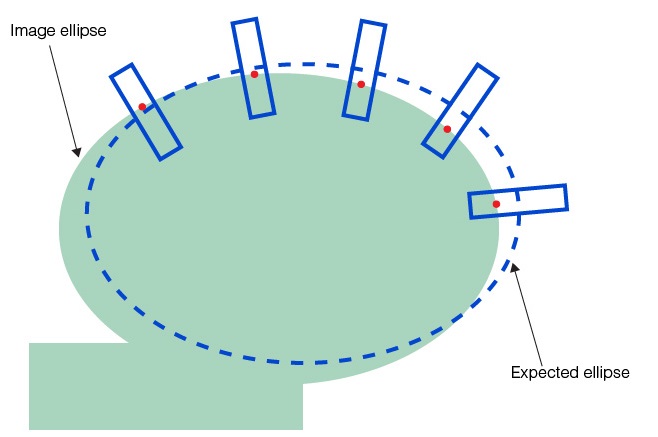
The following figure shows an example of an expected ellipse and five calipers. The angle range specified for this example starts at -173˚ and extends for 194˚:
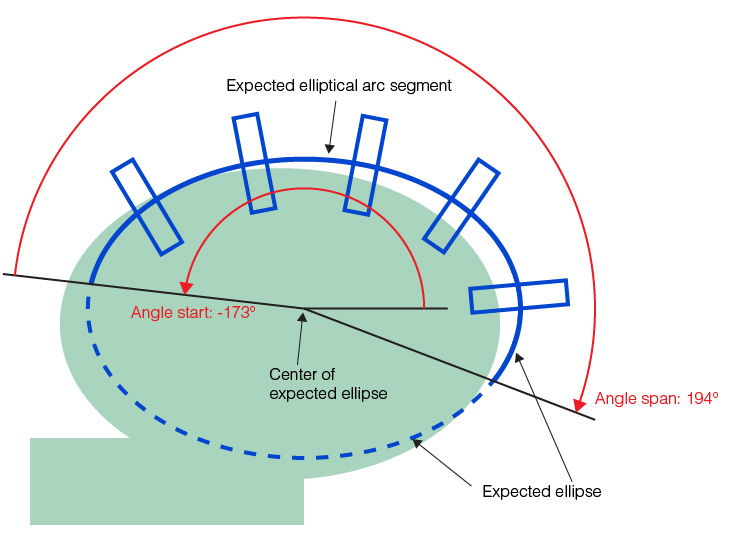
Note that although the expected ellipse is not exactly coincident with the image ellipse, it is close enough so that the calipers all find an image ellipse edge. In addition to specifying the expected ellipse and elliptical arc segment, you also provide the geometry used for each of the caliper regions. The following figure shows how you specify the caliper geometry:
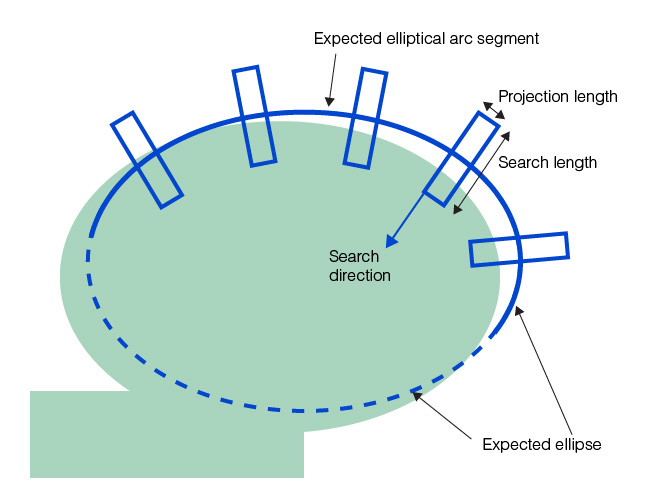
Unlike the Find Line tool, you cannot specify a skew angle for the calipers. You can specify that the search direction be toward or away from the center of the expected ellipse. After placing the calipers, the tool calls the Caliper tool once for each caliper, using the same run-time parameters for each caliper. The following figure shows the edge points found by the Caliper tool:
The found ellipse edges are applied to the Find Ellipse tool which fits an ellipse to the points:
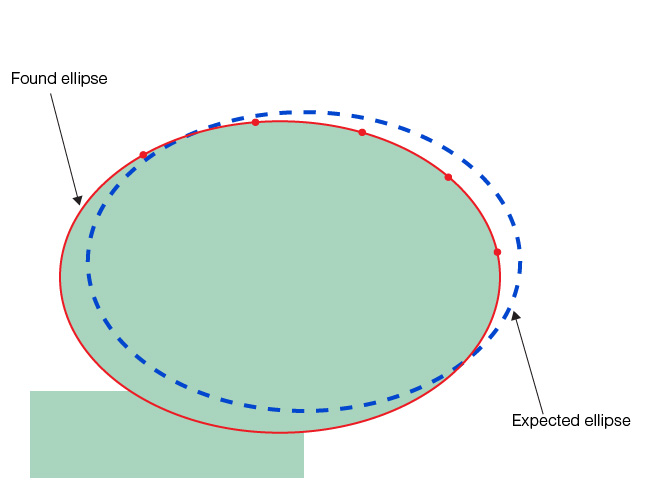
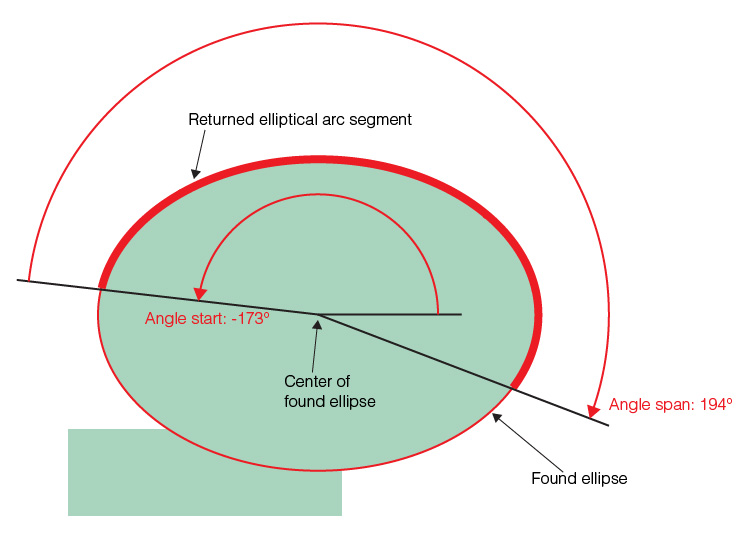
The shown ellipse is shortened to an elliptical arc segment by applying the angle start and angle span you specified for the expected elliptical arc segment. The following figure shows how the expected angle start and angle span are used to construct the returned elliptical arc segment: