Use the Search Region tab to define the area of the Current.InputImage where the tool searches for the trained pattern.
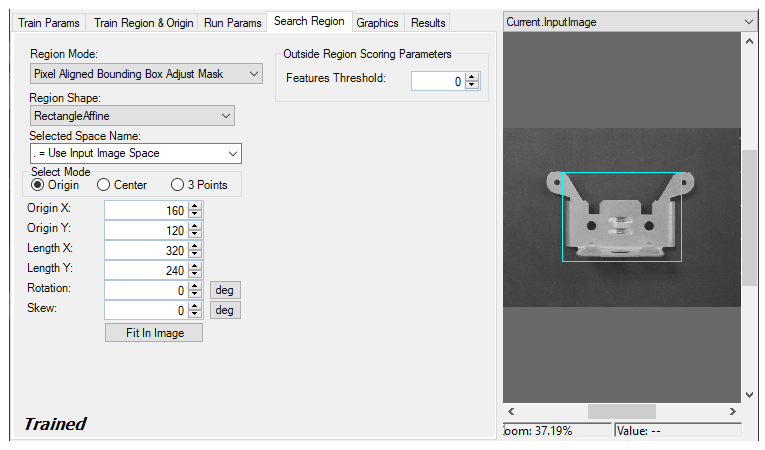
Use the following parameters to define the search region:
| Parameter | Description |
|---|---|
| Region Mode |
Defines the bounding box for the region.
|
| Outside Region Scoring Parameters |
Choose a Features Threshold value that specifies the percentage of features in the trained pattern that can be outside the search region without penalizing the score. The default value of 0 means that the PMAlign tool expects all the features of the trained pattern to be located within the search region, while a value of 0.3 means that up to 30% of the trained pattern can be outside the search region without affecting the final score.
Use this feature when you want to allow some portion of the features in the trained pattern to exist outside the search region without affecting the overall score given to the features the search region still contains. |
| Region Shape | The shape of the search region. Selecting None=Use Entire Image means that the entire Current.InputImage becomes the search region. The set of region-defining parameters depends on the selected Region Shape. |
| Selected Space Name | The coordinate space in which the search region is interpreted. |
| Select Mode |
Available when Region Shape is Rectangle or RectangleAffine. Selects the set of parameters that define the rectangle. The angles of rotation and skew can be specified in degrees or radians of a RectangleAffine, although the undelrlying tool keeps the measurements in radians. |
| Fit In Image | Centers the search region within Current.InputImage. |