Use the Strobe and Trigger tab to control an optional strobe light as well as to configure the type of trigger this acquisition channel uses to signal that an image acquisition should begin. The fields in this tab vary depending on the specific frame grabber you use. The following figure shows an example Strobe and Trigger tab:
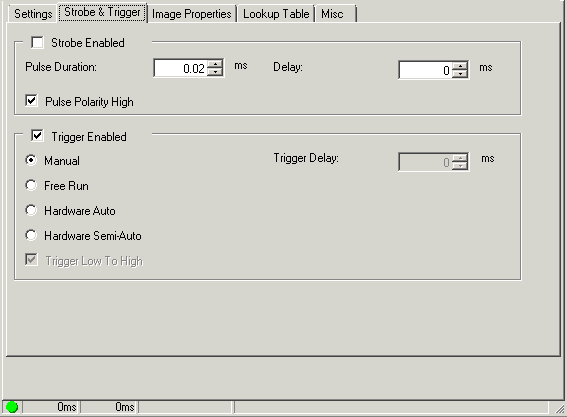
Configure the following settings:
| Setting | Description |
|---|---|
| Strobe Enabled |
Enables the strobe light for each image acquisition. With a strobe light enabled, configure the following settings:
|
| Trigger Model |
Choose one of the following incoming trigger type for this acqFIFO:
|
| Min Trigger Width | Sets the minimum trigger width in milliseconds. The trigger input signal must be asserted for at least this amount of time before it is recognized as a valid input trigger. QuickBuild ignores any trigger signal that does not meet this width constraint. |
| Min Trigger Period |
Sets the minimum time between triggers in milliseconds. Only the first valid trigger within a period will initiate a camera integration cycle. Other valid triggers in that same period are missed. You can use this value to help limit the camera acquisition rate
Legal values range from 0 to 65.5. A value of 0 specifies that there is no period requirement. |
| Trigger Delay | Sets the period of time, in milliseconds, between the receipt of the acquisition trigger and the start of camera integration. |