Use the Transform tab to view details of the 2D transformation as calculated by the tool.
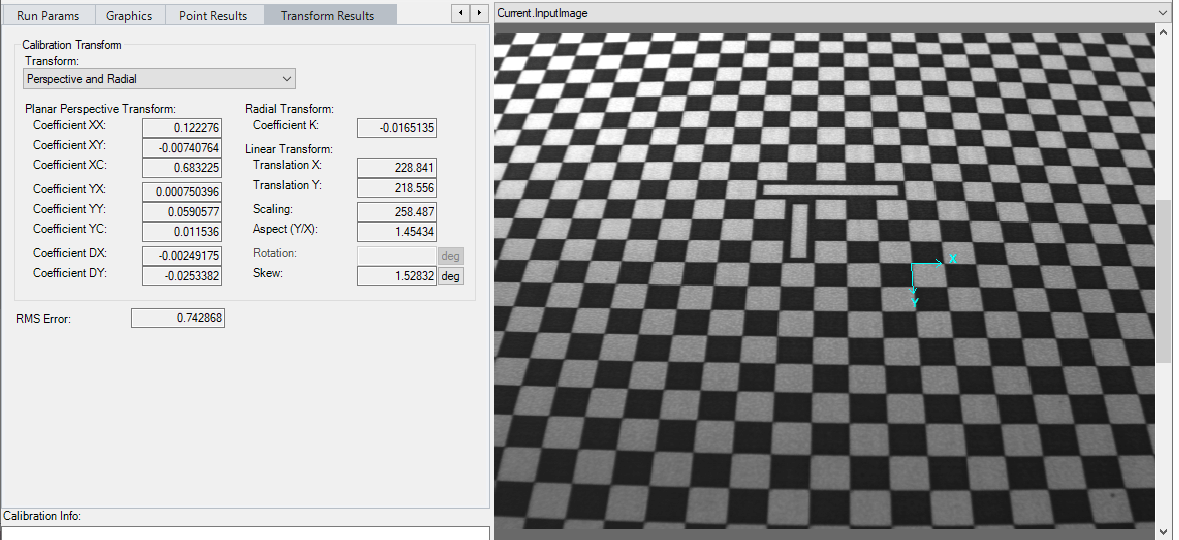
The tab contains the following fields:
| Field | Description |
|---|---|
| Transform list |
The list displays one or more of the following transform types that the tool has calculated:
|
| Planar Perspective Transform | These values describe the planar perspective properties of the uncalibrated to raw calibrated transform. These fields are disabled if the computation method is Linear, ThreeParamRadialWarp, SineTanLawProjectionWarp or NoDistortionWarp. |
| Linear Transform |
These values vary depending on the type of 2D transformation the tool calculated, in the following ways:
|
| ComputedRMSError | This is the error between the uncalibrated points and the mapped raw calibrated points, expressed in uncalibrated space. In most cases, a large RMS error indicates that you have specified a linear transformation when the calibration image exhibits significant perspective or radial distortion. |