A list of known issues in VisionPro 10.0 along with workarounds when available.
- QuickBuild: QuickBuild will not load or display an image-database file (IDB) or Cognex database file (CDB) of images containing 3D features. This VisionPro release does not support 3D images. (OMX-4419)
-
QuickBuild: QuickBuild can stop running unexpectedly if you load a QuickBuild .vpp file containing an AcqFifo tool configured with a trigger model set to Free Run and the trigger is enabled.
Cognex recommends you disable the trigger before saving your QuickBuild .vpp file. (OMX-4322)
-
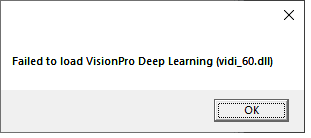
Deep Learning Runtime Tool: The DLRuntime tool requires your PC have Cognex VisionPro Deep Learning 2.0 installed. Without the VisionPro Deep Learning software, loading a valid runtime workspace displays the following popup:
Any attempt to load the runtime workspace again displays an empty error dialog box:
 ( AGT-4281, AGT-4290)
-
LineMax and SmartLine Tools:
Clicking the Fit In Image button on the Edge Extraction tab of either the LineMax tool or SmartLine tool edit controls does not dynamically center the expected line normal graphic within the Current.InputImage. Do any of the following to force the display to update the graphic:
- Pan across the display
- Increase or decrease the Angle parameter
- Close and re-open the edit control. (AGT-4357)
-
Cognex Security Service: Uninstalling this release on a PC with an existing installation of VisionPro 9.6 (or 9.7) will uninstall the Cognex Security Service and prevent your VisionPro 9.x application from verifying the presence of the security key and the licenses for the vision tools that you want to use. Your application will generate security errors.
Cognex recommends you open your Windows Control Panel, select the Programs and Features category, and use the Repair option on your VisionPro 9.x install. (AGT-4257)
-
Filenames: When using file names that include non-ASCII characters, certain VisionPro 10 class methods will either fail to open the specified file for reading, or will open for writing a file whose name has been corrupted. These methods include:
- ImageFileCDB.Open(filename, mode)
- OCRMaxFont.Import(filename)
- OCRMaxFont.Export(filename)
- OCVMaxFont.Import(filename)
- OCVMaxFont.Import(filename, fontname)
- OCVMaxFont.GetAvailableFontNames(filename) (OMX-4264)
-
API Reference Documentation: The .NET C# API reference documentation is missing details about the property setters (triggered events, remarks, default values)
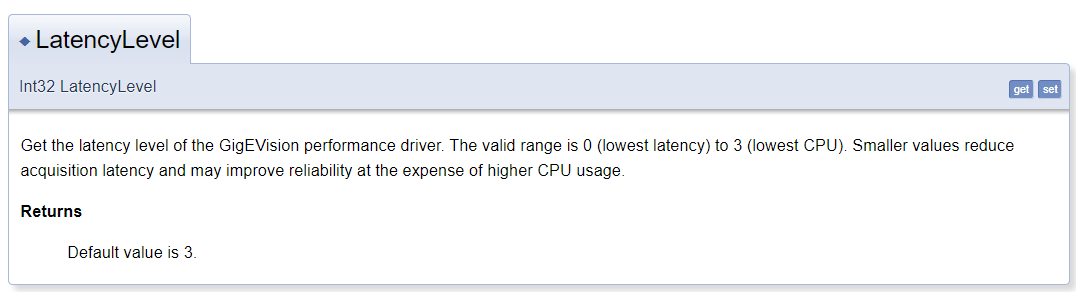
For descriptions of property setters, refer to the C++ API Reference and the equivalent setter method (example: setLatencyLevel()). (OMX-4686)