This topic contains the following sections.
The Image Average tool allows you to accumulate a number of acquired images of the same scene and generate an average image. Generating an average image can be helpful for reducing image noise or for generating a reliable image where lighting can be erratic. The tool can also calculate a standard deviation image, where lighter pixels indicate a higher degree of variation between images. The standard deviation image can be helpful in diagnosing lighting problems as you configure your vision application.
The Run method of the CogImageAverageTool causes the average image (and standard deviation image, if requested) to be calculated for each new input image. The Image Average CogImageAverage, meanwhile, supports an Add method to add images to the Image Average tool but does not generate the average image until you call the ExecuteAverage method. An Image Average operator, therefore, can offer substantial performance improvements over a CogImageAverage tool in your Visual Studio.NET vision application. The following example application responds to a button click by acquiring an image from a frame grabber, and responds to a second button by generating the average image for all the images acquired so far. The application provides a third button to reset the Image Average tool and clear all internal data.
The following figure shows the Windows form for this application:
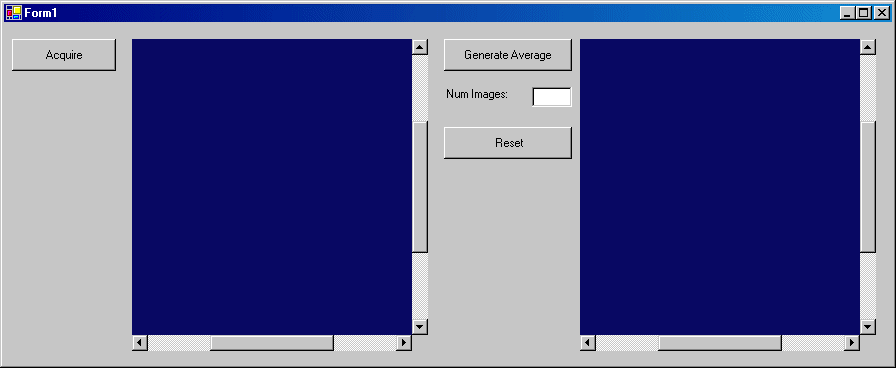
The following programming statements show the relevant portions of the application related to image acquisition and image averaging:
using Cognex.VisionPro;
using Cognex.VisionPro.ImageProcessing;

// Image Acq Variables
private int tNum;
private CogFrameGrabbers myFrameGrabbers;
private ICogFrameGrabber myFrameGrabber;
private ICogAcqFifo myAcqFifo;

// Image Average Variables
private CogImageAverage myAvImage;
private CogImage8Grey nextImage;

private void InitializeFifo()
{
        const string VIDEO_FORMAT = "Sony XC75 640x480";
        myFrameGrabbers = new CogFrameGrabbers();

        myFrameGrabber = myFrameGrabbers[0];

        myAcqFifo = myFrameGrabber.CreateAcqFifo(VIDEO_FORMAT, Cognex.VisionPro.CogAcqFifoPixelFormatConstants.Format8Grey, 0, false);
}

private void InitializeImageAverage()
{
        myAvImage = new CogImageAverage();
}

private void button1_Click(object sender, System.EventArgs e)
{
        cogDisplay1.Image = myAcqFifo.Acquire(out tNum);
        cogDisplay1.Fit(true);
        nextImage = (CogImage8Grey)cogDisplay1.Image;
        myAvImage.Add(nextImage, null);
        textBox1.Text = myAvImage.NumImages.ToString();
}

private void button2_Click(object sender, System.EventArgs e)
{
        cogDisplay2.Image = myAvImage.ExecuteAverage();
        cogDisplay2.Fit(true);
}

private void button3_Click(object sender, System.EventArgs e)
{
        myAvImage.Reset();
}