This topic contains the following sections.
VisionPro supports two related linear shapes: CogLine and CogLineSegment. This topic describes the differences between these two shapes.
Note: Both lines and line segments in VisionPro are directed.
A line is a straight geometric shape of infinite length. In VisionPro, the following parameterizations for a line are supported:
| Parameterization | Example |
You specify a single point through which the line passes along with the angle of the line relative to the selected space. The direction of the line is given by the rotation. | 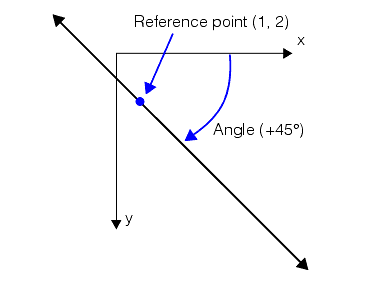 |
You specify a reference vector from the origin of the selected space. The line is normal to and passes through the end of the vector. The direction of the line is given by the rotation. | 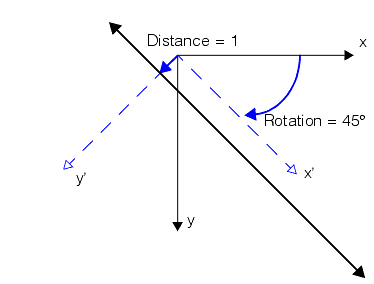 |
You specify two points through which the line passes. The first point is treated as the reference point. The direction of the line is from the first point (the reference point) to the second point. | 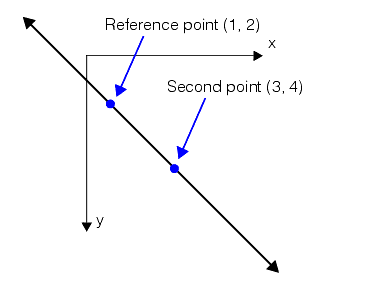 |
A line segment is a straight geometric shape of finite length. In VisionPro, the following parameterizations for a line segment are supported:
| Parameterization | Example |
You specify the starting point for the segment, its length, and its angle relative to the selected space. The direction of the segment is given by the rotation. | 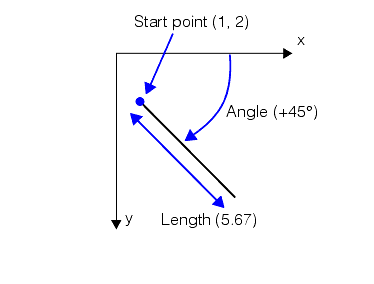 |
You specify the two end points of the segment. The direction of the segment is from the first point to the second point. | 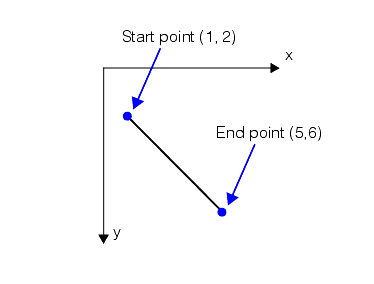 |
The VisionPro dimensioning functions that compute the distance between lines and line segments and other shapes may produce different results depending on whether you supply a line or a line segment, even when the line and line segment are collinear.
| Shape Pair | Line | Line Segment |
Lines and line segments to CogCircle. | 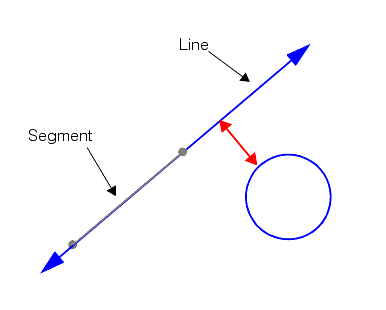 | 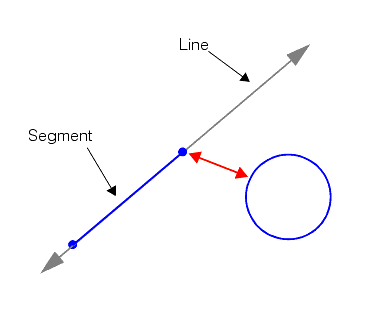 |
Lines and line segments to CogEllipse. | 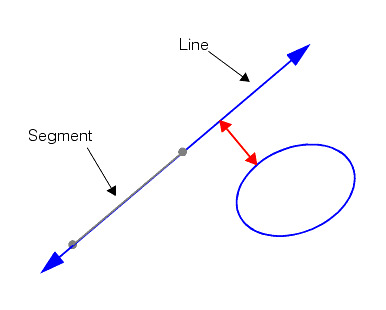 | CogMath.DistanceSegmentEllipse 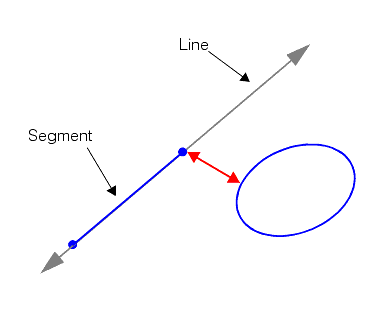 |
Lines and line segments to points. | 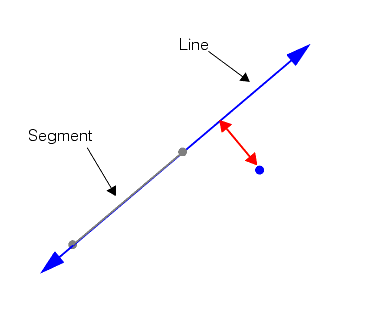 | 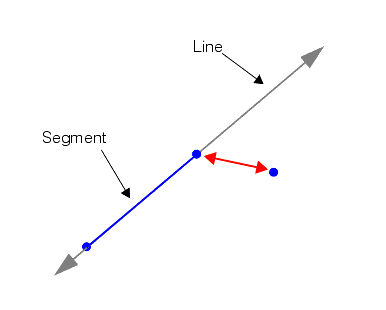 |
Lines and line segments to CogLineSegment. | 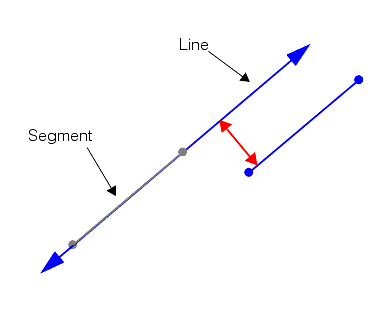 | CogMath.DistanceSegmentSegment 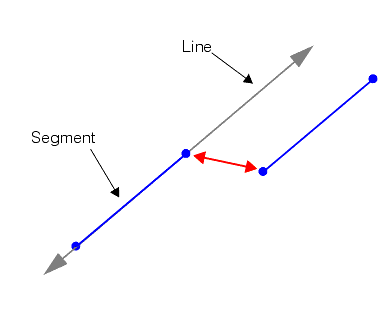 |
In some cases, you may be using a combination of measurement methods where one method produces a line segment as output while the next method requires a line as input. You can easily convert a line segment into a line using one of two methods: Call the CogLineSegment.CreateLine method to obtain a new line that is collinear with your line segment. Alternatively, if you have an existing line you can call the CogLine.SetFromLineSegment method to set that line to be collinear with a supplied line segment.