This topic contains the following sections.
The input region you specify to the Caliper tool, which is always a CogRectangleAffine, determines how the image is projected to form a 1-dimensional image, and which edges are detected.
If you add an interactive CogRectangleAffine to a Cognex Display control, you position the rectangle as shown in the following figure:
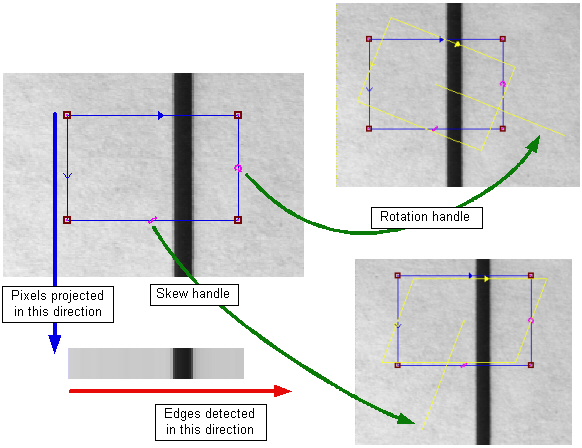
The pixels are projected from the top of the rectangle to the bottom, where the top side is defined as the side opposite the skew handle. Edges are detected from left to right in the resulting projection image, where the left side is defined as the side opposite from the rotation handle.
If you specify the CogRectangleAffine programmatically, the projection is performed as shown in the following figure:
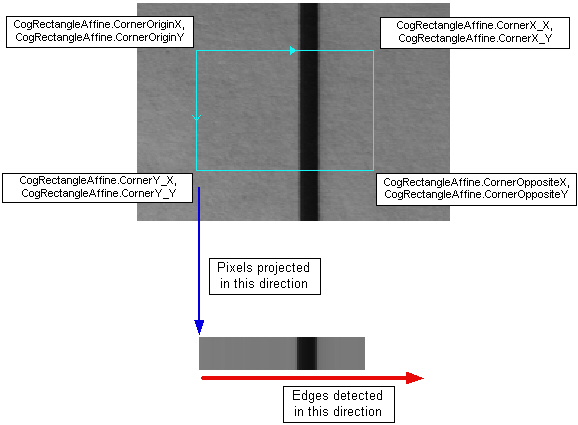
The pixels are projected from the CogRectangleAffine corner to the CogRectangleAffine corner, while edges are detected from the CogRectangleAffine corner to the CogRectangleAffine corner.