Use a DLRuntime tool to integrate a saved VisionPro Deep Learning (VPDL) runtime workspace into your VisionPro application. Once integrated, your vision application has access to any of the following VisionPro Deep Learning tools configured in the runtime workspace:
Blue Locate tool
Identify features in an image or generate information about position and orientation of features relative to some coordinate system.
Blue Read tool
Perform Optical Character Recognition (OCR).
Green Classify tool
Identify and classify an object, or the entire scene, in an image.
Red Analyze tool
Perform anomaly detection or defect detection.
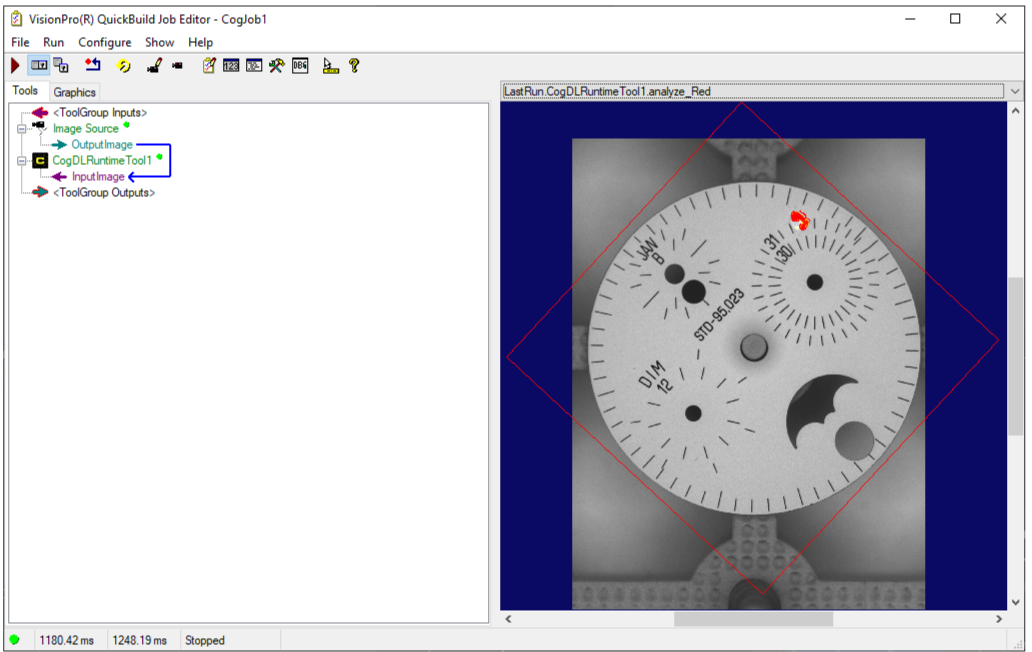
Your VisionPro application can access all the results the VPDL tools can generate and pass them to other VisionPro tools. For example, the following image shows a QuickBuild Job that acquires an image and uses the Red Analyze tool of an imported VPDL workspace to locate probable defects:
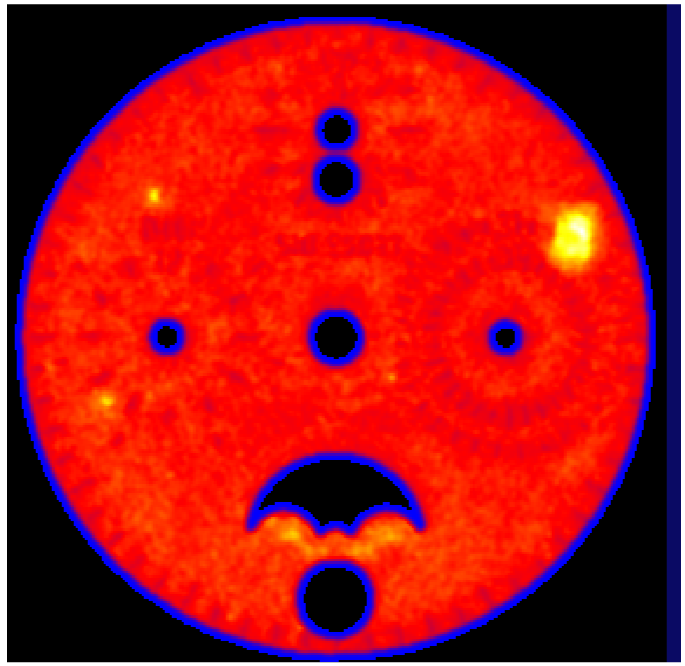
The QuickBuild Job can take the output generated by the Red Analyze tool and apply a Colormap to enhance the defect information for further processing:
Refer to your Cognex Deep Learning documentation for details on using VisionPro Deep Learning.
See the following sections for more information:
The PC running the vision application must support an NVIDIA GPU in order to support VisionPro Deep Learning software. In addition, Cognex recommends you uninstall any version of VisionPro or VisionPro Deep Learning software and install the necessary software components in the specified order before you attempt to integrate a VPDL runtime workspace into your VisionPro application:
Install VisionPro Deep Learning release 3.3.2
Log into your MyCognex account and navigate to Support->VisionPro Deep Learning->Software->VisionPro Deep Learning 3.3.2 for the installer.
Install this VisionPro release.
Navigate to navigate to Support->VisionPro Support->Software->VisionPro 9.22 SR1 for the installer.
Install the VisionPro 9.22 GPU Supplemental release.
Navigate to navigate to Support->VisionPro Support->Software->VisionPro 9.22 GPU Supplemental for the installer.
Install the VisionPro Deep Learning 3.3.0 Sample Code Resources package.
Navigate to navigate to Support->VisionPro Deep Learning->Resources->VisionPro Deep Learning 3.3.0 Sample Code Resources for the installer.
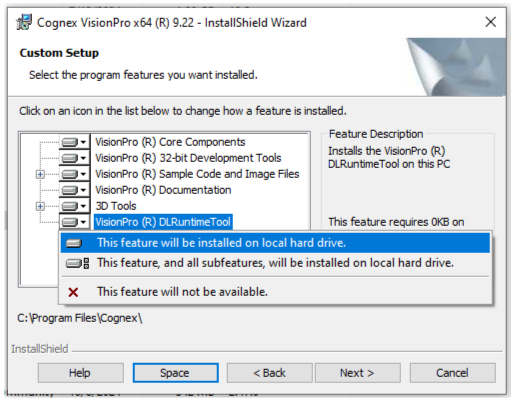
Be aware the VisionPro installer does not install the DLRuntime tool by default. During the VisionPro install, you must enable the selection of the DLRuntime tool, as shown in the following figure:
If you did not install the DLRuntime tool during your VisionPro installation, you can right-click on the install from the Programs and Features option in the Windows Control Panel and select Change to open the VisionPro installer and add the tool at this time.