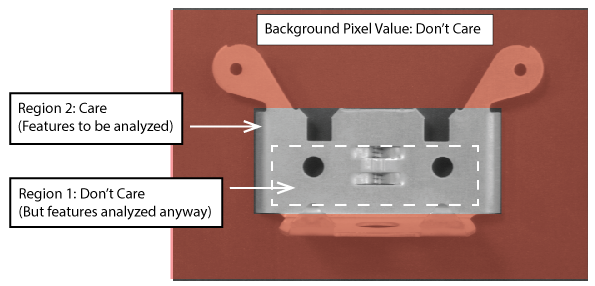
A Mask Creator tool accepts an input image and allows you to create a mask image that can be used as a runtime parameter for other vision tools. The mask image you create contains areas of Care and Don't Care regions:
- Care regions enclose features you want to analyze when you attach the mask image to a vision tool later in the application.
- Don't Care regions cover features you want to exclude from analysis.
The Mask Creator tool allows you to add multiple Care and Don't Care regions as necessary:
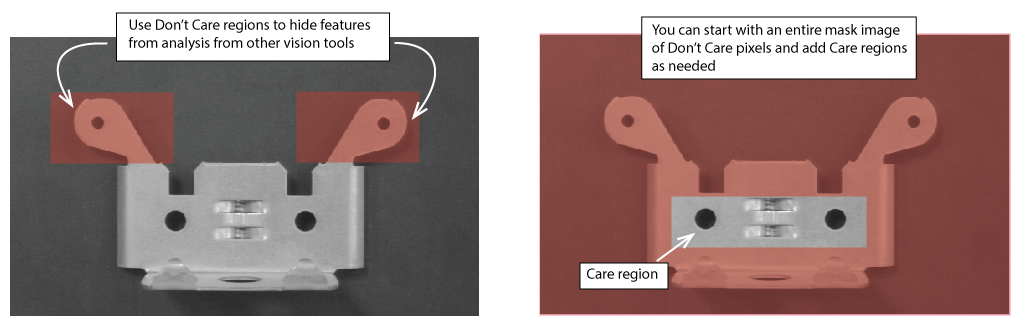
The mask image you create can be added as a runtime property to any vision tool that accepts image masks.
See the following sections for more information:
When you create a new mask image you must choose a Background Pixel Value of Care or Don't Care for all the pixels in the new image.
Choosing a Background Pixel Value of Care makes all the pixel values in the mask image available for analysis by default, before any regions have been added.
Applications typically choose a Background Pixel Value of Care before adding Don't Care regions to mask select regions from analysis.
Choosing a Background Pixel Value of Don't Care hides all pixel values in the mask image by default, before any regions have been added.
Applications typically choose a Background Pixel Value of Don't Care to mask most of an image from analysis, adding Care regions later.
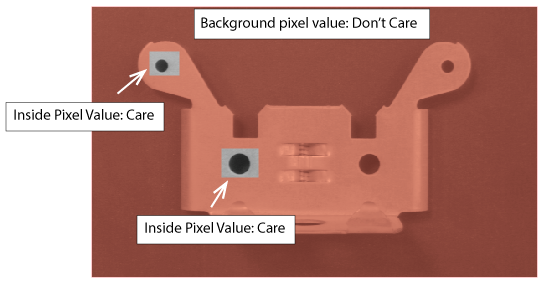
For each region you add to a mask image, you decide whether it is a Care or Don't Care region with the Inside Pixel Value value. A mask image contains a single Background Pixel Value while every region has its own Inside Pixel Value:
A Mask Creator tool can accept the output image of a fixturing tool, allowing the Care and Don't Care regions to change orientation to align with the position of desired features in your runtime images:
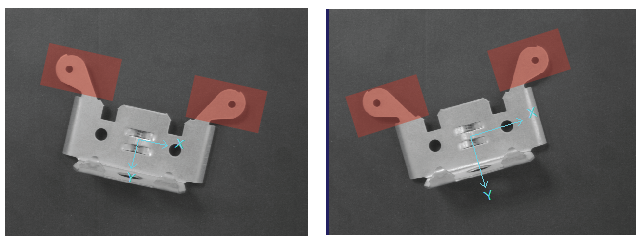
See the topic Calibration and Fixturing for details on calibration and fixturing.
A Mask Creator tool allows you to layer multiple regions on the input image. Layered regions allow you to create a border of Care or Don't Care pixels to closely isolate the features you to analyze or mask from consideration:
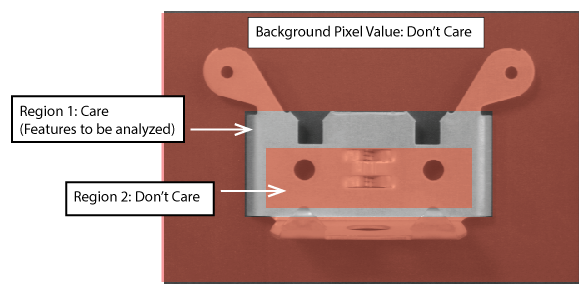
Be aware that the order of layering determines what features can be analyzed or not. The following figure shows the previous input image but the second region of Care pixels overwrites the first region of Don't Care pixels: