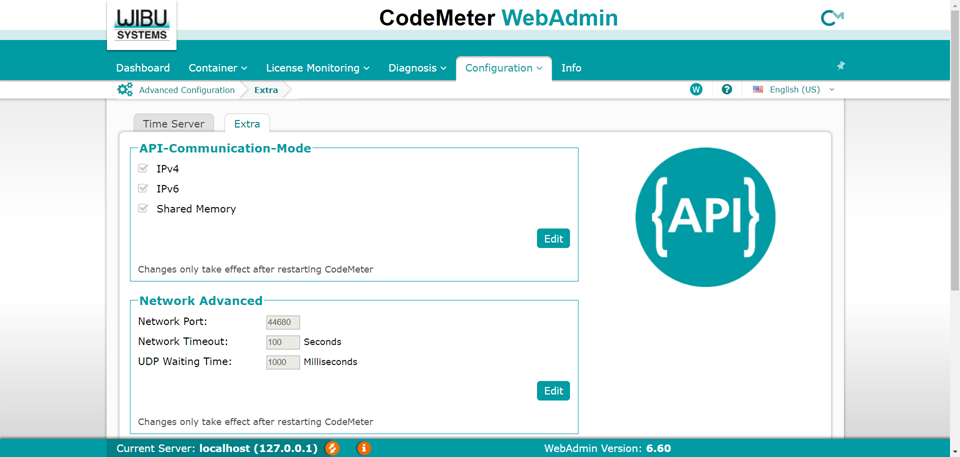
Change the Server Network Port Setting
By default, the CodeMeter Service uses 22350 as the network port. If you have another application that is using that port, you will need to change the port setting. To change the network port setting, perform the following steps:
-
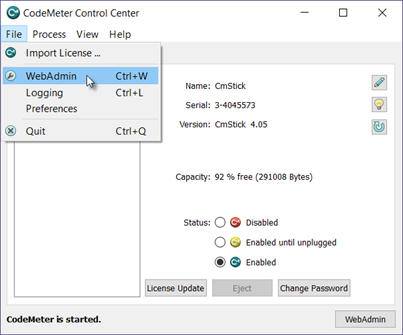
On the server device, from the CodeMeter Control Center, open the WebAdmin in your browser.
-
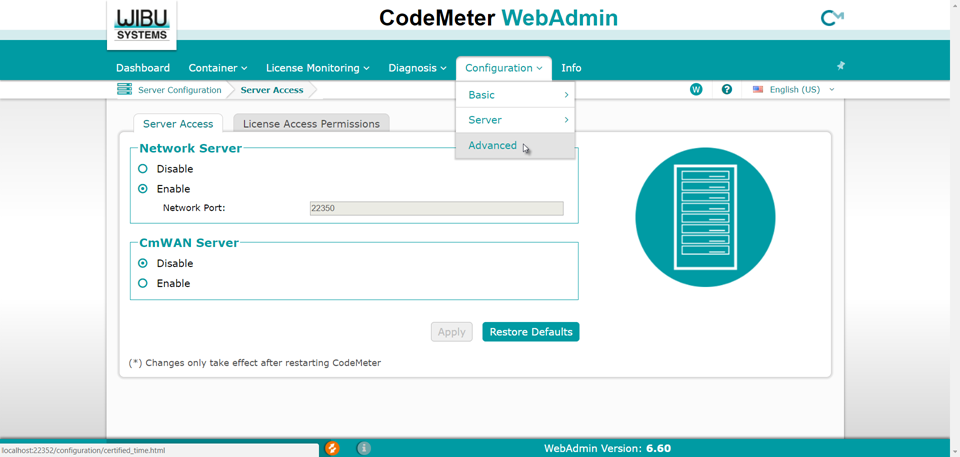
From the Configuration drop-down menu, select Server, then Advanced.
-
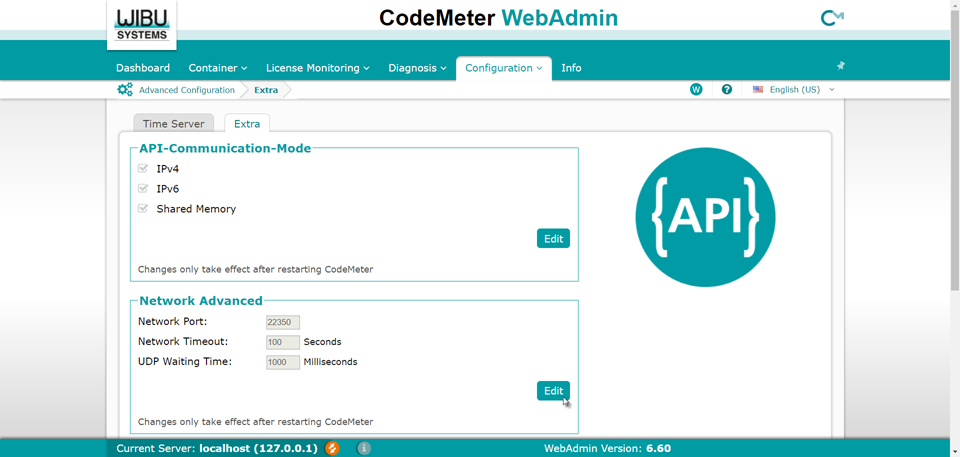
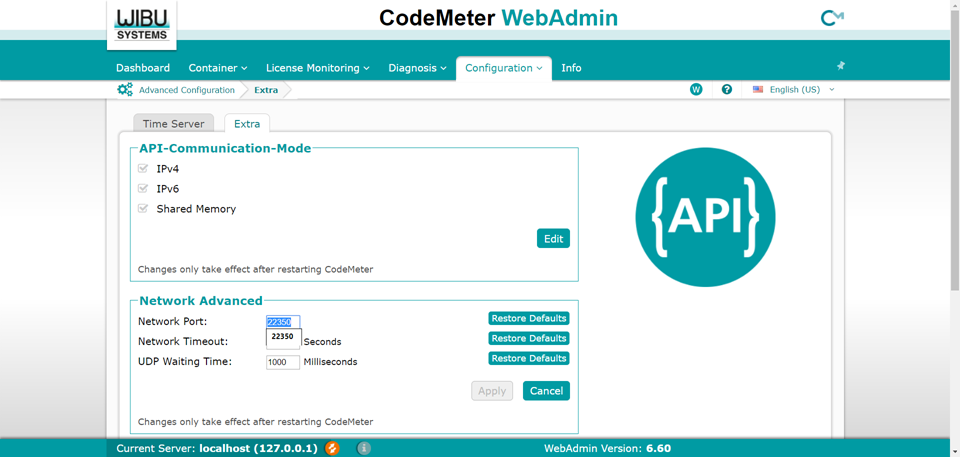
Click the Extra tab, and in the Network Advanced container, press the Edit button.
-
The Network Port field will be enabled, and you can enter the desired Network Port for the Server.
-
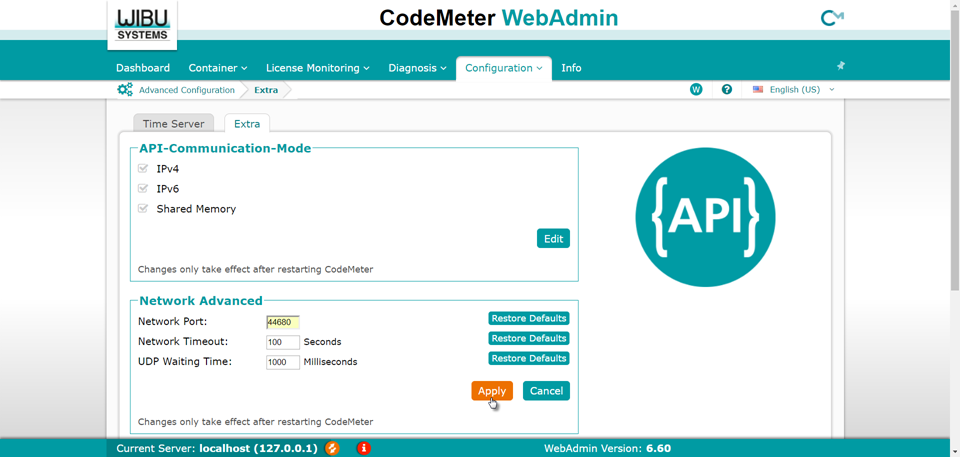
After entering the new Network Port value, press the Apply button.
-
The new Network Port value will appear in the field, and you will need to restart the CodeMeter application.