Use of NuGet Packages
Beginning with ViDi version 3.4.0, the ViDi .NET library is compiled targeting a cross-platform framework, wherever possible.
All of the UI-related assemblies are compiled targeting either .NET Framework 4.7.2 or NET Standard 2.0.
| Assembly | Framework Target |
|---|---|
|
ViDi.NET.Local |
NET Standard 2.0 |
|
ViDi.NET.Logging |
NET Standard 2.0 |
|
ViDi.NET.Remote |
NET Standard 2.0 |
|
ViDi.NET.Remote.Service |
NET Standard 2.0 |
|
ViDi.NET.Remote.Client |
NET Standard 2.0 |
|
ViDi.NET |
NET Standard 2.0 |
|
ViDi.NET.Base |
NET Standard 2.0 |
|
ViDi.NET.Common |
NET Standard 2.0 |
|
ViDi.NET.Extensions |
NET Standard 2.0 |
|
ViDi.NET.Interfaces |
NET Standard 2.0 |
| ViDi.NET.UI.Interfaces |
.NET Framework 4.7.2 |
|
ViDi.NET.GUI |
.NET Framework 4.7.2 |
| ViDi.NET.UI |
.NET Framework 4.7.2 |
|
ViDi.NET.VisionPro |
.NET Framework 4.7.2 |
NuGet packages were introduced to simplify which assemblies are required to use a certain ViDi Suite functionality.
For example, the ViDi.NET.UI now shows exactly which assemblies are required, along with the requisite licenses for 3rd party assemblies.
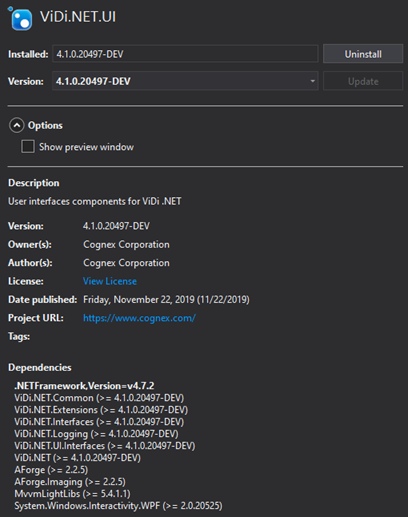
-
ViDi NuGet packages are located in the following directory:
C:\ProgramData\Cognex\ViDi Suite\X.X\Examples\packages\
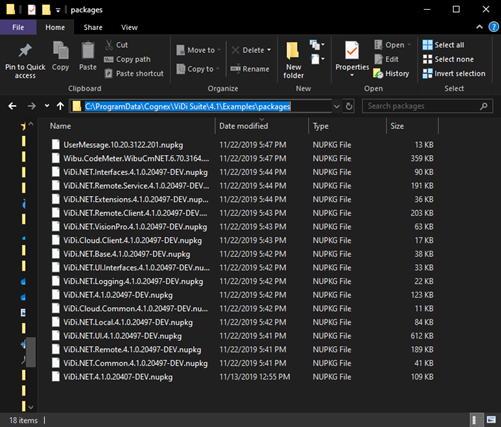
The NuGet feed is automatically set in the examples, but must be set to a global Visual Studio NuGet package feed.
- Cognex highly recommends backing up the NuGet packages to another secure repository (or its equivalent) and to keep a copy. This location should then be configured as a new NuGet feed. For more information, see the following Microsoft topic: Hosting your own NuGet feeds