Server License Setup
Note: These steps are only necessary when using the network licensing model of the client/server functionality, where the server has the Cognex Dongle, and the client does not have a Cognex Dongle. If the client devices have their own Cognex Dongle attached, this setup is not necessary.
-
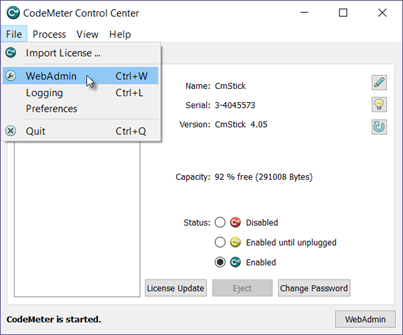
On the server device, from the CodeMeter Control Center, open the WebAdmin in your browser.
-
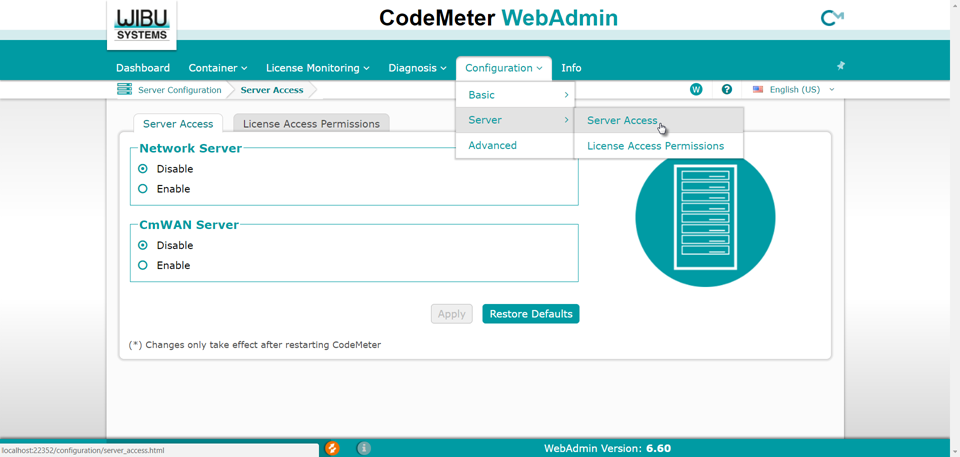
From the Configuration drop-down menu, select Server, then Server Access.
-
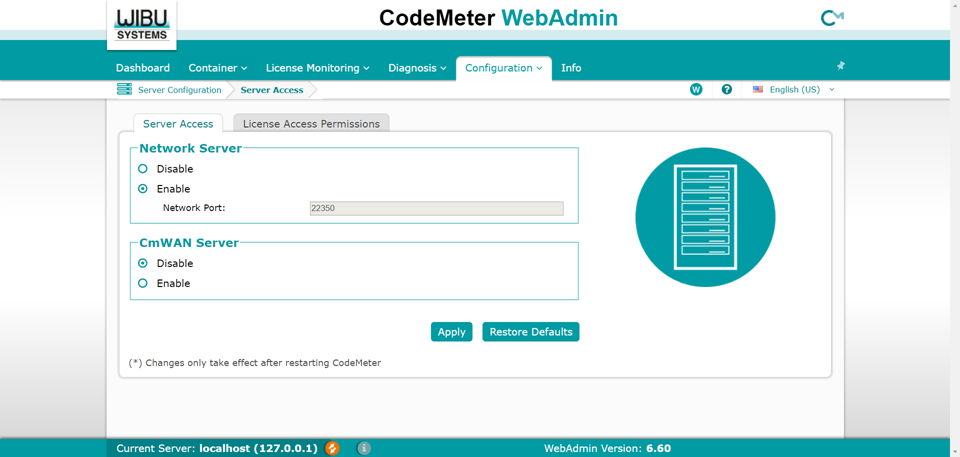
Set the Network Server radio button to Enable.
-
The Network Port setting of the CodeMeter Service is automatically set. The default setting is port 22350.
Note: If you have another application using port 22350 and you need to change the network port setting, see the Change the Server Network Port Setting topic. - Press the Apply button.
-
After configuring the server, you will need to launch the ViDi Suite Service application, which will allow the clients to run the inference and training processes.
Note: The inference and training capabilities are dependent on your license configurations. Please contact your Cognex sales representative for more information.