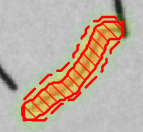
Red Analyze Tool – Supervised Mode
When the Red Analyze tool is in Supervised Mode, the focus is on teaching the network what defects look like. During training, it's recommended to only present images that contain defects. When selecting images, you will want to ensure that you have a Training Image Set that includes all of the defects you expect to encounter during runtime. If you did not teach the tool what a particular defect looks like, the tool will not find those defects. For example, if you only teach the tool what stains look like, the tool will not find scratches.
In Supervised mode, the process for training the tool is:
- Collect images that represent the full range of defects that you expect to encounter.
-
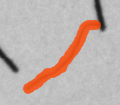
Go through each image in your training image set and carefully label the defects.
Defect Label 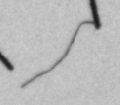
- Train the tool.
-
Validate the tool by presenting images that contain defects that were not used during training.
Defect Marking