About Pop-Up
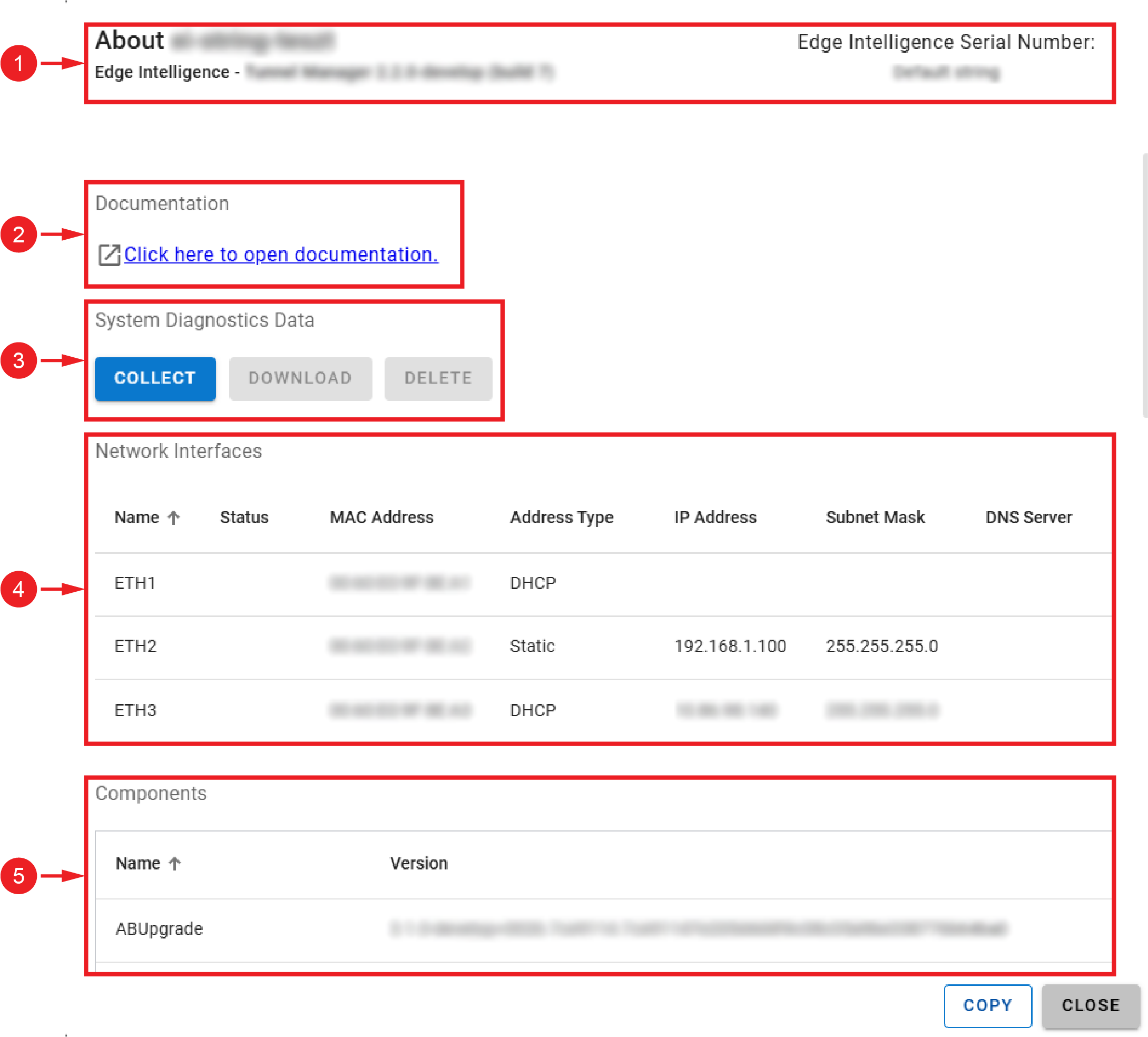
The About pop-up window allows you to access documentation, collect diagnostics for troubleshooting support, and view network and component information for your EI Tunnel Manager unit.
|
|
|
| Number | Description |
| 1 |
Information about the EI Tunnel Manager unit, such as serial numbers, software version, and license expiration date. |
| 2 |
The documentation link opens the reference manual stored on the device. |
| 3 |
The System Diagnostics Data section allows you to collect, download, and delete device logs that you can send to Cognex support engineers for troubleshooting support. Note: The log files in the downloaded .zip file are password-protected. Only Cognex support engineers can access them.
|
| 4 |
The Network Interfaces section lists the available and connected network ports with their configurations. |
| 5 |
The Components section lists the different features that run on the device. |