Train 2-Class Classifier
You can train the classifier to distinguish between classes of images. When the classifier does not recognize an input, the image is categorized as Unclassified.
Once you classify enough images, the classifier accurately determines the class of new images. The Confidence Indicator signals how confident the classifier is about the suggested label.
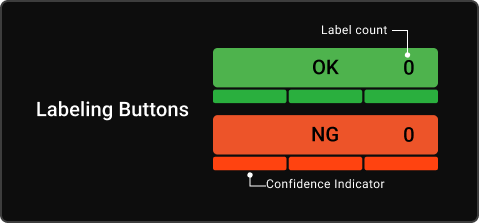
Confidence Indicator
The model health is a measure of the model accuracy when validated against a set of labeled images in the tool. It tends to increase as you add more representative images to each class.
If individual classes contain a large degree of variability from image to image, the model health may remain low, even though the tool predicts accurate results.
For the best results, meet the following criteria:
-
Label a diverse set of images into different classes.
-
Verify that the classifier consistently gets the correct class on new unlabeled objects.
Training Validation
To validate the training, continue showing unlabeled images and verify results based on the Confidence Indicator.
You can switch between full screen and ROI view by clicking on View in the upper left corner.
You can turn the text overlay on or off by clicking on Text. This text overlay displays the class label of the image, such as OK, NG, or Unclassified.
Reset the classifier to an untrained state by clicking on Untrain Classifier. The label counts reset to zero.
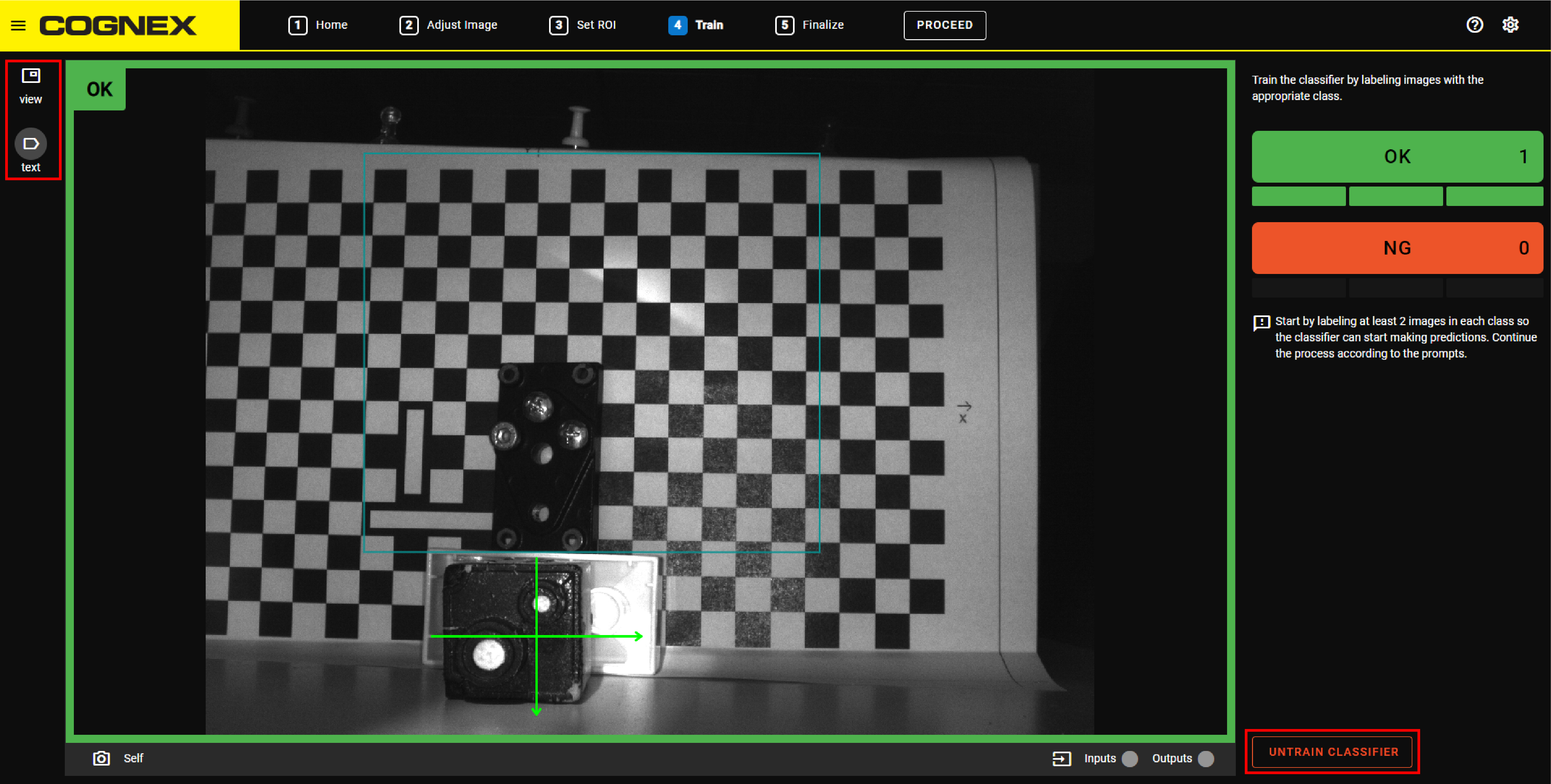
Training Guidance
The Training Guidance shows you messages that help you during the labeling:
-
If you have not labeled enough images, the Training Guidance tells you to label more images.
-
If you labeled enough images, but the Confidence Indicator is still low, the Training Guidance tells you to stop labeling and restart the training or try another application.
-
If the Training Guidance tells you that you have labeled enough images and the confidence level is high, the Training Guidance tells you to try the application. Present parts to the device and verify that the output is what you expect. If you are satisfied with the results, then you are done with training the device.