Train Anomaly Detector
You can train the anomaly detector to recognize defects, debris, or otherwise faulty objects. Choose the anomaly detector when you have unknown or unanticipated defects.
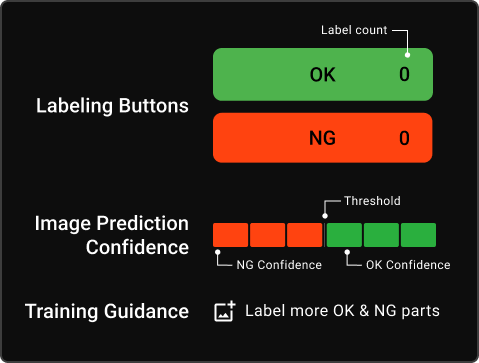
As you label images, you train the anomaly detector to recognize acceptable differences between the good parts and anomalies on NG images. The more images you label, the more confident the predictions are going to be. The predictions are shown by the Confidence Indicator, and the color of the image border corresponds to the predicted result, either OK or NG.
To train the anomaly detector, label good images as OK and images with anomalies as NG. Start training by labeling two OK and two NG images, so the anomaly detector can start making predictions.
Confidence Indicator
The Confidence Indicator shows you the prediction of the tool of whether the shown image is OK or NG. The number of the bars shows how confident the tool is in that prediction.
The anomaly detector is well-trained if it shows correct predictions with two or three levels of confidence.
For the best results, meet the following criteria:
-
Label a diverse set of images as OK and NG.
-
Verify that the Anomaly Detector is consistently getting the correct prediction on new unlabeled parts.
-
Label different anomaly scenarios.
-
Use fixturing, because the Anomaly Detector is sensitive to the position of the part.
Training Validation
To validate the training, continue showing unlabeled images and verify results based on the Confidence Indicator.
You can switch between full screen and ROI view by clicking on the View button in the upper left corner.
You can turn the heat map on by clicking on the Heat Map button. The heat map is a live indication of where the anomaly detector is finding deviations compared to OK images.
Reset the anomaly detector to an untrained state by clicking on Untrain Anomaly Detector. Both label counts reset to zero.
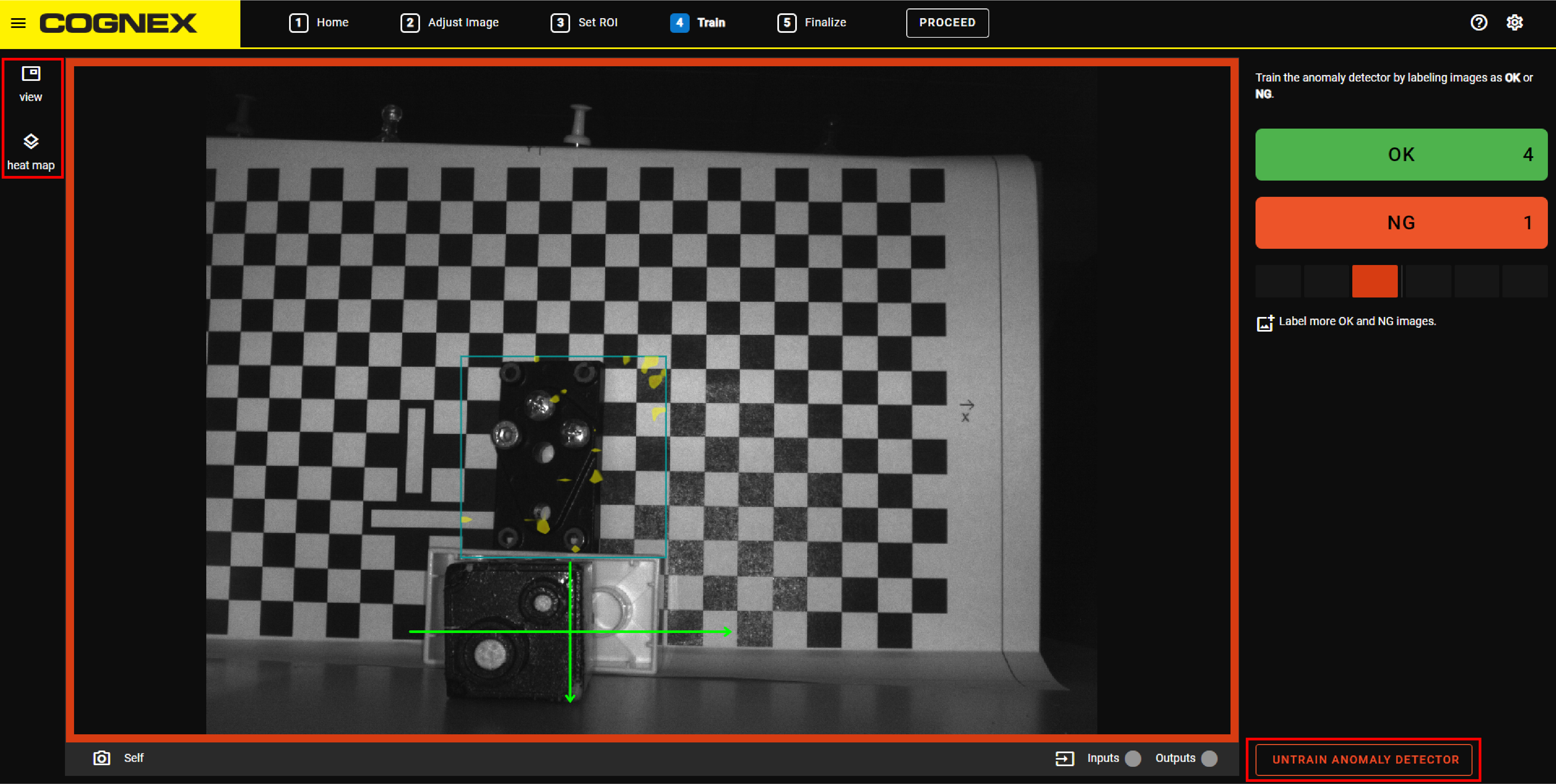
Training Guidance
The Training Guidance shows you messages that help you during the labeling:
-
If you have not labeled enough images, the Training Guidance tells you to label more images.
-
If you labeled enough images, but the Confidence Indicator is still low, the Training Guidance tells you to stop labeling and restart the training or try another application.
-
If the Training Guidance tells you that you have labeled enough images and the confidence level is high, the Training Guidance tells you to try the application. Present parts to the device and verify that the output is what you expect. If you are satisfied with the results, then you are done with training the device.