Communications
In the Communications tab of Settings, you can enable communication with a PLC through device inputs/outputs and Industrial Protocol. Always click Apply after any modification in the communication settings to save the changes. Switch on the Outputs toggle and the Write Image toggle in the Finalize step to enable transferring images to an SFTP server. If an industrial protocol is enabled, enabling the Outputs toggle also allows to transmit inspection results data to a PLC.
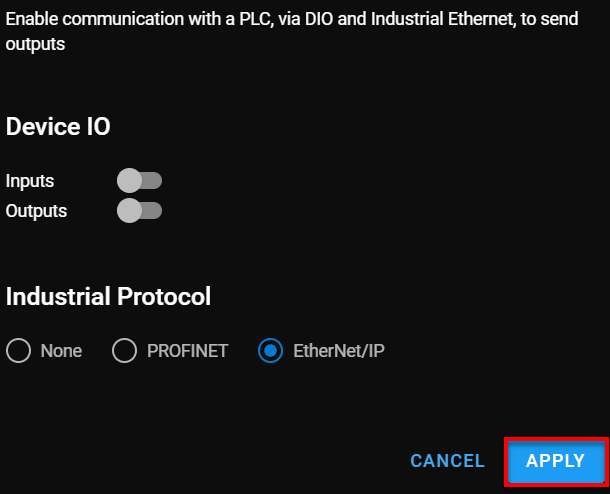
If neither Inputs or Outputs toggles are switched on, the following messages appear:
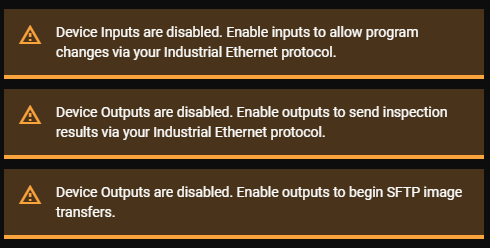
The third message only appears if the Write Image toggle in the Finalize step is enabled and the Outputs toggle in the Communications settings is disabled.
To clear the messages, enable the following toggles:
-
Switch on the Inputs toggle to allow program changes through Industrial Ethernet protocol.
-
Switch on the Outputs toggle to send the inspection results through Industrial Ethernet protocol, or Discrete IO.
-
Switch on the Outputs toggle to enable the transfer of images to an SFTP server.
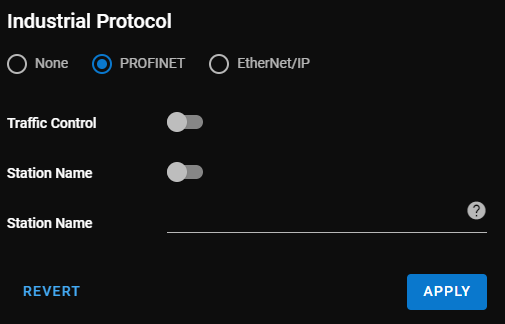
If you choose PROFINET, you have to adjust the following fields:
-
Traffic Control: Enable/Disable traffic control.
-
Station Name: Enable/disable station name.
-
Station Name: Enter the name of the station.
Note: The Station Name must meet the following criteria:Includes numbers, lower case letters, hyphens and periods only.
Cannot exceed 127 characters.
Components (character blocks separated by periods, or hyphens) cannot exceed 63 characters.
Spaces are not allowed.
There are four pre-defined output lines:
| Output Line | Signal Type | Notes |
|---|---|---|
| Out 0 | Pass | Pulsed (5 ms) |
| Out 1 | Fail | Pulsed (5 ms) |
| Out 2 | Missed Trigger | Pulsed (5 ms) |
| Out 3 | Active |
Level (High or Low) High, if a trained program is loaded and outputs are enabled. |
The Pass/Fail conditions are the following:
| Condition | Anomaly Detector | 2-Class Classifier |
|---|---|---|
| Pass | OK | OK |
| Fail |
|
|
If you enabled an Industrial Protocol, you can connect a PLC to the vision sensor. If you enabled Inputs, the PLC is allowed to send a Command to the vision sensor that has a value between 1-20. Once the vision sensor sends the Command bit, the PLC can set the Execute Command bit on the vision sensor to high, and the vision sensor changes programs.