App Management
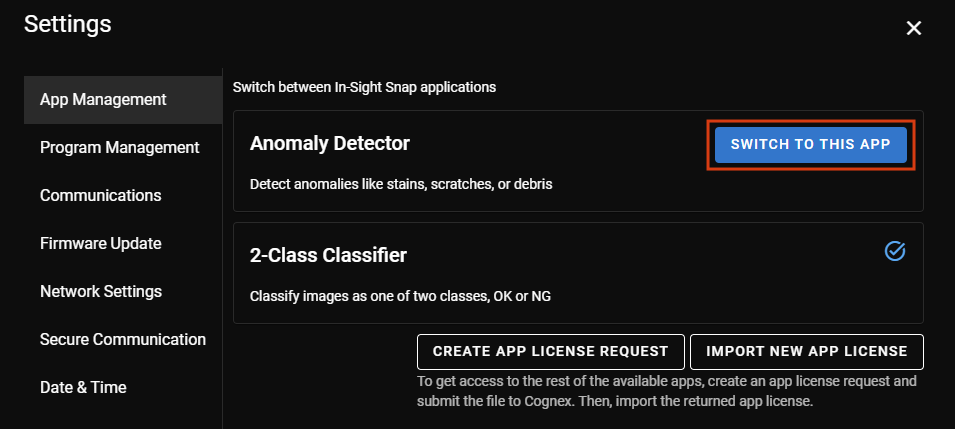
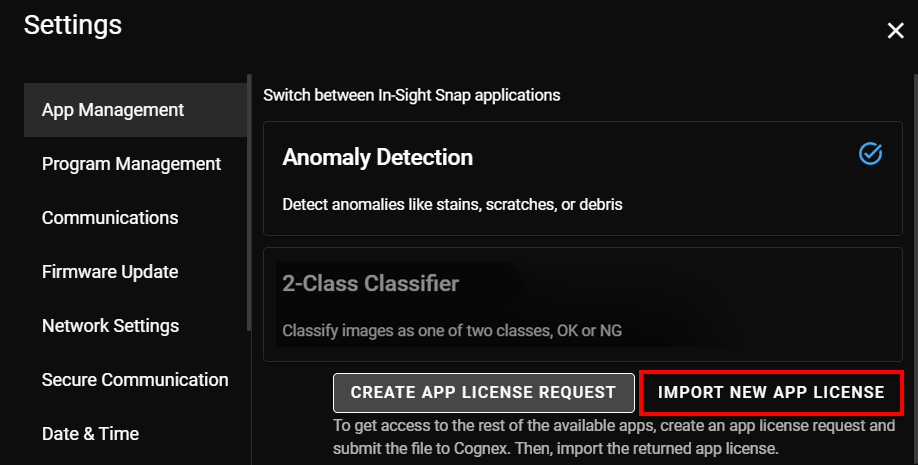
In the App Management tab of Settings, you can switch between the available apps such as the Anomaly Detector and 2-Class Classifier. Click on Switch To This App to switch from one to another. There is a checkmark on the right side of the app you are currently using.
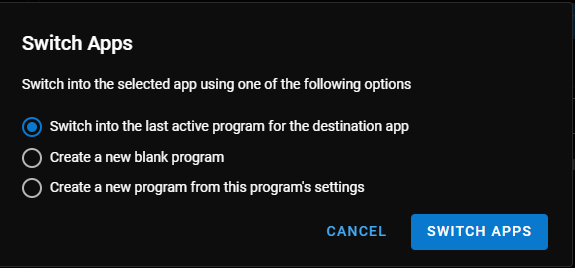
After you click on Switch To This App you can choose from the following options:
-
Switch to the last active program for the destination app.
-
Create a new blank program.
-
Create a new program using the current program settings.
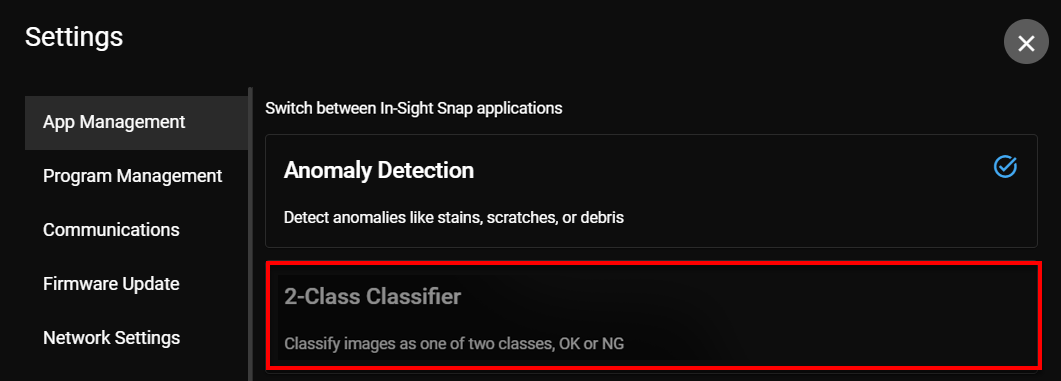
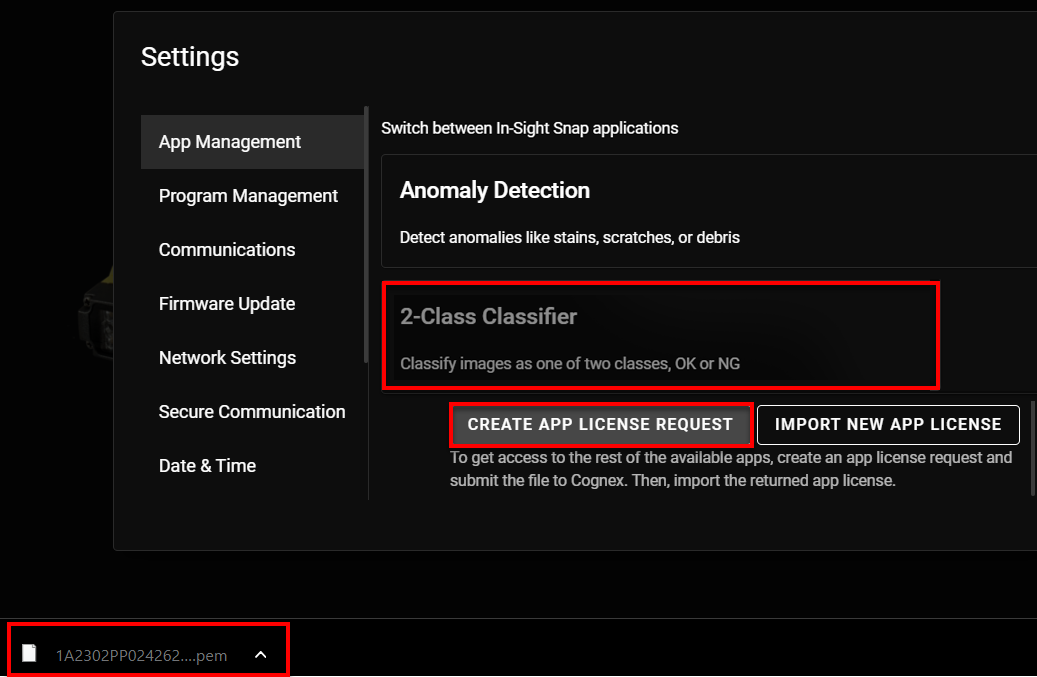
When your license does not support an application, that particular app is disabled.
To get access to more apps, you can manage your licenses:
-
Click on Create App License Request to download the .pem file for the new license request.
-
Send this file to Cognex Tech Support: https://www.cognex.com/support.
-
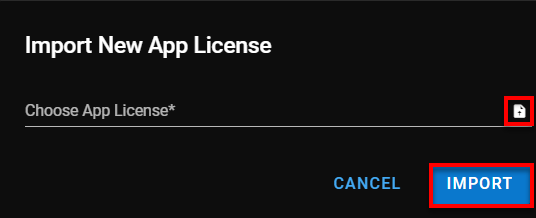
After you receive the new app license, click on Import New App License and the Import New App License pop-up appears.
-
Click on the upload icon and your file explorer opens up. Upload the new app license from your PC and click on Import.