How to Connect to the Vision Sensor
To connect to In-Sight SnAPP, perform the following steps:
-
Connect your vision sensor to a power source and the network.
-
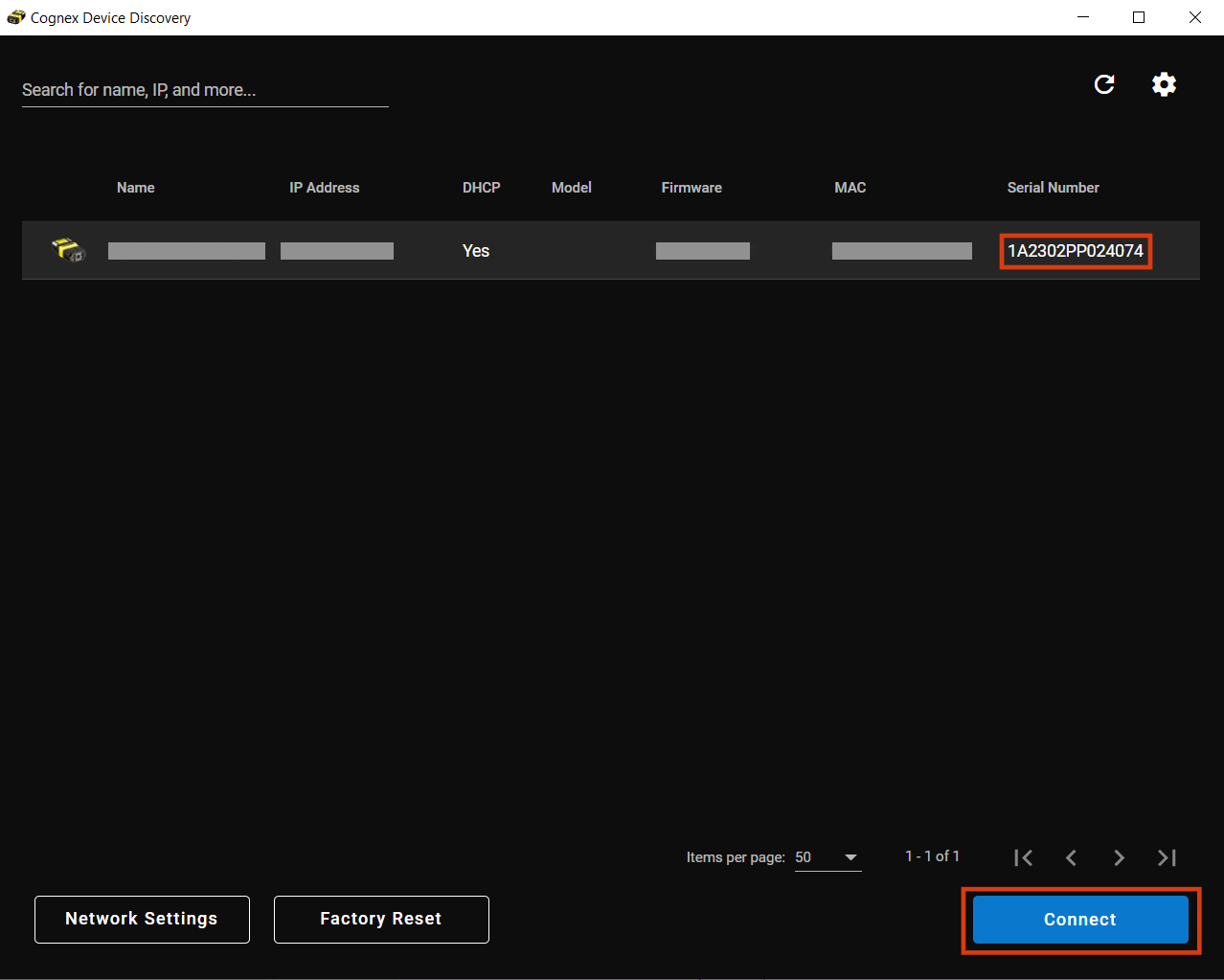
Launch Cognex Device Discovery Utility. Make sure your PC is on the same network as your vision sensor.
-
Select your vision sensor from the list of available devices. If you have multiple Cognex products on your network, sort the list of available devices by Model by clicking on Model. You can also search for the Serial Number of your vision sensor by typing it into the search bar on the top left. The Serial Number is found on the sticker on your vision sensor, listed as S/N.
-
Click Connect to be redirected to the IP address of your vision sensor.
Network Settings
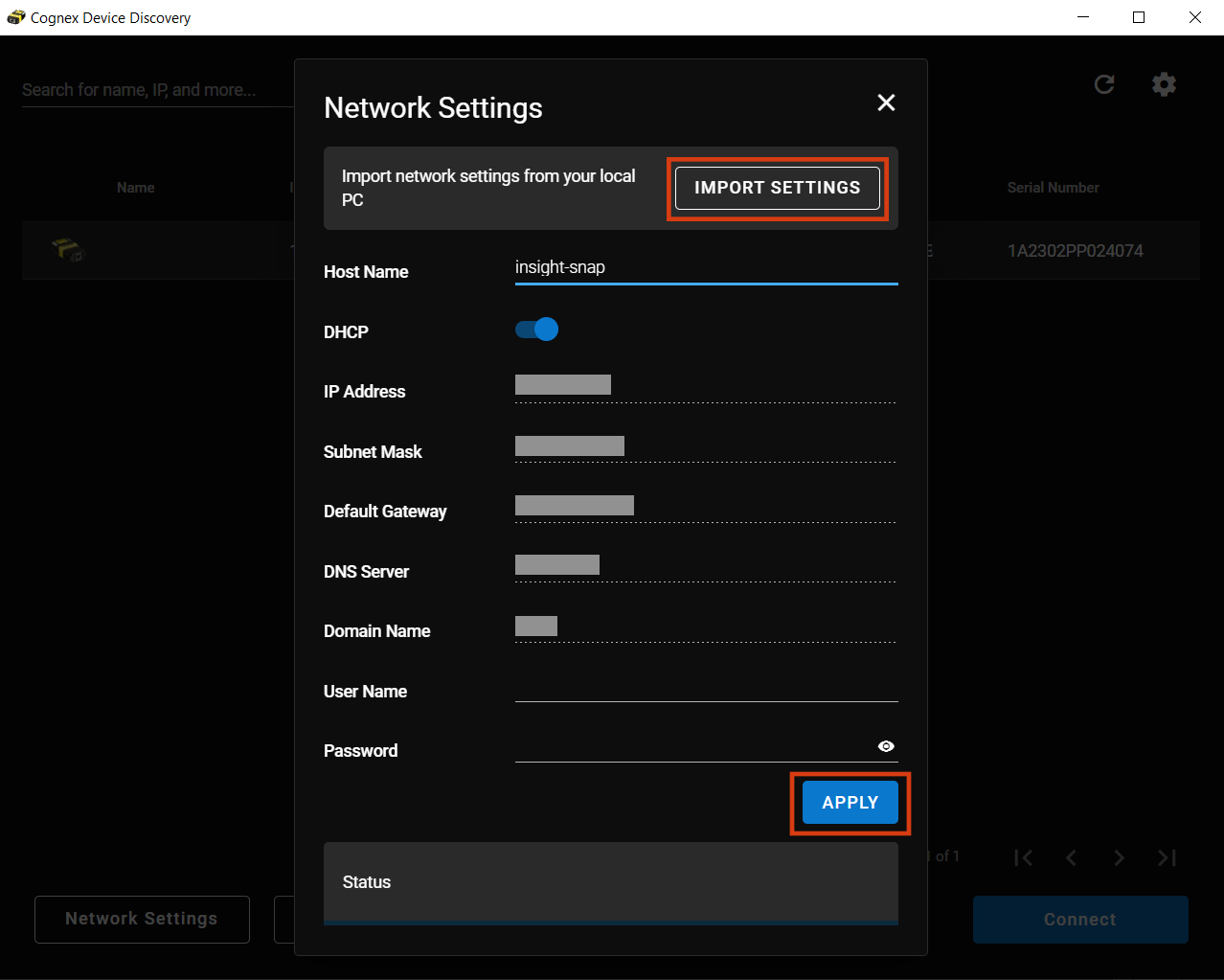
Configure the settings of your vision sensor by clicking on Network Settings. You can change the Host Name or set a User Name and a Password. You can also import network settings by clicking on the Import Settings button. Click Apply to save your changes.
Factory Reset
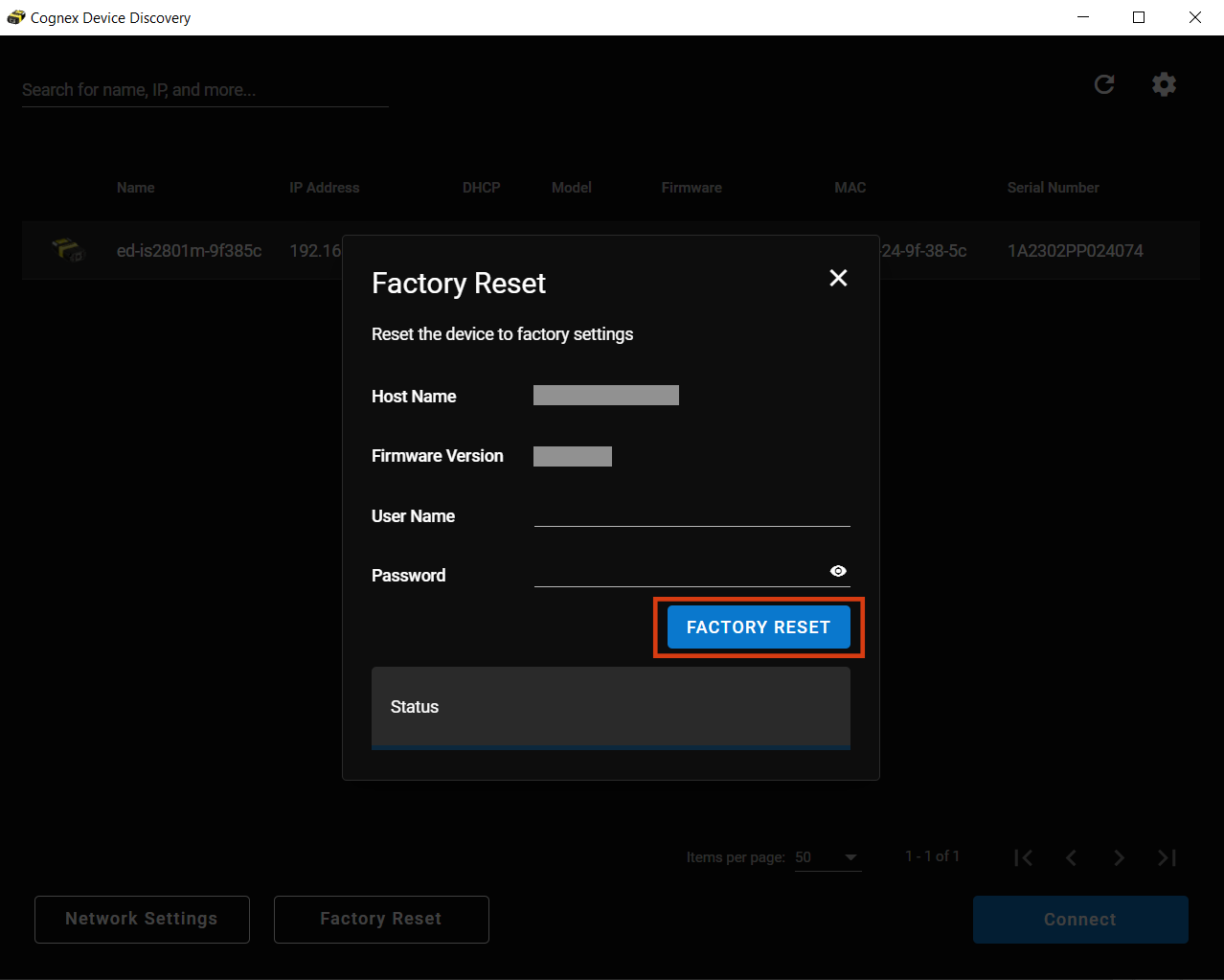
Reset your vision sensor from Cognex Device Discovery Utility by clicking Factory Reset.
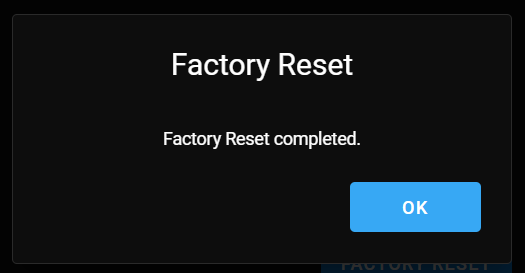
A dialog confirms the completion of resetting your vision sensor to factory settings. Click OK to proceed.