PLC Changes
When upgrading the firmware on a DataMan 370/470 reader to firmware version 6.1.8 or higher, you need to remove the reader from the PLC hardware configuration, replace the General Station Description (GSD) file, then re-add the “CC-B” version of the reader to the hardware configuration.
From the point of view of the PLC, a Class A device is replaced with a Class B device, which fundamentally changes how the PLC communicates with the reader. The PLC treats the reader as a completely different device.
Follow these steps to replace the reader in the hardware configuration of the PLC while maintaining the IO module addressing scheme to ensure that the logic in the project is not affected.
- Go into the TIA Portal software and install the new GSD file from the Options drop down menu -> Manage General Station Description File dialog.
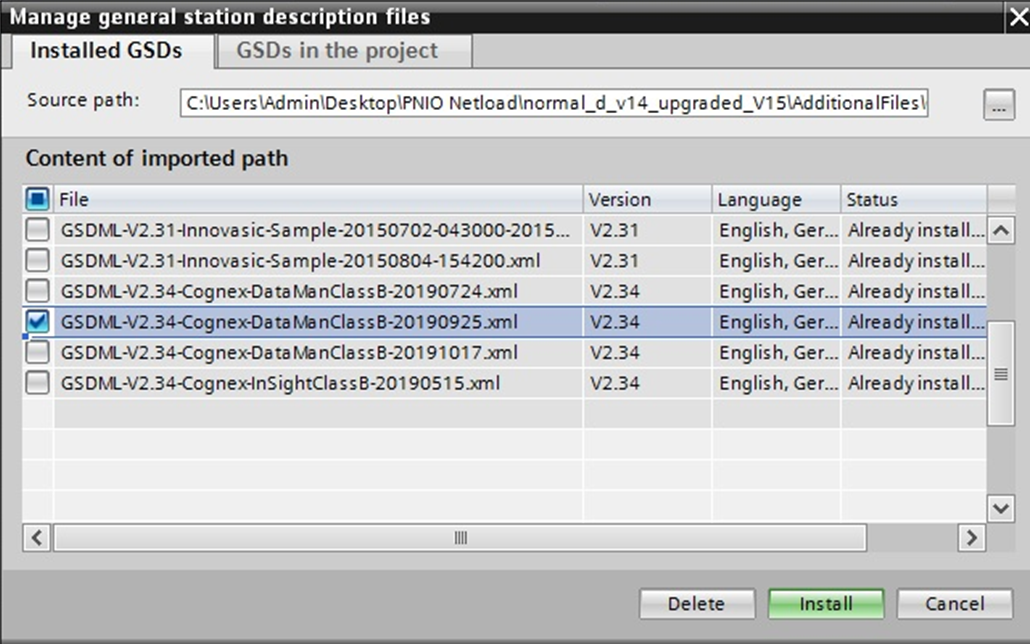 Note: If you are adding onto an existing hardware configuration and are not removing any existing DataMan readers, skip steps 2, 3, and 5.
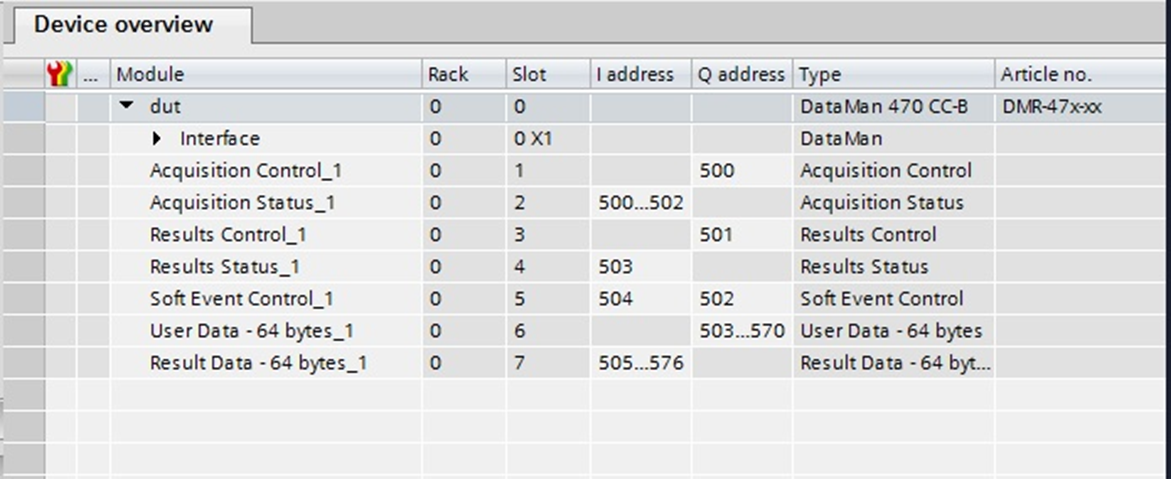
 - Select the source path in the Manage General Station Description Files dialog and browse to the location of the DataMan GSD file: C:\Program Files (x86)\Cognex\DataMan\DataMan Software v6.1.8\Tools\ProfinetTip: The TIA software automatically assigns IO module addresses when a new system is added to the hardware configuration. To prevent different addresses from being assigned when the class B system is added, take a screenshot of the original IO Module addressing. This allows the new reader’s IO modules to be mapped to the correct address space in the PLC, and prevent broken logic in the project:
-
Remove the existing DataMan system from the hardware configuration.
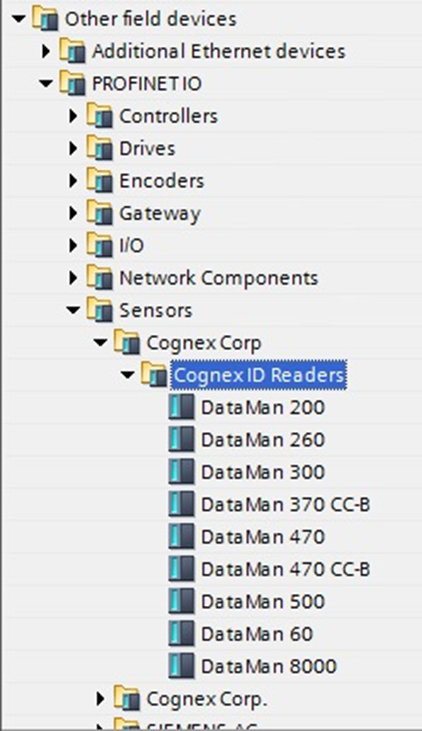
- Expand the catalog in the TIA Portal software, select the “DataMan 370 CC-B” or “DataMan 470 CC-B” version and add it to your configuration.
- Confirm that the IO Module addressing matches what the original vision system was mapped to. If they are different, refer to the screenshot taken in step 2 to restore the IO module addresses to their previous values.
- To change the cycle time to 8 ms, or to another value, select the reader from the Device view, and on the General tab, select Real Time Settings. Select the appropriate cycle time from the Update Time drop down menu:
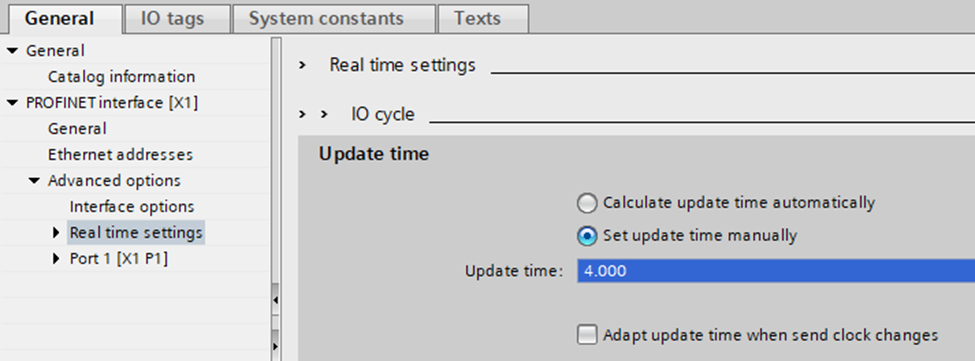 Note: The new GSD file has a faster cycle time, defaulting to 4 ms from 8 ms. While this shortens the network update interval, it also doubles the amount of PROFINET traffic from this device.
 - Compile and download the changes to the PLC.